Spring Boot YAML vs Properties:設定ファイル比較と面接質問 2026年版
Spring BootのYAMLとPropertiesファイルの違いを徹底比較。application.ymlとapplication.propertiesの使い分け、ベストプラクティス、面接対策を解説します。
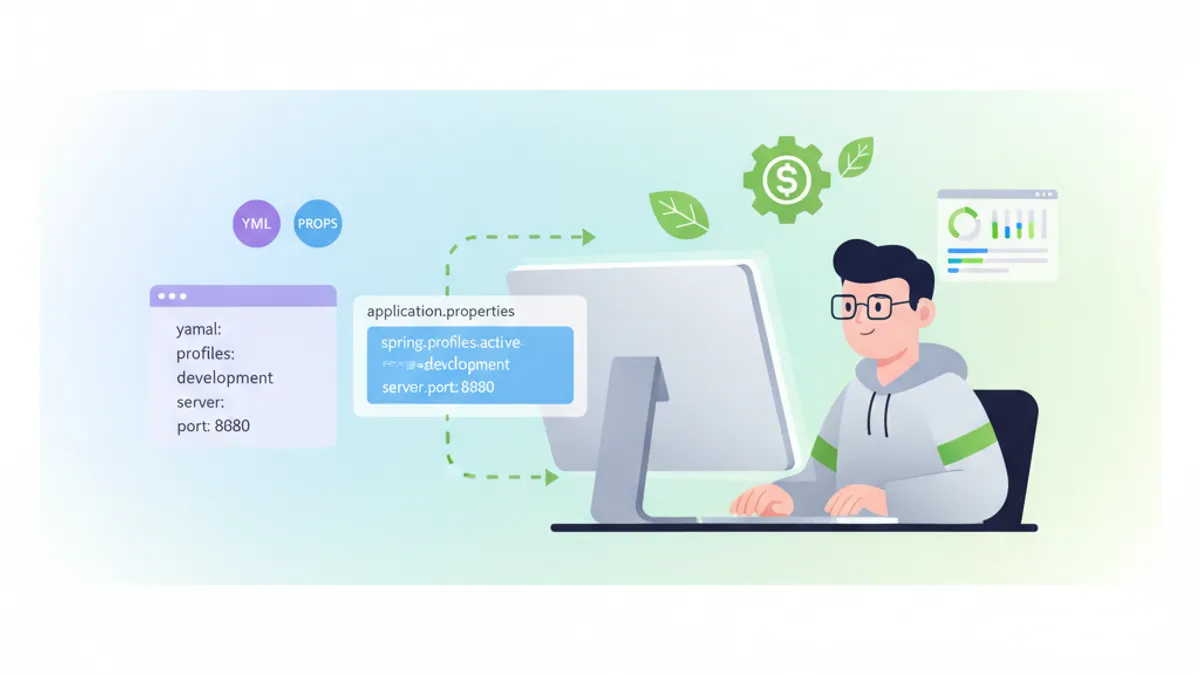
Spring Bootアプリケーションの設定管理において、YAMLとPropertiesのどちらを選択するかは、開発チームが直面する重要な決定事項の一つです。両形式にはそれぞれ固有の特徴があり、プロジェクトの要件やチームの好みによって最適な選択が異なります。
本記事では、Spring Boot 3.xにおけるYAMLとPropertiesファイルの詳細な比較を行い、実践的なコード例と共に、技術面接でよく聞かれる質問への対策も解説します。
Spring Boot 3.2以降では、両形式の機能的な差異はほぼありません。選択の基準は、チームの慣習、設定の複雑さ、可読性の観点から判断することが推奨されます。
基本構文の比較
PropertiesファイルとYAMLファイルの最も基本的な違いは、その構文にあります。Propertiesファイルはフラットなキー・バリュー形式を採用し、YAMLは階層構造を表現できます。
Propertiesファイルの構文
# application.properties
server.port=8080
server.servlet.context-path=/api

spring.datasource.url=jdbc:postgresql://localhost:5432/mydb
spring.datasource.username=admin
spring.datasource.password=secret
spring.datasource.driver-class-name=org.postgresql.Driver

spring.jpa.hibernate.ddl-auto=update
spring.jpa.show-sql=true
spring.jpa.properties.hibernate.format_sql=true
YAMLファイルの構文
# application.yml
server:
  port: 8080
  servlet:
    context-path: /api

spring:
  datasource:
    url: jdbc:postgresql://localhost:5432/mydb
    username: admin
    password: secret
    driver-class-name: org.postgresql.Driver
  jpa:
    hibernate:
      ddl-auto: update
    show-sql: true
    properties:
      hibernate:
        format_sql: true
YAML形式では、インデントによる階層構造が視覚的に明確であり、関連する設定項目がグループ化されます。一方、Propertiesファイルはシンプルで、各行が独立しているため、特定の設定を検索しやすいという利点があります。
プロファイル管理の違い
Spring Bootのプロファイル機能を使用する際、YAMLとPropertiesでは異なるアプローチが必要です。
Propertiesでのプロファイル管理
# application.properties(共通設定)
spring.application.name=my-application
logging.level.root=INFO

# application-dev.properties
server.port=8080
spring.datasource.url=jdbc:postgresql://localhost:5432/devdb
logging.level.com.example=DEBUG

# application-prod.properties
server.port=80
spring.datasource.url=jdbc:postgresql://prod-db:5432/proddb
logging.level.com.example=WARN
YAMLでのプロファイル管理
# application.yml - 単一ファイルでの複数プロファイル定義
spring:
  application:
    name: my-application

logging:
  level:
    root: INFO

---
spring:
  config:
    activate:
      on-profile: dev

server:
  port: 8080

spring:
  datasource:
    url: jdbc:postgresql://localhost:5432/devdb

logging:
  level:
    com.example: DEBUG

---
spring:
  config:
    activate:
      on-profile: prod

server:
  port: 80

spring:
  datasource:
    url: jdbc:postgresql://prod-db:5432/proddb

logging:
  level:
com.example: WARNYAMLの---セパレータを使用することで、単一ファイル内で複数のプロファイル設定を定義できます。これはファイル数を減らし、設定の全体像を把握しやすくする利点があります。
複雑なデータ構造の表現
リストやマップなどの複雑なデータ構造を扱う場合、YAMLの表現力が際立ちます。
リスト構造の比較
# application.properties - リストの表現
app.allowed-origins[0]=http://localhost:3000
app.allowed-origins[1]=http://localhost:8080
app.allowed-origins[2]=https://example.com

app.security.roles[0].name=ADMIN
app.security.roles[0].permissions[0]=READ
app.security.roles[0].permissions[1]=WRITE
app.security.roles[0].permissions[2]=DELETE
app.security.roles[1].name=USER
app.security.roles[1].permissions[0]=READ# application.yml - リストの表現
app:
allowed-origins:
- http://localhost:3000
- http://localhost:8080
- https://example.com
security:
roles:
- name: ADMIN
permissions:
- READ
- WRITE
- DELETE
- name: USER
permissions:
- READ複雑なネスト構造において、YAMLの可読性は明らかに優れています。
設定プロパティクラスとの統合
import org.springframework.boot.context.properties.ConfigurationProperties;
import org.springframework.stereotype.Component;
import java.util.List;

@Component
@ConfigurationProperties(prefix = "app")
public class AppProperties {

    private List<String> allowedOrigins;
    private Security security;

    public static class Security {
        private List<Role> roles;

        public static class Role {
            private String name;
            private List<String> permissions;

            // Getters and Setters
            public String getName() { return name; }
            public void setName(String name) { this.name = name; }
            public List<String> getPermissions() { return permissions; }
            public void setPermissions(List<String> permissions) {
                this.permissions = permissions;
            }
        }

        // Getters and Setters
        public List<Role> getRoles() { return roles; }
        public void setRoles(List<Role> roles) { this.roles = roles; }
    }

    // Getters and Setters
    public List<String> getAllowedOrigins() { return allowedOrigins; }
    public void setAllowedOrigins(List<String> allowedOrigins) {
        this.allowedOrigins = allowedOrigins;
    }
    public Security getSecurity() { return security; }
    public void setSecurity(Security security) { this.security = security; }
}
環境変数とプレースホルダー
両形式とも、環境変数やプレースホルダーの使用をサポートしています。
# application.properties
spring.datasource.url=${DATABASE_URL:jdbc:postgresql://localhost:5432/defaultdb}
spring.datasource.username=${DB_USER:root}
spring.datasource.password=${DB_PASSWORD}

app.api-key=${API_KEY:}
app.feature.enabled=${FEATURE_FLAG:false}# application.yml
spring:
datasource:
url: ${DATABASE_URL:jdbc:postgresql://localhost:5432/defaultdb}
username: ${DB_USER:root}
password: ${DB_PASSWORD}
app:
api-key: ${API_KEY:}
feature:
enabled: ${FEATURE_FLAG:false}Spring Boot 3.xでの新機能
Spring Boot 3.xでは、設定ファイルの処理に関するいくつかの改善が導入されています。
# application.yml - インポート機能
spring:
  config:
    import:
      - optional:file:./config/external.yml
      - optional:configserver:http://config-server:8888
      - classpath:additional-config.yml

---
spring:
  config:
    activate:
      on-cloud-platform: kubernetes
    import:
- optional:configtree:/etc/config/import org.springframework.boot.context.properties.ConfigurationProperties;
import org.springframework.boot.context.properties.bind.ConstructorBinding;
import java.util.List;
@ConfigurationProperties(prefix = "app.mail")
public record MailProperties(
String host,
int port,
String username,
String password,
List<String> recipients
) {
public MailProperties {
if (port <= 0 || port > 65535) {
throw new IllegalArgumentException("Invalid port number");
}
}
}パフォーマンスと起動時間
PropertiesファイルとYAMLファイルの解析パフォーマンスには、実質的な差異はほとんどありません。Spring Bootは起動時に設定ファイルを一度だけ読み込み、その後はキャッシュされた値を使用します。
import org.springframework.boot.SpringApplication;
import org.springframework.boot.autoconfigure.SpringBootApplication;
import org.springframework.boot.context.properties.ConfigurationPropertiesScan;

@SpringBootApplication
@ConfigurationPropertiesScan
public class Application {

    public static void main(String[] args) {
        long startTime = System.currentTimeMillis();
        SpringApplication.run(Application.class, args);
        long endTime = System.currentTimeMillis();
        System.out.println("Startup time: " + (endTime - startTime) + "ms");
    }
}
面接でよく聞かれる質問
Q1: YAMLとPropertiesの主な違いは何ですか?
YAMLは階層構造をインデントで表現でき、複雑なデータ構造(リスト、マップ)の記述が容易です。一方、Propertiesはフラットなキー・バリュー形式で、シンプルな設定に適しています。YAMLは単一ファイルで複数プロファイルを定義できる点も特徴です。
Q2: 設定ファイルの優先順位を説明してください。
# 優先順位(高い順)
# 1. コマンドライン引数
# 2. SPRING_APPLICATION_JSON
# 3. ServletConfig/ServletContext パラメータ
# 4. JNDI属性
# 5. Java System properties
# 6. OS環境変数
# 7. application-{profile}.properties/yml(パッケージ外)
# 8. application-{profile}.properties/yml(パッケージ内)
# 9. application.properties/yml(パッケージ外)
# 10. application.properties/yml(パッケージ内)
# 11. @PropertySource アノテーション
# 12. デフォルト値
Q3: @Value と @ConfigurationProperties の違いは?
import org.springframework.beans.factory.annotation.Value;
import org.springframework.stereotype.Component;

@Component
public class ValueExample {

    @Value("${app.name}")
    private String appName;

    @Value("${app.timeout:5000}")
    private int timeout;

    @Value("#{${app.map}}")
    private Map<String, String> configMap;
}@Valueは個別のプロパティ注入に適し、@ConfigurationPropertiesは関連するプロパティのグループ化、型安全性、バリデーション機能を提供します。
Q4: 設定ファイルの暗号化はどのように実装しますか?
import org.springframework.context.annotation.Bean;
import org.springframework.context.annotation.Configuration;
import org.springframework.security.crypto.encrypt.TextEncryptor;

@Configuration
public class EncryptionConfig {

    @Bean
    public TextEncryptor textEncryptor() {
        // 実装例:Jasypt等のライブラリを使用
        return new MyTextEncryptor();
    }
}# 暗号化された値の例
spring:
datasource:
password: '{cipher}ENCRYPTED_VALUE_HERE'Spring Bootの面接対策はできていますか?
インタラクティブなシミュレーター、flashcards、技術テストで練習しましょう。
ベストプラクティス
1. 一貫性の維持
プロジェクト内で一つの形式に統一することを推奨します。混在させると、設定の管理が複雑になります。
2. 環境固有設定の分離
# application.yml - 共通設定のみ
spring:
  application:
    name: my-service
  profiles:
    active: ${SPRING_PROFILES_ACTIVE:dev}
3. 機密情報の管理
# 機密情報は環境変数から取得
spring:
  datasource:
    password: ${DB_PASSWORD}

app:
  jwt:
    secret: ${JWT_SECRET}
4. バリデーションの活用
import jakarta.validation.constraints.NotBlank;
import jakarta.validation.constraints.Positive;
import org.springframework.boot.context.properties.ConfigurationProperties;
import org.springframework.validation.annotation.Validated;

@Validated
@ConfigurationProperties(prefix = "app")
public class ValidatedAppProperties {

    @NotBlank(message = "Application name is required")
    private String name;

    @Positive(message = "Timeout must be positive")
    private int timeout;

    // Getters and Setters
    public String getName() { return name; }
    public void setName(String name) { this.name = name; }
    public int getTimeout() { return timeout; }
    public void setTimeout(int timeout) { this.timeout = timeout; }
}
まとめ
Spring BootにおけるYAMLとPropertiesの選択は、技術的な制約よりもチームの好みやプロジェクトの特性に基づいて決定されるべきです。YAMLは複雑な階層構造と複数プロファイルの管理に優れ、Propertiesはシンプルさと明示性を提供します。
重要なのは、選択した形式をプロジェクト全体で一貫して使用し、適切なバリデーションと機密情報管理を実装することです。面接では、両形式の特徴を理解し、実際のユースケースに応じた選択ができることを示すことが求められます。
Spring Boot のバグを見つけられますか
実際のコード、隠れたバグ、1日1回。アカウントなしで試せます。

執筆
Anthony Fillion-MailletSharpSkill 創業者
10 年以上フルスタック開発に携わっています。SharpSkill を運営し、ここで公開される内容に責任を負っています。
2026年8月26日 更新
共有
関連記事

Spring Boot Observability 2026年完全ガイド: OpenTelemetry、分散トレーシング、面接対策
Spring Boot 3.4のObservation API、OpenTelemetryとの連携、分散トレーシングの実装方法を解説。Micrometer TracingとOTLPエクスポートの設定、実践的な面接質問も網羅。

2026年のSpring Boot構造化ロギング:LogbackとOpenTelemetryによる本番JSON出力
Spring Boot 4.xの構造化ロギング完全ガイドです。ネイティブJSON出力、OpenTelemetry Starter、MDCトレーシング、本番オブザーバビリティのためのELK Stack連携を解説します。

Spring Kafka: 耐障害性のあるコンシューマによるイベント駆動アーキテクチャ
イベント駆動アーキテクチャ向けの完全なSpring Kafkaガイド。設定、耐障害性のあるコンシューマ、リトライポリシー、Dead Letter Queue、分散アプリケーション向けの本番パターン。