2026年のSpring Boot 3とGraalVM Native Image:AOTコンパイルをステップバイステップ
Spring Boot 3アプリケーションをGraalVMでネイティブイメージにコンパイルする完全ガイド。AOT設定、最適化、本番デプロイまで。
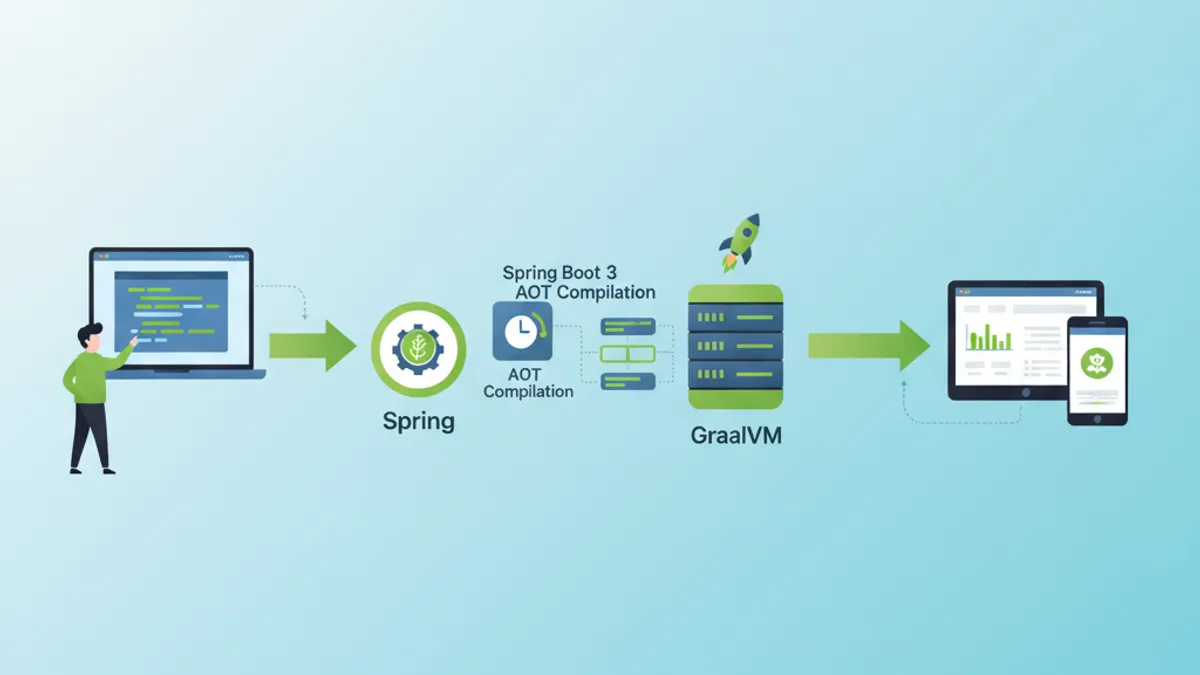
GraalVMによるネイティブコンパイルは、Spring Boot 3アプリケーションをネイティブの実行可能ファイルへと変換します。起動時間は秒単位からミリ秒単位へ短縮され、メモリ消費量も大幅に減少します。本ガイドではAOT設定から本番デプロイまでの全工程を解説します。
Native Imageを導入したGraalVM 22.3+、Spring Boot 3.2+、そしてMavenまたはGradleが必要です。ネイティブコンパイルにはより多くのRAMが要求され(最小8 GB推奨)、完了まで数分を要します。
AOTとNative Imageコンパイルを理解する
JITとAOTの違い
従来のJVMはJust-In-Time(JIT)コンパイルを採用しています。バイトコードはインタプリタで実行されつつ、実行時に機械語へとコンパイルされます。GraalVM Native ImageはAhead-Of-Time(AOT)アプローチを採用し、すべてのコードを実行前にコンパイルします。
┌─────────────────────────────────────────────────────────────┐
│                    JIT Compilation                          │
├─────────────────────────────────────────────────────────────┤
│                                                             │
│   .java → .class → JVM → Interpretation → JIT → Machine    │
│                           (runtime)        (runtime)        │
│                                                             │
│   Advantages: Adaptive optimizations, fast class loading   │
│   Disadvantages: Slow startup, high memory consumption     │
└─────────────────────────────────────────────────────────────┘

┌─────────────────────────────────────────────────────────────┐
│                    AOT Compilation                          │
├─────────────────────────────────────────────────────────────┤
│                                                             │
│   .java → .class → GraalVM Native Image → Native executable │
│                    (build time)                              │
│                                                             │
│   Advantages: Instant startup, low memory footprint         │
│   Disadvantages: Long build, no dynamic reflection          │
└─────────────────────────────────────────────────────────────┘
AOTコンパイルはエントリポイントから到達可能な全コードを静的に解析します。コンパイル時に検出されないコードはネイティブイメージから除外されるため、リフレクションや動的クラスローディングに制約が生じます。
Spring AOTのアーキテクチャ
Spring Boot 3はAOTサポートをネイティブに統合しています。コンパイル工程では追加のソースコードが生成され、動的なメカニズムが静的な等価表現に置き換えられます。
// Standard Spring configuration
@Configuration
@EnableCaching
public class ApplicationConfig {

    @Bean
    public CacheManager cacheManager() {
        // Bean created dynamically at runtime in JIT mode
        // Pre-generated statically in AOT mode
        return new ConcurrentMapCacheManager("users", "products");
    }

    @Bean
    @ConditionalOnProperty(name = "app.feature.enabled", havingValue = "true")
    public FeatureService featureService() {
        // Conditions are evaluated at build time in AOT
        return new FeatureServiceImpl();
    }
}
Spring AOT処理はtarget/spring-aot/main配下にファイルを自動生成します:
target/spring-aot/main/
├── sources/                    # Generated Java code
│   └── com/example/
│       └── ApplicationConfig__BeanDefinitions.java
├── resources/
│   └── META-INF/
│       └── native-image/
│           ├── reflect-config.json    # Reflection configuration
│           ├── resource-config.json   # Included resources
│           └── proxy-config.json      # JDK proxies
Spring Bootプロジェクトの設定
Mavenの依存関係
Maven設定ではnativeプロファイル付きのSpring Bootプラグインを使用します。依存関係はGraalVMと互換である必要があります。
<!-- pom.xml -->
<!-- Complete configuration for Spring Boot 3 Native -->
<?xml version="1.0" encoding="UTF-8"?>
<project xmlns="http://maven.apache.org/POM/4.0.0"
         xmlns:xsi="http://www.w3.org/2001/XMLSchema-instance"
         xsi:schemaLocation="http://maven.apache.org/POM/4.0.0
         https://maven.apache.org/xsd/maven-4.0.0.xsd">

    <modelVersion>4.0.0</modelVersion>

    <parent>
        <groupId>org.springframework.boot</groupId>
        <artifactId>spring-boot-starter-parent</artifactId>
        <version>3.4.2</version>
        <relativePath/>
    </parent>

    <groupId>com.example</groupId>
    <artifactId>native-demo</artifactId>
    <version>1.0.0</version>

    <properties>
        <java.version>21</java.version>
    </properties>

    <dependencies>
        <!-- Web starter with built-in native support -->
        <dependency>
            <groupId>org.springframework.boot</groupId>
            <artifactId>spring-boot-starter-web</artifactId>
        </dependency>

        <!-- JPA with native-compatible Hibernate 6 -->
        <dependency>
            <groupId>org.springframework.boot</groupId>
            <artifactId>spring-boot-starter-data-jpa</artifactId>
        </dependency>

        <!-- Native-compatible PostgreSQL driver -->
        <dependency>
            <groupId>org.postgresql</groupId>
            <artifactId>postgresql</artifactId>
            <scope>runtime</scope>
        </dependency>

        <!-- Validation with native hints -->
        <dependency>
            <groupId>org.springframework.boot</groupId>
            <artifactId>spring-boot-starter-validation</artifactId>
        </dependency>

        <!-- Tests with native support -->
        <dependency>
            <groupId>org.springframework.boot</groupId>
            <artifactId>spring-boot-starter-test</artifactId>
            <scope>test</scope>
        </dependency>
    </dependencies>

    <build>
        <plugins>
            <plugin>
                <groupId>org.springframework.boot</groupId>
                <artifactId>spring-boot-maven-plugin</artifactId>
            </plugin>

            <!-- GraalVM plugin for native compilation -->
            <plugin>
                <groupId>org.graalvm.buildtools</groupId>
                <artifactId>native-maven-plugin</artifactId>
            </plugin>
        </plugins>
    </build>

    <!-- Profile for native build -->
    <profiles>
        <profile>
            <id>native</id>
            <build>
                <plugins>
                    <plugin>
                        <groupId>org.graalvm.buildtools</groupId>
                        <artifactId>native-maven-plugin</artifactId>
                        <configuration>
                            <!-- Native build options -->
                            <buildArgs>
                                <!-- Size optimizations -->
                                <buildArg>-O2</buildArg>
                                <!-- Generate build report -->
                                <buildArg>--verbose</buildArg>
                                <!-- Enable HTTP/2 support -->
                                <buildArg>--enable-http</buildArg>
                                <buildArg>--enable-https</buildArg>
                            </buildArgs>
                            <!-- Memory for build -->
                            <jvmArgs>
                                <jvmArg>-Xmx8g</jvmArg>
                            </jvmArgs>
                        </configuration>
                    </plugin>
                </plugins>
            </build>
        </profile>
    </profiles>

</project>
Gradleでの同等の設定
Gradleプロジェクトでは、GraalVM nativeプラグインを利用して同様の構成を行います。
// Gradle configuration for Spring Boot Native
plugins {
    java
    id("org.springframework.boot") version "3.4.2"
    id("io.spring.dependency-management") version "1.1.7"
    // GraalVM Native plugin
    id("org.graalvm.buildtools.native") version "0.10.4"
}

group = "com.example"
version = "1.0.0"

java {
    toolchain {
        languageVersion = JavaLanguageVersion.of(21)
    }
}

dependencies {
    implementation("org.springframework.boot:spring-boot-starter-web")
    implementation("org.springframework.boot:spring-boot-starter-data-jpa")
    runtimeOnly("org.postgresql:postgresql")
    testImplementation("org.springframework.boot:spring-boot-starter-test")
}

// Native build configuration
graalvmNative {
    binaries {
        named("main") {
            // Generated executable name
            imageName = "native-demo"

            // Compilation options
            buildArgs.addAll(
                "-O2",                    // Optimization level
                "--enable-http",          // HTTP support
                "--enable-https",         // HTTPS support
                "--verbose"               // Detailed logs
            )

            // Memory configuration for build
            jvmArgs.addAll("-Xmx8g")
        }

        named("test") {
            // Native tests with report
            buildArgs.add("--verbose")
        }
    }

    // Tracing agent for automatic discovery
    agent {
        defaultMode = "standard"
        enabled = true
    }
}

tasks.withType<Test> {
    useJUnitPlatform()
}Tracing Agent(-agentlib:native-image-agent)は実行時にリフレクション呼び出しを自動的に検出します。アプリケーションをエージェント付きで実行し、すべての機能を一通り操作したうえで、生成された設定ファイルを利用してください。
リフレクションとリソースの管理
リフレクションの手動設定
一部のライブラリは、静的解析では検出できない方法でリフレクションを使用します。その場合は手動の設定が必要になります。
// Configuration for classes requiring reflection
[
  {
    "name": "com.example.entity.User",
    "allDeclaredConstructors": true,
    "allDeclaredMethods": true,
    "allDeclaredFields": true
  },
  {
    "name": "com.example.dto.UserDTO",
    "allDeclaredConstructors": true,
    "allDeclaredMethods": true,
    "allDeclaredFields": true
  },
  {
    "name": "com.example.config.DynamicProperties",
    "methods": [
      { "name": "getValue", "parameterTypes": [] },
      { "name": "setValue", "parameterTypes": ["java.lang.String"] }
    ]
  }
]
Spring RuntimeHintsの活用
Spring Boot 3はネイティブヒントをプログラム的に宣言するAPIを提供しており、JSONファイルより保守性に優れます。
// Programmatic registration of native hints
@Configuration
@ImportRuntimeHints(NativeHintsRegistrar.AppRuntimeHints.class)
public class NativeHintsRegistrar {

    static class AppRuntimeHints implements RuntimeHintsRegistrar {

        @Override
        public void registerHints(RuntimeHints hints, ClassLoader classLoader) {
            // Register classes for reflection
            hints.reflection()
                // JPA entities with all members
                .registerType(User.class, MemberCategory.values())
                .registerType(Order.class, MemberCategory.values())
                // DTOs with constructors and getters/setters
                .registerType(UserDTO.class,
                    MemberCategory.INVOKE_DECLARED_CONSTRUCTORS,
                    MemberCategory.INVOKE_DECLARED_METHODS,
                    MemberCategory.DECLARED_FIELDS
                );

            // Register resources to include
            hints.resources()
                // Configuration files
                .registerPattern("application*.yml")
                .registerPattern("application*.properties")
                // Templates and static files
                .registerPattern("templates/*")
                .registerPattern("static/**/*")
                // Validation messages
                .registerPattern("ValidationMessages*.properties");

            // Register JDK proxies
            hints.proxies()
                .registerJdkProxy(
                    UserRepository.class,
                    Repository.class
                );

            // Serialization for caching
            hints.serialization()
                .registerType(User.class)
                .registerType(ArrayList.class);
        }
    }
}// Automatic hints for JPA entities
@Component
public class EntityRuntimeHints implements RuntimeHintsRegistrar {
@Override
public void registerHints(RuntimeHints hints, ClassLoader classLoader) {
// Automatic scan of entities in package
ClassPathScanningCandidateComponentProvider scanner =
new ClassPathScanningCandidateComponentProvider(false);
scanner.addIncludeFilter(new AnnotationTypeFilter(Entity.class));
for (BeanDefinition bd : scanner.findCandidateComponents("com.example.entity")) {
try {
Class<?> entityClass = Class.forName(bd.getBeanClassName());
// Register each entity for full reflection
hints.reflection().registerType(
entityClass,
MemberCategory.INVOKE_DECLARED_CONSTRUCTORS,
MemberCategory.INVOKE_DECLARED_METHODS,
MemberCategory.DECLARED_FIELDS
);
} catch (ClassNotFoundException e) {
// Log error without interrupting build
System.err.println("Entity class not found: " + bd.getBeanClassName());
}
}
}
}Spring Bootの面接対策はできていますか?
インタラクティブなシミュレーター、flashcards、技術テストで練習しましょう。
ネイティブイメージのコンパイルと最適化
ビルドコマンド
ネイティブコンパイルはMavenまたはGradleで実行します。処理には数分を要し、相応のリソースを消費します。
# Maven build with native profile
# Generates executable in target/
mvn -Pnative native:compile

# Gradle build
# Generates executable in build/native/nativeCompile/
./gradlew nativeCompile

# Build with native tests included
mvn -Pnative native:compile -DskipTests=false

# Build with tracing agent enabled
mvn -Pnative -Dagent=true test
mvn -Pnative native:compile
高度な最適化オプション
コンパイルオプションは、イメージサイズ、起動時間、実行時のパフォーマンスに影響します。
<!-- pom.xml -->
<!-- Advanced native build configuration -->
<plugin>
    <groupId>org.graalvm.buildtools</groupId>
    <artifactId>native-maven-plugin</artifactId>
    <configuration>
        <buildArgs>
            <!-- Optimization level (0-3, default: 2) -->
            <buildArg>-O3</buildArg>

            <!-- Optimization for startup time -->
            <buildArg>--pgo-instrument</buildArg>

            <!-- Executable compression (reduces size) -->
            <buildArg>-H:+CompressStrings</buildArg>

            <!-- Optimal garbage collector for containers -->
            <buildArg>--gc=serial</buildArg>

            <!-- Build time initialization -->
            <buildArg>--initialize-at-build-time=org.slf4j</buildArg>

            <!-- Debug symbols (disable in prod) -->
            <buildArg>-H:-IncludeAllTimeZones</buildArg>

            <!-- Detailed build report -->
            <buildArg>-H:+ReportExceptionStackTraces</buildArg>
            <buildArg>--verbose</buildArg>

            <!-- Monitoring support -->
            <buildArg>--enable-monitoring=heapdump,jfr</buildArg>
        </buildArgs>

        <!-- Quickbuild for development (faster, less optimized) -->
        <quickBuild>false</quickBuild>

        <!-- Fallback to jar if native fails -->
        <fallback>false</fallback>
    </configuration>
</plugin>// Build time initialization to reduce startup
@Configuration
public class BuildTimeInitializer {
// These configurations are evaluated at build time
// not at runtime
static {
// Initialize loggers at build time
LoggerFactory.getLogger(BuildTimeInitializer.class);
}
@Bean
@NativeHint(options = "--initialize-at-build-time=com.example.Constants")
public ConstantsProvider constantsProvider() {
// Constants are computed once at build
return new ConstantsProvider();
}
}パフォーマンスの比較
ネイティブコンパイルによるパフォーマンスの向上は顕著です。
┌─────────────────────────────────────────────────────────────────────┐
│                    JIT vs Native Comparison                         │
├─────────────────────┬─────────────────┬─────────────────────────────┤
│ Metric              │ JIT (JVM)       │ Native (GraalVM)            │
├─────────────────────┼─────────────────┼─────────────────────────────┤
│ Startup time        │ 2.5 - 5 sec     │ 50 - 200 ms                 │
│ RSS Memory          │ 200 - 400 MB    │ 50 - 100 MB                 │
│ Executable size     │ JAR ~30 MB      │ Binary ~80 MB               │
│ First request time  │ 100 - 500 ms    │ < 10 ms                     │
│ Peak throughput     │ Excellent       │ Good (85-95% of JIT)        │
│ Build time          │ 30 sec          │ 3 - 10 min                  │
└─────────────────────┴─────────────────┴─────────────────────────────┘ネイティブモードでの最大スループットは、JITの適応的最適化が利用できないためJITモードよりわずかに低下する場合があります。高負荷を持続させるワークロードでは両モードを評価してください。
よくある問題の解決
リフレクションのエラー
最も多いエラーは、宣言されていないリフレクションに起因します。例外のメッセージから不足しているクラスが分かります。
// Diagnosing and resolving reflection errors
@Component
@Slf4j
public class ReflectionErrorHandler {

    // Typical error:
    // java.lang.ClassNotFoundException: com.example.SomeClass
    // when accessing via reflection

    // Solution 1: Add manual configuration
    // src/main/resources/META-INF/native-image/reflect-config.json

    // Solution 2: Use @RegisterReflection annotation
    @RegisterReflection(classes = {
        SomeClass.class,
        AnotherClass.class
    })
    public void configureReflection() {
        // Annotated classes will be available for reflection
    }

    // Solution 3: Programmatic RuntimeHints
    public void registerHints(RuntimeHints hints) {
        hints.reflection().registerType(
            SomeClass.class,
            MemberCategory.INVOKE_DECLARED_CONSTRUCTORS,
            MemberCategory.INVOKE_DECLARED_METHODS
        );
    }
}
リソースの欠落
リソースファイルはネイティブイメージへ取り込むために明示的に宣言する必要があります。
// Configuration for resources to include
{
  "resources": {
    "includes": [
      {"pattern": "application\\.yml"},
      {"pattern": "application-.*\\.yml"},
      {"pattern": "messages.*\\.properties"},
      {"pattern": "templates/.*\\.html"},
      {"pattern": "static/.*"},
      {"pattern": "db/migration/.*\\.sql"}
    ],
    "excludes": [
      {"pattern": ".*\\.java"},
      {"pattern": ".*\\.class"}
    ]
  },
  "bundles": [
    {"name": "messages"},
    {"name": "ValidationMessages"}
  ]
}// Programmatic resource configuration
@Configuration
@ImportRuntimeHints(ResourceHintsConfig.ResourceHints.class)
public class ResourceHintsConfig {
static class ResourceHints implements RuntimeHintsRegistrar {
@Override
public void registerHints(RuntimeHints hints, ClassLoader classLoader) {
// YAML/Properties files
hints.resources()
.registerPattern("application*.yml")
.registerPattern("application*.properties");
// Thymeleaf templates
hints.resources().registerPattern("templates/**");
// Flyway SQL scripts
hints.resources().registerPattern("db/migration/*.sql");
// Static files
hints.resources().registerPattern("static/**");
// Message bundles
hints.resources().registerResourceBundle("messages");
hints.resources().registerResourceBundle("ValidationMessages");
}
}
}プロキシに関する問題
JDKおよびCGLIBのプロキシをネイティブモードで動作させるには、専用の設定が必要です。
// Managing proxies for native compilation
@Configuration
public class ProxyConfiguration implements RuntimeHintsRegistrar {

    @Override
    public void registerHints(RuntimeHints hints, ClassLoader classLoader) {
        // JDK proxies for Spring Data interfaces
        hints.proxies().registerJdkProxy(
            UserRepository.class,
            Repository.class,
            CrudRepository.class
        );

        // Proxies for service interfaces
        hints.proxies().registerJdkProxy(
            PaymentService.class,
            TransactionalService.class
        );
    }

    // Alternative: force CGLIB proxies
    @Bean
    public BeanFactoryPostProcessor forceProxyTargetClass() {
        return beanFactory -> {
            // Use CGLIB instead of JDK proxies
            // More compatible with native compilation
        };
    }
}
DockerとKubernetesによるデプロイ
最適化されたマルチステージDockerfile
マルチステージビルドではコンパイルと実行を分離し、最小限のイメージを生成します。
# Dockerfile
# Multi-stage build for Spring Boot Native
# Stage 1: Build with GraalVM
FROM ghcr.io/graalvm/graalvm-community:21 AS builder
# Install Native Image
RUN gu install native-image
WORKDIR /app
# Copy build files
COPY pom.xml .
COPY src ./src
# Install Maven
RUN microdnf install -y maven
# Native build with dependency caching
RUN \
mvn -Pnative native:compile -DskipTests
# Stage 2: Minimal runtime image
FROM gcr.io/distroless/base-debian12
WORKDIR /app
# Copy native executable
COPY /app/target/native-demo /app/native-demo
# Exposed port
EXPOSE 8080
# Healthcheck
HEALTHCHECK \
CMD ["/app/native-demo", "--health"]
# Execution
ENTRYPOINT ["/app/native-demo"]# Dockerfile.alpine
# Alternative with Alpine for even smaller image
FROM ghcr.io/graalvm/native-image-community:21-muslib AS builder
WORKDIR /app
COPY pom.xml .
COPY src ./src
RUN \
mvn -Pnative native:compile \
-Dspring-boot.aot.jvmArguments="-Dspring.aot.processing.resource.matching.strategy=GLOB" \
-DskipTests
# Minimal Alpine image (< 20 MB)
FROM alpine:3.19
RUN apk add --no-cache libc6-compat
WORKDIR /app
COPY /app/target/native-demo /app/native-demo
EXPOSE 8080
ENTRYPOINT ["/app/native-demo"]リソースを最適化したKubernetesデプロイ
ネイティブアプリケーションは従来のJVMアプリケーションよりも少ないリソースで稼働します。
# kubernetes/deployment.yaml
# Optimized Kubernetes deployment for native
apiVersion: apps/v1
kind: Deployment
metadata:
  name: native-demo
spec:
  replicas: 3
  selector:
    matchLabels:
      app: native-demo
  template:
    metadata:
      labels:
        app: native-demo
    spec:
      containers:
        - name: native-demo
          image: registry.example.com/native-demo:1.0.0
          ports:
            - containerPort: 8080

          # Reduced resources thanks to native
          resources:
            requests:
              memory: "64Mi"    # vs 256Mi for JVM
              cpu: "50m"        # vs 200m for JVM
            limits:
              memory: "128Mi"   # vs 512Mi for JVM
              cpu: "200m"       # vs 500m for JVM

          # Fast probes (instant startup)
          readinessProbe:
            httpGet:
              path: /actuator/health/readiness
              port: 8080
            initialDelaySeconds: 1    # vs 30s for JVM
            periodSeconds: 5
            failureThreshold: 3

          livenessProbe:
            httpGet:
              path: /actuator/health/liveness
              port: 8080
            initialDelaySeconds: 2    # vs 60s for JVM
            periodSeconds: 10
            failureThreshold: 3

          # Environment variables
          env:
            - name: SPRING_PROFILES_ACTIVE
              value: "production"
            - name: JAVA_TOOL_OPTIONS
              value: ""  # No JVM options needed

---
apiVersion: v1
kind: Service
metadata:
  name: native-demo
spec:
  selector:
    app: native-demo
  ports:
    - port: 80
      targetPort: 8080
  type: ClusterIP

---
apiVersion: autoscaling/v2
kind: HorizontalPodAutoscaler
metadata:
  name: native-demo-hpa
spec:
  scaleTargetRef:
    apiVersion: apps/v1
    kind: Deployment
    name: native-demo
  minReplicas: 2
  maxReplicas: 10
  metrics:
    - type: Resource
      resource:
        name: cpu
        target:
          type: Utilization
averageUtilization: 70瞬時の起動時間により、水平スケーリングを非常に素早く行えます。新しいPodは数秒で稼働状態になり、トラフィックが急増するワークロードに最適です。
ネイティブイメージのテストと検証
ネイティブテストの設定
テストもネイティブモードでコンパイルおよび実行し、挙動を検証できます。
// Integration tests for native validation
@SpringBootTest(webEnvironment = SpringBootTest.WebEnvironment.RANDOM_PORT)
@TestPropertySource(properties = {
    "spring.datasource.url=jdbc:h2:mem:testdb",
    "spring.jpa.hibernate.ddl-auto=create-drop"
})
class NativeIntegrationTest {

    @Autowired
    private TestRestTemplate restTemplate;

    @Autowired
    private UserRepository userRepository;

    @Test
    void shouldCreateAndRetrieveUser() {
        // Arrange: create a user
        UserDTO request = new UserDTO("John", "john@example.com");

        // Act: API call
        ResponseEntity<UserDTO> createResponse = restTemplate.postForEntity(
            "/api/users",
            request,
            UserDTO.class
        );

        // Assert: verify creation
        assertThat(createResponse.getStatusCode()).isEqualTo(HttpStatus.CREATED);
        assertThat(createResponse.getBody()).isNotNull();
        assertThat(createResponse.getBody().getName()).isEqualTo("John");

        // Verify retrieval
        Long userId = createResponse.getBody().getId();
        ResponseEntity<UserDTO> getResponse = restTemplate.getForEntity(
            "/api/users/{id}",
            UserDTO.class,
            userId
        );

        assertThat(getResponse.getStatusCode()).isEqualTo(HttpStatus.OK);
        assertThat(getResponse.getBody().getEmail()).isEqualTo("john@example.com");
    }

    @Test
    void shouldHandleReflectionCorrectly() {
        // Specific test to validate reflection configuration
        User user = new User();
        user.setName("Test");
        user.setEmail("test@example.com");

        // ORM uses reflection to map entities
        User saved = userRepository.save(user);

        assertThat(saved.getId()).isNotNull();
        assertThat(userRepository.findById(saved.getId())).isPresent();
    }
}<!-- pom.xml -->
<!-- Native tests configuration -->
<plugin>
<groupId>org.graalvm.buildtools</groupId>
<artifactId>native-maven-plugin</artifactId>
<configuration>
<testArgs>
<!-- Include tests in native build -->
<testArg>--verbose</testArg>
</testArgs>
</configuration>
<executions>
<execution>
<id>test-native</id>
<goals>
<goal>test</goal>
</goals>
<phase>test</phase>
</execution>
</executions>
</plugin>Spring Bootの面接対策はできていますか?
インタラクティブなシミュレーター、flashcards、技術テストで練習しましょう。
まとめ
GraalVMによるネイティブコンパイルは、Spring Boot 3アプリケーションを高性能な実行可能ファイルへ変えます。要点は次のとおりです。
プロジェクト設定:
- ✅ Spring Boot 3.2+とGraalVM nativeプラグイン
- ✅ リフレクションとリソース向けのRuntimeHints
- ✅ 自動検出のためのTracing Agent
ビルドの最適化:
- ✅ 適切なコンパイルオプション(O2/O3、GC、圧縮)
- ✅ 静的コンポーネントのビルド時初期化
- ✅ 開発向けQuickbuildと本番向けの完全ビルド
問題解決:
- ✅ サードパーティライブラリ向けの明示的なリフレクション設定
- ✅ 取り込むリソースの宣言
- ✅ JDKおよびCGLIBプロキシの管理
デプロイ:
- ✅ distrolessを用いたマルチステージDockerイメージ
- ✅ 削減されたKubernetesリソース(64 Mi対256 Mi)
- ✅ 最小限の遅延で動作するProbe(瞬時起動)
ネイティブコンパイルはマイクロサービス、サーバーレス関数、リソース制約のある環境に最適です。瞬時の起動時間と少ないメモリ消費は、長めのビルド時間を十分に補います。
今すぐ練習を始めましょう!
面接シミュレーターと技術テストで知識をテストしましょう。
Spring Boot のバグを見つけられますか
実際のコード、隠れたバグ、1日1回。アカウントなしで試せます。

執筆
Anthony Fillion-MailletSharpSkill 創業者
10 年以上フルスタック開発に携わっています。SharpSkill を運営し、ここで公開される内容に責任を負っています。
2026年5月1日 更新
タグ
共有
関連記事

Spring Boot Observability 2026年完全ガイド: OpenTelemetry、分散トレーシング、面接対策
Spring Boot 3.4のObservation API、OpenTelemetryとの連携、分散トレーシングの実装方法を解説。Micrometer TracingとOTLPエクスポートの設定、実践的な面接質問も網羅。

Spring Boot YAML vs Properties:設定ファイル比較と面接質問 2026年版
Spring BootのYAMLとPropertiesファイルの違いを徹底比較。application.ymlとapplication.propertiesの使い分け、ベストプラクティス、面接対策を解説します。

2026年のSpring Boot構造化ロギング:LogbackとOpenTelemetryによる本番JSON出力
Spring Boot 4.xの構造化ロギング完全ガイドです。ネイティブJSON出力、OpenTelemetry Starter、MDCトレーシング、本番オブザーバビリティのためのELK Stack連携を解説します。