iOSプッシュ通知 面接対策 2026: APNs・トークン・トラブルシューティング
Push Notifications、APNs、トークン管理、トラブルシューティングについてiOS面接を準備するための完全ガイドです。よくある質問に詳しい回答を添えています。
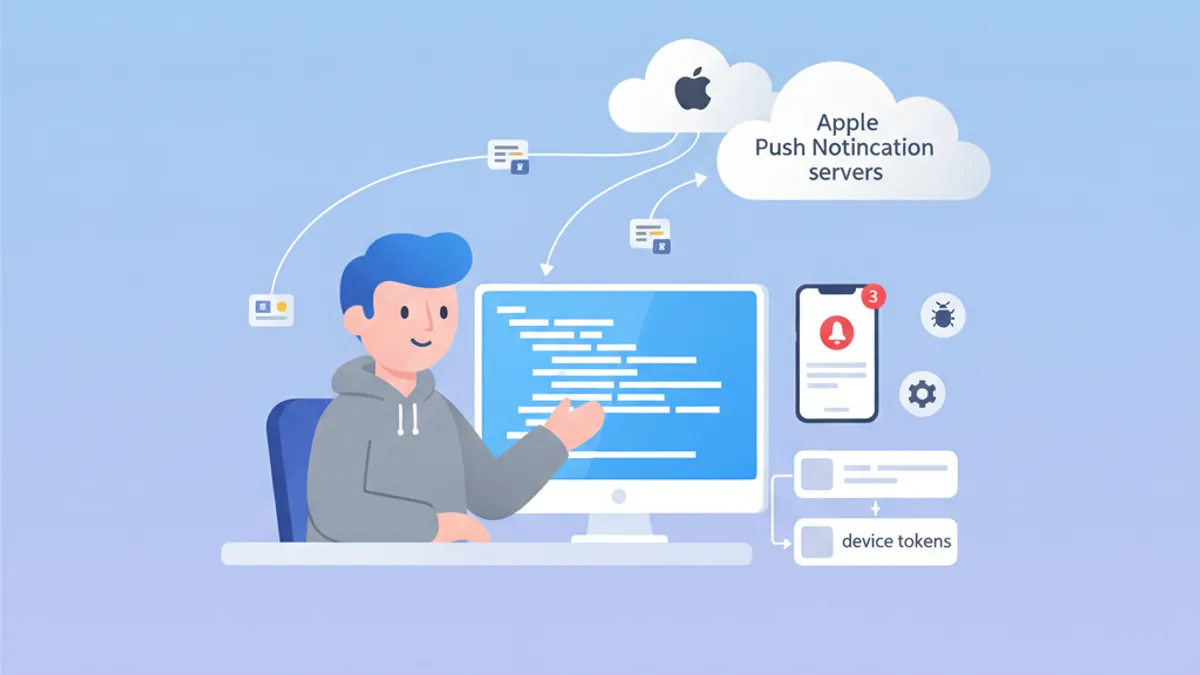
Push NotificationsはiOS面接で依然として重要なテーマです。APNsの仕組みを理解し、device tokenを管理し、よくある問題に対処できることは、Appleエコシステムへの深い理解を示します。本ガイドでは面接で頻出する質問を取り上げます。
面接官は、デバイス登録から通知配信までのライフサイクル全体を理解し、各段階で適切なエラー処理を行える候補者を求めています。
APNsアーキテクチャ: iOS通知の基盤
Apple Push Notification service (APNs) は、Appleデバイスへのプッシュ通知配信を担う中央集約型のサービスです。そのアーキテクチャを理解することは、面接で的確に回答するために不可欠です。
APNsはどう動作しますか?
通信フローには、iOSアプリ・APNs・バックエンドサーバーという3つの主要なアクターが関係します。全体の流れは次のとおりです。
import UIKit
import UserNotifications

@main
class AppDelegate: UIResponder, UIApplicationDelegate {

    func application(
        _ application: UIApplication,
        didFinishLaunchingWithOptions launchOptions: [UIApplication.LaunchOptionsKey: Any]?
    ) -> Bool {
        // Request notification authorization
        UNUserNotificationCenter.current().requestAuthorization(
            options: [.alert, .badge, .sound]
        ) { granted, error in
            guard granted else { return }
            // Register with APNs
            DispatchQueue.main.async {
                application.registerForRemoteNotifications()
            }
        }
        return true
    }
}
APNsへの登録は2段階で進みます。ユーザーから通知許可を得たうえで registerForRemoteNotifications() を呼び出します。
Device tokenの管理
Device tokenはAPNsが特定のデバイスを識別するために生成する一意の識別子です。このトークンは変化する可能性があり、アプリ起動のたびにバックエンドサーバーへ送信する必要があります。
extension AppDelegate {

    // Callback when APNs provides the token
    func application(
        _ application: UIApplication,
        didRegisterForRemoteNotificationsWithDeviceToken deviceToken: Data
    ) {
        // Convert token to hexadecimal string
        let tokenString = deviceToken.map { String(format: "%02.2hhx", $0) }.joined()
        print("Device Token: \(tokenString)")

        // Send to backend server
        sendTokenToServer(tokenString)
    }

    // Callback on registration failure
    func application(
        _ application: UIApplication,
        didFailToRegisterForRemoteNotificationsWithError error: Error
    ) {
        print("Failed to register: \(error.localizedDescription)")
    }

    private func sendTokenToServer(_ token: String) {
        // Implement HTTP request to backend
    }
}
トークンは Data として渡されるため、サーバーへ送る前に16進文字列へ変換しておく必要があります。
よく出るAPNs面接質問
iOS面接では、APNsに関する理論問題と実践問題が組み合わせて出題されます。代表的な質問とその詳しい回答を紹介します。
質問1: APNs sandboxとproductionの違いは?
APNsには別々のエンドポイントを持つ2つの環境があります。一方の環境で生成したトークンは、もう一方では使えません。
| 環境 | エンドポイント | 用途 |
|---|---|---|
| Sandbox | api.sandbox.push.apple.com | デバッグ、TestFlight |
| Production | api.push.apple.com | App Store |
質問2: トークン失効への対処方法は?
Device tokenはシステム復元、別端末への再インストール、APNsによる定期的な更新など、さまざまな理由で変化します。サーバー側ではAPNsからのエラーレスポンスを適切に処理する必要があります。
enum APNsError: Int {
    case badDeviceToken = 400
    case unregistered = 410
    case payloadTooLarge = 413
    case tooManyRequests = 429
    case internalServerError = 500

    var shouldRemoveToken: Bool {
        // Remove token only if device is no longer registered
        return self == .unregistered || self == .badDeviceToken
    }
}

struct APNsResponse {
    let statusCode: Int
    let deviceToken: String

    func handleError() {
        guard let error = APNsError(rawValue: statusCode) else { return }

        if error.shouldRemoveToken {
            // Remove token from database
            TokenRepository.shared.remove(deviceToken)
        }
    }
}
サーバーサイドでのAPNsエラー処理は、トークンデータベースを清潔に保ち、無駄なリクエストを避けるうえで欠かせません。
質問3: silent notificationの実装方法は?
silent notificationを使うと、ユーザーへ何も表示せずにアプリをバックグラウンドで起こし、必要な処理を実行できます。
func application(
    _ application: UIApplication,
    didReceiveRemoteNotification userInfo: [AnyHashable: Any],
    fetchCompletionHandler completionHandler: @escaping (UIBackgroundFetchResult) -> Void
) {
    // Check if this is a silent notification
    guard let aps = userInfo["aps"] as? [String: Any],
          aps["content-available"] as? Int == 1 else {
        completionHandler(.noData)
        return
    }

    // Perform background task
    performBackgroundTask { result in
        switch result {
        case .success:
            completionHandler(.newData)
        case .failure:
            completionHandler(.failed)
        }
    }
}
silent notificationのJSONペイロードは、aps オブジェクト内に "content-available": 1 を含めなければなりません。
iOSの面接対策はできていますか?
インタラクティブなシミュレーター、flashcards、技術テストで練習しましょう。
Notification Service Extension: 高度なカスタマイズ
Notification Service Extensionを使うと、通知を表示する前に内容を変更できます。この機能は面接でもよく取り上げられます。
Service Extensionの作成
import UserNotifications

class NotificationService: UNNotificationServiceExtension {

    var contentHandler: ((UNNotificationContent) -> Void)?
    var bestAttemptContent: UNMutableNotificationContent?

    override func didReceive(
        _ request: UNNotificationRequest,
        withContentHandler contentHandler: @escaping (UNNotificationContent) -> Void
    ) {
        self.contentHandler = contentHandler
        bestAttemptContent = request.content.mutableCopy() as? UNMutableNotificationContent

        guard let bestAttemptContent = bestAttemptContent else {
            contentHandler(request.content)
            return
        }

        // Modify content
        if let imageURLString = bestAttemptContent.userInfo["image-url"] as? String,
           let imageURL = URL(string: imageURLString) {
            downloadImage(from: imageURL) { attachment in
                if let attachment = attachment {
                    bestAttemptContent.attachments = [attachment]
                }
                contentHandler(bestAttemptContent)
            }
        } else {
            contentHandler(bestAttemptContent)
        }
    }

    override func serviceExtensionTimeWillExpire() {
        // Called when time limit (30 seconds) is exceeded
        if let contentHandler = contentHandler,
           let bestAttemptContent = bestAttemptContent {
            contentHandler(bestAttemptContent)
        }
    }

    private func downloadImage(
        from url: URL,
        completion: @escaping (UNNotificationAttachment?) -> Void
    ) {
        URLSession.shared.downloadTask(with: url) { localURL, _, error in
            guard let localURL = localURL, error == nil else {
                completion(nil)
                return
            }

            let tempDirectory = FileManager.default.temporaryDirectory
            let fileName = url.lastPathComponent
            let destinationURL = tempDirectory.appendingPathComponent(fileName)

            try? FileManager.default.moveItem(at: localURL, to: destinationURL)

            let attachment = try? UNNotificationAttachment(
                identifier: fileName,
                url: destinationURL,
                options: nil
            )
            completion(attachment)
        }.resume()
    }
}
Extensionは内容を変更する時間として30秒まで使えます。この上限を超えると serviceExtensionTimeWillExpire() メソッドが呼ばれます。
Push Notificationsのトラブルシューティング
プッシュ通知のデバッグは面接で繰り返し問われるテーマです。候補者は使うべきツールと診断手法を把握しておく必要があります。
登録ステータスの確認
struct PushNotificationDebugger {

    static func checkNotificationStatus() async {
        let center = UNUserNotificationCenter.current()
        let settings = await center.notificationSettings()

        print("=== Push Notification Status ===")
        print("Authorization: \(settings.authorizationStatus.description)")
        print("Alert: \(settings.alertSetting.description)")
        print("Badge: \(settings.badgeSetting.description)")
        print("Sound: \(settings.soundSetting.description)")
        print("Notification Center: \(settings.notificationCenterSetting.description)")
    }
}

extension UNAuthorizationStatus {
    var description: String {
        switch self {
        case .notDetermined: return "Not Determined"
        case .denied: return "Denied"
        case .authorized: return "Authorized"
        case .provisional: return "Provisional"
        case .ephemeral: return "Ephemeral"
        @unknown default: return "Unknown"
        }
    }
}
このデバッグ用関数を使えば、通知の認可ステータスを素早く確認できます。
よくあるエラーと対処法
面接官は典型的なエラーとその解決策をよく尋ねます。次の表が押さえておきたい主要なものです。
| エラー | 原因 | 対処法 |
|---|---|---|
| トークンが無効 | 環境の取り違え (sandbox/prod) | provisioning profileを確認 |
| 通知が届かない | 低電力モードが有効 | 充電された状態で再テスト |
| Extensionが呼ばれない | ペイロードに mutable-content が無い | "mutable-content": 1 を追加 |
| Background fetchが失敗 | ユーザーがアプリを終了 | 制限についてユーザーに案内 |
APNsを直接テストする
開発中の通知テストには curl を使ってAPNsへ直接リクエストを送る方法があります。
struct APNsTestPayload {

    static let silentNotification = """
    {
        "aps": {
            "content-available": 1
        },
        "custom-data": "test"
    }
    """

    static let richNotification = """
    {
        "aps": {
            "alert": {
                "title": "New message",
                "body": "Message content"
            },
            "mutable-content": 1,
            "sound": "default"
        },
        "image-url": "https://example.com/image.jpg"
    }
    """
}
これらのテスト用ペイロードは、さまざまな通知種別に対するアプリの挙動を検証するのに役立ちます。
本番運用のベストプラクティス
ベストプラクティスに関する質問は、候補者の本番アプリ経験を測るのに有効です。
ネットワークエラーの扱い
actor PushTokenManager {

    private var pendingToken: String?
    private var retryCount = 0
    private let maxRetries = 3

    func registerToken(_ token: String) async {
        pendingToken = token
        await sendTokenWithRetry()
    }

    private func sendTokenWithRetry() async {
        guard let token = pendingToken else { return }

        do {
            try await APIClient.shared.registerPushToken(token)
            pendingToken = nil
            retryCount = 0
        } catch {
            retryCount += 1
            if retryCount < maxRetries {
                // Retry with exponential backoff
                let delay = UInt64(pow(2.0, Double(retryCount))) * 1_000_000_000
                try? await Task.sleep(nanoseconds: delay)
                await sendTokenWithRetry()
            }
        }
    }
}
actor を用いると、並行環境におけるトークン管理でスレッドセーフを確保できます。
トークンのローカル永続化
struct TokenStorage {

    private static let tokenKey = "com.app.pushToken"

    static func save(_ token: String) {
        UserDefaults.standard.set(token, forKey: tokenKey)
    }

    static func retrieve() -> String? {
        UserDefaults.standard.string(forKey: tokenKey)
    }

    static func hasTokenChanged(_ newToken: String) -> Bool {
        guard let savedToken = retrieve() else { return true }
        return savedToken != newToken
    }
}
トークンをローカルに保持しておくことで、変化が無い場合に不要なネットワーク呼び出しを避けられます。
まとめ
iOS Push Notificationsを習得することは、Appleエコシステムとクライアント・サーバー間のやり取りを深く理解している証となります。面接で押さえておきたいポイントは次のとおりです。
✅ APNsアーキテクチャ: 登録から配信までの全体像を理解する
✅ Device token: ライフサイクルと変化への対応
✅ Notification Service Extension: 30秒という制限内でのコンテンツ加工
✅ トラブルシューティング: 代表的なエラーと解決策を把握する
✅ silent notifications: background fetchのための content-available
✅ ベストプラクティス: リトライ、ローカル永続化、エラー処理
今すぐ練習を始めましょう!
面接シミュレーターと技術テストで知識をテストしましょう。
iOS のバグを見つけられますか
実際のコード、隠れたバグ、1日1回。アカウントなしで試せます。

執筆
Anthony Fillion-MailletSharpSkill 創業者
10 年以上フルスタック開発に携わっています。SharpSkill を運営し、ここで公開される内容に責任を負っています。
2026年4月29日 更新
タグ
共有
関連記事

StoreKit 2面接対策:サブスクリプション管理とレシート検証
StoreKit 2、サブスクリプション管理、レシート検証、アプリ内課金実装に関するiOS面接の質問を、実用的なSwiftコード例とともにマスターしましょう。

Swift Testing Framework 面接 2026: #expect と #require マクロ vs XCTest
iOS面接のための新しいSwift Testing Frameworkを習得します: #expect と #require マクロ、XCTest からの移行、高度なパターン、よくある落とし穴。
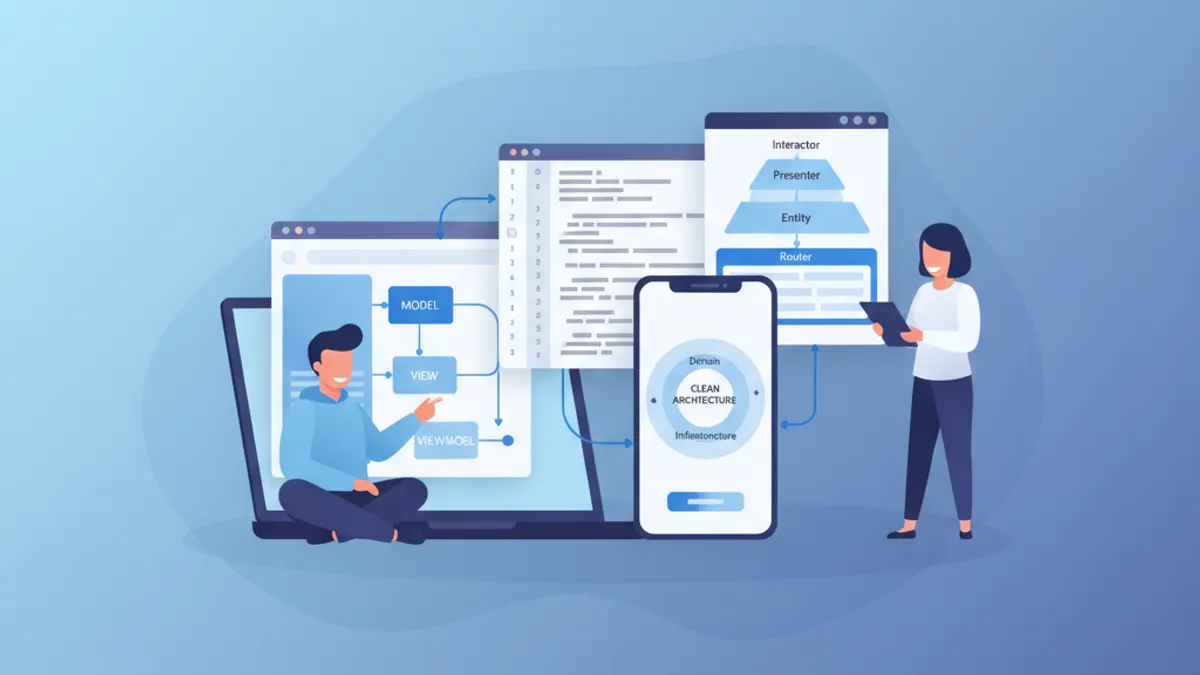
iOSシニア面接 2026:アーキテクチャとデザインパターンの質問集
MVVM、VIPER、Clean Architecture、デザインパターンに関する重要な質問でiOSシニア面接に備えます。Swiftコード例付きの完全ガイドです。