.NETによるClean Architecture実践ガイド
C#を用いた.NETでClean Architectureを習得します。SOLID原則、レイヤー分離、保守性の高いアプリケーションを構築するための実装パターンを学びます。
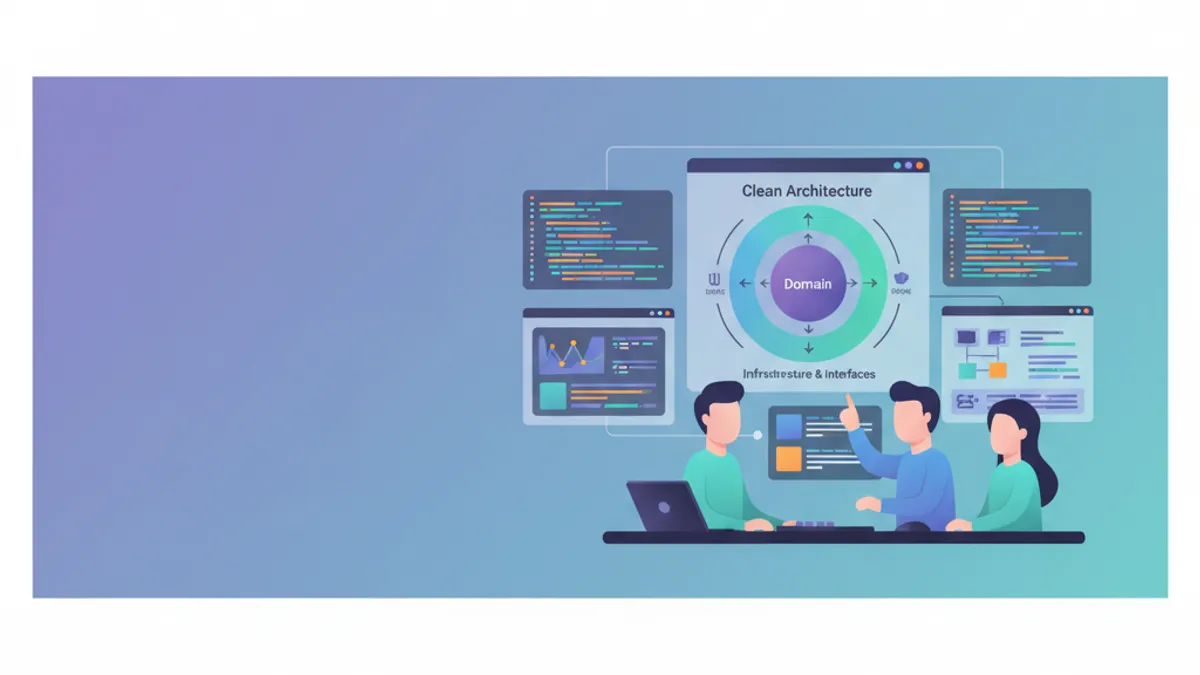
Robert C. Martin(Uncle Bob)が広めたClean Architectureは、ビジネスロジックをアプリケーションの中心に据え、フレームワークや実装の詳細から独立させてコードを構成します。このアーキテクチャ手法は、.NETアプリケーションのテスト容易性、保守性、拡張性を保証します。本ガイドではASP.NET Coreによる実践的な実装を紹介し、パターン採用に影響を与える2025年のMediatRライセンス変更についても取り上げます。
ビジネスロジックとインフラコードを混在させたアプリケーションはすぐに保守困難になります。Clean Architectureは厳格な分離を強制し、技術的詳細をビジネスコアに影響を与えずに変更できるようにします。
Clean Architectureの基本原則
Clean Architectureは依存性逆転に基づきます。内側のレイヤーは外側のレイヤーを知りません。ビジネスドメインは隔離され、Webフレームワークやデータベースなどの技術的選択から独立して進化できます。
┌─────────────────────────────────────────────────────────┐
│                     Presentation                        │
│  (Controllers, Razor Pages, Blazor, API Endpoints)     │
├─────────────────────────────────────────────────────────┤
│                    Infrastructure                       │
│    (EF Core, External APIs, File System, Email)        │
├─────────────────────────────────────────────────────────┤
│                      Application                        │
│       (Use Cases, Commands, Queries, DTOs)             │
├─────────────────────────────────────────────────────────┤
│                        Domain                           │
│     (Entities, Value Objects, Domain Services)          │
└─────────────────────────────────────────────────────────┘
依存関係は常に内側へ向かいます。Presentation → Infrastructure → Application → Domainの順です。Domainはほかのプロジェクトを参照しません。
Clean Architectureにおける.NETプロジェクト構成
プロジェクト構成は各レイヤーを反映します。各レイヤーはVisual Studioソリューション内の別個のプロジェクトに対応し、責務の物理的分離を保証します。
# terminal
# ソリューション構造の作成
dotnet new sln -n CleanArchitecture

# レイヤーごとのプロジェクト作成
dotnet new classlib -n CleanArchitecture.Domain -o src/CleanArchitecture.Domain
dotnet new classlib -n CleanArchitecture.Application -o src/CleanArchitecture.Application
dotnet new classlib -n CleanArchitecture.Infrastructure -o src/CleanArchitecture.Infrastructure
dotnet new webapi -n CleanArchitecture.Api -o src/CleanArchitecture.Api

# ソリューションへのプロジェクト追加
dotnet sln add src/CleanArchitecture.Domain
dotnet sln add src/CleanArchitecture.Application
dotnet sln add src/CleanArchitecture.Infrastructure
dotnet sln add src/CleanArchitecture.Api

# プロジェクト間参照の設定
cd src/CleanArchitecture.Application
dotnet add reference ../CleanArchitecture.Domain

cd ../CleanArchitecture.Infrastructure
dotnet add reference ../CleanArchitecture.Application

cd ../CleanArchitecture.Api
dotnet add reference ../CleanArchitecture.Infrastructure
この構造によりDomainは独立を保ち、依存関係はClean ArchitectureのDependency Ruleに従います。
Domainレイヤー:ビジネスコア
Domainレイヤーはビジネスエンティティ、Value Object、リポジトリインターフェイスを含みます。このレイヤーには外部依存を一切許容しません。
namespace CleanArchitecture.Domain.Entities;

// アイデンティティとビジネスライフサイクルを持つエンティティ
public class Order
{
    // 注文の一意識別子
    public Guid Id { get; private set; }

    // 顧客参照(メール用Value Object)
    public string CustomerEmail { get; private set; }

    // 明細コレクション(一対多リレーション)
    private readonly List<OrderItem> _items = new();
    public IReadOnlyCollection<OrderItem> Items => _items.AsReadOnly();

    // 注文ステータス(ビジネスEnum)
    public OrderStatus Status { get; private set; }

    // 算出される合計金額
    public decimal TotalAmount => _items.Sum(i => i.TotalPrice);

    // 追跡用日時
    public DateTime CreatedAt { get; private set; }
    public DateTime? ShippedAt { get; private set; }

    // privateコンストラクタによりファクトリメソッドの利用を強制
    private Order() { }

    // 有効な注文を生成するファクトリメソッド
    public static Order Create(string customerEmail)
    {
        // 生成時のビジネスルール検証
        if (string.IsNullOrWhiteSpace(customerEmail))
            throw new DomainException("Customer email is required.");

        if (!IsValidEmail(customerEmail))
            throw new DomainException("Invalid email format.");

        return new Order
        {
            Id = Guid.NewGuid(),
            CustomerEmail = customerEmail,
            Status = OrderStatus.Pending,
            CreatedAt = DateTime.UtcNow
        };
    }

    // ビジネスメソッド:明細を追加する
    public void AddItem(Product product, int quantity)
    {
        // ビジネスルール:発送済の注文は変更できない
        if (Status == OrderStatus.Shipped)
            throw new DomainException("Cannot modify a shipped order.");

        if (quantity <= 0)
            throw new DomainException("Quantity must be positive.");

        // 既に同じ商品が含まれているか確認
        var existingItem = _items.FirstOrDefault(i => i.ProductId == product.Id);
        if (existingItem != null)
        {
            existingItem.IncreaseQuantity(quantity);
        }
        else
        {
            _items.Add(OrderItem.Create(this, product, quantity));
        }
    }

    // ビジネスメソッド:注文を確定する
    public void Confirm()
    {
        if (Status != OrderStatus.Pending)
            throw new DomainException("Only pending orders can be confirmed.");

        if (!_items.Any())
            throw new DomainException("An order must contain at least one item.");

        Status = OrderStatus.Confirmed;
    }

    // ビジネスメソッド:注文を発送する
    public void Ship()
    {
        if (Status != OrderStatus.Confirmed)
            throw new DomainException("Order must be confirmed before shipping.");

        Status = OrderStatus.Shipped;
        ShippedAt = DateTime.UtcNow;
    }

    private static bool IsValidEmail(string email) =>
        email.Contains('@') && email.Contains('.');
}
Orderエンティティはビジネスルールをカプセル化し、内部状態を保護します。変更は不変条件を検証するビジネスメソッドを必ず経由します。
namespace CleanArchitecture.Domain.Entities;

// 自身のアイデンティティを持つ子エンティティ
public class OrderItem
{
    public Guid Id { get; private set; }
    public Guid OrderId { get; private set; }
    public Guid ProductId { get; private set; }
    public string ProductName { get; private set; }
    public decimal UnitPrice { get; private set; }
    public int Quantity { get; private set; }

    // 行合計金額の算出
    public decimal TotalPrice => UnitPrice * Quantity;

    private OrderItem() { }

    // バリデーション付きファクトリメソッド
    public static OrderItem Create(Order order, Product product, int quantity)
    {
        return new OrderItem
        {
            Id = Guid.NewGuid(),
            OrderId = order.Id,
            ProductId = product.Id,
            ProductName = product.Name,
            UnitPrice = product.Price,
            Quantity = quantity
        };
    }

    // 数量を増やすメソッド
    public void IncreaseQuantity(int additionalQuantity)
    {
        if (additionalQuantity <= 0)
            throw new DomainException("Additional quantity must be positive.");

        Quantity += additionalQuantity;
    }
}namespace CleanArchitecture.Domain.Enums;
// 注文ステータスの列挙
public enum OrderStatus
{
Pending = 0, // 確認待ち
Confirmed = 1, // 確定済、発送準備完了
Shipped = 2, // 発送済
Delivered = 3, // 配送完了
Cancelled = 4 // キャンセル
}Money、Address、EmailなどのValue Objectは、独自のアイデンティティを持たないビジネス概念をカプセル化します。等価性は値に基づき、参照ではありません。このアプローチによりドメインの表現力が高まります。
DomainにおけるRepositoryインターフェイス
リポジトリインターフェイスはDomainで定義され、実装はInfrastructureに置かれます。このパターンは依存性逆転の原則を尊重します。
namespace CleanArchitecture.Domain.Interfaces;

// Orderリポジトリのインターフェイス
public interface IOrderRepository
{
    // 識別子による取得
    Task<Order?> GetByIdAsync(Guid id, CancellationToken cancellationToken = default);

    // 明細を含めた取得
    Task<Order?> GetByIdWithItemsAsync(Guid id, CancellationToken cancellationToken = default);

    // 顧客メールによる取得
    Task<IEnumerable<Order>> GetByCustomerEmailAsync(
        string email,
        CancellationToken cancellationToken = default);

    // 新規注文の追加
    Task AddAsync(Order order, CancellationToken cancellationToken = default);

    // 既存注文の更新
    Task UpdateAsync(Order order, CancellationToken cancellationToken = default);

    // 注文の削除
    Task DeleteAsync(Guid id, CancellationToken cancellationToken = default);
}namespace CleanArchitecture.Domain.Interfaces;
// トランザクション管理のためのUnit of Workパターン
public interface IUnitOfWork : IDisposable
{
// UoW経由でアクセス可能なリポジトリ
IOrderRepository Orders { get; }
IProductRepository Products { get; }
// 全変更のアトミックな保存
Task<int> SaveChangesAsync(CancellationToken cancellationToken = default);
// 明示的なトランザクション管理
Task BeginTransactionAsync(CancellationToken cancellationToken = default);
Task CommitTransactionAsync(CancellationToken cancellationToken = default);
Task RollbackTransactionAsync(CancellationToken cancellationToken = default);
}Unit of Workパターンは複数のリポジトリにまたがる操作を1つのトランザクション内で調整します。
.NETの面接対策はできていますか?
インタラクティブなシミュレーター、flashcards、技術テストで練習しましょう。
Applicationレイヤー:ユースケースのオーケストレーション
Applicationレイヤーはアプリケーションロジック(ユースケース)、DTO、外部サービスのインターフェイスを保持します。ドメインと外部世界の相互作用をオーケストレートします。
MediatRは2025年7月から商用ライセンスへ移行しました。新規プロジェクトでは、シンプルなメディエーターを自前で実装する、FastEndpointsを使用する、またはライセンス費用を予算化するなどの代替案を検討してください。ここで示すCQRSパターンは、どのライブラリを選択しても有効です。
using MediatR;

namespace CleanArchitecture.Application.Orders.Commands;

// 注文作成の意図を表すCommand
public record CreateOrderCommand(
    string CustomerEmail,
    List<OrderItemDto> Items
) : IRequest<Guid>;

// 注文明細用DTO
public record OrderItemDto(
    Guid ProductId,
    int Quantity
);using MediatR;
using CleanArchitecture.Domain.Entities;
using CleanArchitecture.Domain.Interfaces;
namespace CleanArchitecture.Application.Orders.Commands;
// ユースケースを実装するHandler
public class CreateOrderCommandHandler : IRequestHandler<CreateOrderCommand, Guid>
{
private readonly IUnitOfWork _unitOfWork;
public CreateOrderCommandHandler(IUnitOfWork unitOfWork)
{
_unitOfWork = unitOfWork;
}
public async Task<Guid> Handle(
CreateOrderCommand request,
CancellationToken cancellationToken)
{
// ファクトリメソッドでOrderエンティティを生成
var order = Order.Create(request.CustomerEmail);
// 明細を注文に追加
foreach (var item in request.Items)
{
// リポジトリから商品を取得
var product = await _unitOfWork.Products
.GetByIdAsync(item.ProductId, cancellationToken);
if (product == null)
throw new NotFoundException($"Product {item.ProductId} not found.");
// エンティティのビジネスメソッドを利用
order.AddItem(product, item.Quantity);
}
// リポジトリ経由で永続化
await _unitOfWork.Orders.AddAsync(order, cancellationToken);
await _unitOfWork.SaveChangesAsync(cancellationToken);
return order.Id;
}
}MediatRはMediatorパターンを実装し、ハンドラーをコントローラーから切り離します。各commandには処理を担う唯一のハンドラーが対応します。
using MediatR;

namespace CleanArchitecture.Application.Orders.Queries;

// IDで注文を取得するQuery
public record GetOrderByIdQuery(Guid OrderId) : IRequest<OrderDto?>;

// 注文用の応答DTO
public record OrderDto(
    Guid Id,
    string CustomerEmail,
    string Status,
    decimal TotalAmount,
    DateTime CreatedAt,
    DateTime? ShippedAt,
    List<OrderItemResponseDto> Items
);

// 応答内の明細用DTO
public record OrderItemResponseDto(
    Guid Id,
    string ProductName,
    decimal UnitPrice,
    int Quantity,
    decimal TotalPrice
);using MediatR;
using CleanArchitecture.Domain.Interfaces;
namespace CleanArchitecture.Application.Orders.Queries;
public class GetOrderByIdQueryHandler : IRequestHandler<GetOrderByIdQuery, OrderDto?>
{
private readonly IOrderRepository _orderRepository;
public GetOrderByIdQueryHandler(IOrderRepository orderRepository)
{
_orderRepository = orderRepository;
}
public async Task<OrderDto?> Handle(
GetOrderByIdQuery request,
CancellationToken cancellationToken)
{
// 明細を含めて取得
var order = await _orderRepository
.GetByIdWithItemsAsync(request.OrderId, cancellationToken);
if (order == null)
return null;
// DTOへマッピング(手動射影)
return new OrderDto(
Id: order.Id,
CustomerEmail: order.CustomerEmail,
Status: order.Status.ToString(),
TotalAmount: order.TotalAmount,
CreatedAt: order.CreatedAt,
ShippedAt: order.ShippedAt,
Items: order.Items.Select(i => new OrderItemResponseDto(
Id: i.Id,
ProductName: i.ProductName,
UnitPrice: i.UnitPrice,
Quantity: i.Quantity,
TotalPrice: i.TotalPrice
)).ToList()
);
}
}Commands/Queriesの分離はCQRSパターン(Command Query Responsibility Segregation)に従い、読み取りと書き込みを独立して最適化します。
FluentValidationによるバリデーション
コマンドの検証はApplicationレイヤーで、ハンドラーの実行前に行います。FluentValidation 12以降は.NET 8以上が必要です。
using FluentValidation;
using CleanArchitecture.Application.Orders.Commands;

namespace CleanArchitecture.Application.Orders.Validators;

public class CreateOrderCommandValidator : AbstractValidator<CreateOrderCommand>
{
    public CreateOrderCommandValidator()
    {
        // メールは必須、形式も検証
        RuleFor(x => x.CustomerEmail)
            .NotEmpty().WithMessage("Customer email is required.")
            .EmailAddress().WithMessage("Invalid email format.");

        // 明細は最低1件必須
        RuleFor(x => x.Items)
            .NotEmpty().WithMessage("Order must contain at least one item.");

        // 各明細の検証
        RuleForEach(x => x.Items).ChildRules(item =>
        {
            item.RuleFor(i => i.ProductId)
                .NotEmpty().WithMessage("Product identifier is required.");

            item.RuleFor(i => i.Quantity)
                .GreaterThan(0).WithMessage("Quantity must be positive.")
                .LessThanOrEqualTo(100).WithMessage("Maximum quantity: 100.");
        });
    }
}using FluentValidation;
using MediatR;
namespace CleanArchitecture.Application.Common.Behaviors;
// 自動バリデーションのためのPipeline behavior
public class ValidationBehavior<TRequest, TResponse>
: IPipelineBehavior<TRequest, TResponse>
where TRequest : notnull
{
private readonly IEnumerable<IValidator<TRequest>> _validators;
public ValidationBehavior(IEnumerable<IValidator<TRequest>> validators)
{
_validators = validators;
}
public async Task<TResponse> Handle(
TRequest request,
RequestHandlerDelegate<TResponse> next,
CancellationToken cancellationToken)
{
// バリデータが存在しない場合は処理を継続
if (!_validators.Any())
return await next();
// すべてのバリデータを実行
var context = new ValidationContext<TRequest>(request);
var validationResults = await Task.WhenAll(
_validators.Select(v => v.ValidateAsync(context, cancellationToken)));
// エラーを集約
var failures = validationResults
.SelectMany(r => r.Errors)
.Where(f => f != null)
.ToList();
// エラーがあれば例外をスロー
if (failures.Any())
throw new ValidationException(failures);
return await next();
}
}ValidationBehaviorは各ハンドラー実行前に自動的に動作し、有効なコマンドのみがビジネスロジックに到達するようにします。
Infrastructureレイヤー:技術的実装
Infrastructureレイヤーは、DomainおよびApplicationで定義されたインターフェイスの具象実装を提供します。Entity Framework Core 10は新しいLINQ演算子(LeftJoin、RightJoin)と改善されたExecuteUpdate機能を導入し、リポジトリパターンと組み合わせやすくなっています。
using Microsoft.EntityFrameworkCore;
using CleanArchitecture.Domain.Entities;

namespace CleanArchitecture.Infrastructure.Persistence;

public class AppDbContext : DbContext
{
    public AppDbContext(DbContextOptions<AppDbContext> options) : base(options)
    {
    }

    public DbSet<Order> Orders => Set<Order>();
    public DbSet<OrderItem> OrderItems => Set<OrderItem>();
    public DbSet<Product> Products => Set<Product>();

    protected override void OnModelCreating(ModelBuilder modelBuilder)
    {
        // アセンブリの構成を適用
        modelBuilder.ApplyConfigurationsFromAssembly(typeof(AppDbContext).Assembly);
    }
}using Microsoft.EntityFrameworkCore;
using Microsoft.EntityFrameworkCore.Metadata.Builders;
using CleanArchitecture.Domain.Entities;
namespace CleanArchitecture.Infrastructure.Persistence.Configurations;
public class OrderConfiguration : IEntityTypeConfiguration<Order>
{
public void Configure(EntityTypeBuilder<Order> builder)
{
// テーブルと主キー
builder.ToTable("Orders");
builder.HasKey(o => o.Id);
// プロパティ
builder.Property(o => o.CustomerEmail)
.IsRequired()
.HasMaxLength(256);
builder.Property(o => o.Status)
.IsRequired()
.HasConversion<string>(); // 可読な文字列として保存
// OrderItemsとのリレーション
builder.HasMany(o => o.Items)
.WithOne()
.HasForeignKey(i => i.OrderId)
.OnDelete(DeleteBehavior.Cascade);
// メール検索のためのインデックス
builder.HasIndex(o => o.CustomerEmail);
// privateフィールド _items へのアクセス
builder.Navigation(o => o.Items)
.UsePropertyAccessMode(PropertyAccessMode.Field);
}
}using Microsoft.EntityFrameworkCore;
using CleanArchitecture.Domain.Entities;
using CleanArchitecture.Domain.Interfaces;
using CleanArchitecture.Infrastructure.Persistence;
namespace CleanArchitecture.Infrastructure.Repositories;
public class OrderRepository : IOrderRepository
{
private readonly AppDbContext _context;
public OrderRepository(AppDbContext context)
{
_context = context;
}
public async Task<Order?> GetByIdAsync(
Guid id,
CancellationToken cancellationToken = default)
{
return await _context.Orders
.FirstOrDefaultAsync(o => o.Id == id, cancellationToken);
}
public async Task<Order?> GetByIdWithItemsAsync(
Guid id,
CancellationToken cancellationToken = default)
{
// 明細をeagerで読み込み
return await _context.Orders
.Include(o => o.Items)
.FirstOrDefaultAsync(o => o.Id == id, cancellationToken);
}
public async Task<IEnumerable<Order>> GetByCustomerEmailAsync(
string email,
CancellationToken cancellationToken = default)
{
return await _context.Orders
.Include(o => o.Items)
.Where(o => o.CustomerEmail == email)
.OrderByDescending(o => o.CreatedAt)
.ToListAsync(cancellationToken);
}
public async Task AddAsync(
Order order,
CancellationToken cancellationToken = default)
{
await _context.Orders.AddAsync(order, cancellationToken);
}
public Task UpdateAsync(
Order order,
CancellationToken cancellationToken = default)
{
// EF Coreが自動的に変更を追跡
_context.Orders.Update(order);
return Task.CompletedTask;
}
public async Task DeleteAsync(
Guid id,
CancellationToken cancellationToken = default)
{
await _context.Orders
.Where(o => o.Id == id)
.ExecuteDeleteAsync(cancellationToken);
}
}リポジトリはIQueryableを直接公開すべきではありません。それを行うと上位レイヤーにEF Coreへの依存が発生します。明確なパラメータを持つ専用メソッドを優先してください。
Unit of Workの実装
using Microsoft.EntityFrameworkCore.Storage;
using CleanArchitecture.Domain.Interfaces;
using CleanArchitecture.Infrastructure.Repositories;

namespace CleanArchitecture.Infrastructure.Persistence;

public class UnitOfWork : IUnitOfWork
{
    private readonly AppDbContext _context;
    private IDbContextTransaction? _transaction;

    // リポジトリの遅延ロード
    private IOrderRepository? _orderRepository;
    private IProductRepository? _productRepository;

    public UnitOfWork(AppDbContext context)
    {
        _context = context;
    }

    // オンデマンド生成(lazy initialization)
    public IOrderRepository Orders =>
        _orderRepository ??= new OrderRepository(_context);

    public IProductRepository Products =>
        _productRepository ??= new ProductRepository(_context);

    public async Task<int> SaveChangesAsync(
        CancellationToken cancellationToken = default)
    {
        return await _context.SaveChangesAsync(cancellationToken);
    }

    public async Task BeginTransactionAsync(
        CancellationToken cancellationToken = default)
    {
        _transaction = await _context.Database
            .BeginTransactionAsync(cancellationToken);
    }

    public async Task CommitTransactionAsync(
        CancellationToken cancellationToken = default)
    {
        if (_transaction == null)
            throw new InvalidOperationException("No active transaction.");

        await _transaction.CommitAsync(cancellationToken);
        await _transaction.DisposeAsync();
        _transaction = null;
    }

    public async Task RollbackTransactionAsync(
        CancellationToken cancellationToken = default)
    {
        if (_transaction == null)
            throw new InvalidOperationException("No active transaction.");

        await _transaction.RollbackAsync(cancellationToken);
        await _transaction.DisposeAsync();
        _transaction = null;
    }

    public void Dispose()
    {
        _transaction?.Dispose();
        _context.Dispose();
    }
}
Dependency Injectionの構成
サービス登録は各レイヤーの拡張メソッドで行い、Program.csで統合します。
using Microsoft.EntityFrameworkCore;
using Microsoft.Extensions.Configuration;
using Microsoft.Extensions.DependencyInjection;
using CleanArchitecture.Domain.Interfaces;
using CleanArchitecture.Infrastructure.Persistence;
using CleanArchitecture.Infrastructure.Repositories;

namespace CleanArchitecture.Infrastructure;

public static class DependencyInjection
{
    public static IServiceCollection AddInfrastructure(
        this IServiceCollection services,
        IConfiguration configuration)
    {
        // Entity Frameworkの構成
        services.AddDbContext<AppDbContext>(options =>
            options.UseSqlServer(
                configuration.GetConnectionString("DefaultConnection"),
                b => b.MigrationsAssembly(typeof(AppDbContext).Assembly.FullName)));

        // Unit of Workの登録(Scoped)
        services.AddScoped<IUnitOfWork, UnitOfWork>();

        // 必要に応じて個別のリポジトリ
        services.AddScoped<IOrderRepository, OrderRepository>();
        services.AddScoped<IProductRepository, ProductRepository>();

        return services;
    }
}using FluentValidation;
using MediatR;
using Microsoft.Extensions.DependencyInjection;
using CleanArchitecture.Application.Common.Behaviors;
namespace CleanArchitecture.Application;
public static class DependencyInjection
{
public static IServiceCollection AddApplication(this IServiceCollection services)
{
var assembly = typeof(DependencyInjection).Assembly;
// ハンドラーとあわせてMediatRを登録
services.AddMediatR(cfg => cfg.RegisterServicesFromAssembly(assembly));
// FluentValidationのバリデータを登録
services.AddValidatorsFromAssembly(assembly);
// パイプラインビヘイビア(実行順序が重要)
services.AddTransient(typeof(IPipelineBehavior<,>), typeof(ValidationBehavior<,>));
return services;
}
}using CleanArchitecture.Application;
using CleanArchitecture.Infrastructure;
var builder = WebApplication.CreateBuilder(args);
// レイヤーを登録
builder.Services.AddApplication();
builder.Services.AddInfrastructure(builder.Configuration);
// API構成
builder.Services.AddControllers();
builder.Services.AddEndpointsApiExplorer();
builder.Services.AddSwaggerGen();
var app = builder.Build();
if (app.Environment.IsDevelopment())
{
app.UseSwagger();
app.UseSwaggerUI();
}
app.UseHttpsRedirection();
app.UseAuthorization();
app.MapControllers();
app.Run();Presentationレイヤー:APIコントローラー
コントローラーはMediatRに作業を委譲する単純なアダプタです。よりシンプルなAPIには、ASP.NET Core Minimal APIsが、同じアーキテクチャ分離を維持しながら軽量なアプローチを提供します。
using MediatR;
using Microsoft.AspNetCore.Mvc;
using CleanArchitecture.Application.Orders.Commands;
using CleanArchitecture.Application.Orders.Queries;

namespace CleanArchitecture.Api.Controllers;

[ApiController]
[Route("api/[controller]")]
public class OrdersController : ControllerBase
{
    private readonly IMediator _mediator;

    public OrdersController(IMediator mediator)
    {
        _mediator = mediator;
    }

    [HttpPost]
    [ProducesResponseType(typeof(Guid), StatusCodes.Status201Created)]
    [ProducesResponseType(StatusCodes.Status400BadRequest)]
    public async Task<IActionResult> Create(
        [FromBody] CreateOrderCommand command,
        CancellationToken cancellationToken)
    {
        // 全面的にMediatRへ委譲
        var orderId = await _mediator.Send(command, cancellationToken);

        return CreatedAtAction(
            nameof(GetById),
            new { id = orderId },
            orderId);
    }

    [HttpGet("{id:guid}")]
    [ProducesResponseType(typeof(OrderDto), StatusCodes.Status200OK)]
    [ProducesResponseType(StatusCodes.Status404NotFound)]
    public async Task<IActionResult> GetById(
        Guid id,
        CancellationToken cancellationToken)
    {
        var order = await _mediator.Send(
            new GetOrderByIdQuery(id),
            cancellationToken);

        if (order == null)
            return NotFound();

        return Ok(order);
    }

    [HttpPost("{id:guid}/confirm")]
    [ProducesResponseType(StatusCodes.Status204NoContent)]
    [ProducesResponseType(StatusCodes.Status404NotFound)]
    public async Task<IActionResult> Confirm(
        Guid id,
        CancellationToken cancellationToken)
    {
        await _mediator.Send(new ConfirmOrderCommand(id), cancellationToken);
        return NoContent();
    }

    [HttpPost("{id:guid}/ship")]
    [ProducesResponseType(StatusCodes.Status204NoContent)]
    [ProducesResponseType(StatusCodes.Status404NotFound)]
    public async Task<IActionResult> Ship(
        Guid id,
        CancellationToken cancellationToken)
    {
        await _mediator.Send(new ShipOrderCommand(id), cancellationToken);
        return NoContent();
    }
}
コントローラーは薄く保たれ、ビジネスロジックを含まず、HTTPマッピングのみを担います。
Applicationレイヤーの単体テスト
Clean Architectureは依存関係の隔離により単体テストを容易にします。C#と.NETのテストパターンを理解することで、テスト可能なアーキテクチャの設計に役立ちます。
using Moq;
using Xunit;
using CleanArchitecture.Application.Orders.Commands;
using CleanArchitecture.Domain.Entities;
using CleanArchitecture.Domain.Interfaces;

namespace CleanArchitecture.Tests.Application;

public class CreateOrderCommandHandlerTests
{
    private readonly Mock<IUnitOfWork> _unitOfWorkMock;
    private readonly CreateOrderCommandHandler _handler;

    public CreateOrderCommandHandlerTests()
    {
        _unitOfWorkMock = new Mock<IUnitOfWork>();
        _handler = new CreateOrderCommandHandler(_unitOfWorkMock.Object);
    }

    [Fact]
    public async Task Handle_ValidCommand_CreatesOrderAndReturnsId()
    {
        // Arrange
        var product = new Product { Id = Guid.NewGuid(), Name = "Test", Price = 100 };

        _unitOfWorkMock.Setup(x => x.Products.GetByIdAsync(
            It.IsAny<Guid>(),
            It.IsAny<CancellationToken>()))
            .ReturnsAsync(product);

        _unitOfWorkMock.Setup(x => x.Orders.AddAsync(
            It.IsAny<Order>(),
            It.IsAny<CancellationToken>()))
            .Returns(Task.CompletedTask);

        _unitOfWorkMock.Setup(x => x.SaveChangesAsync(It.IsAny<CancellationToken>()))
            .ReturnsAsync(1);

        var command = new CreateOrderCommand(
            CustomerEmail: "test@example.com",
            Items: new List<OrderItemDto>
            {
                new(ProductId: product.Id, Quantity: 2)
            });

        // Act
        var result = await _handler.Handle(command, CancellationToken.None);

        // Assert
        Assert.NotEqual(Guid.Empty, result);
        _unitOfWorkMock.Verify(x => x.Orders.AddAsync(
            It.Is<Order>(o => o.CustomerEmail == "test@example.com"),
            It.IsAny<CancellationToken>()), Times.Once);
        _unitOfWorkMock.Verify(x => x.SaveChangesAsync(
            It.IsAny<CancellationToken>()), Times.Once);
    }

    [Fact]
    public async Task Handle_ProductNotFound_ThrowsNotFoundException()
    {
        // Arrange
        _unitOfWorkMock.Setup(x => x.Products.GetByIdAsync(
            It.IsAny<Guid>(),
            It.IsAny<CancellationToken>()))
            .ReturnsAsync((Product?)null);

        var command = new CreateOrderCommand(
            CustomerEmail: "test@example.com",
            Items: new List<OrderItemDto>
            {
                new(ProductId: Guid.NewGuid(), Quantity: 1)
            });

        // Act & Assert
        await Assert.ThrowsAsync<NotFoundException>(
            () => _handler.Handle(command, CancellationToken.None));
    }
}
Moqのモックによりハンドラーをその依存関係から隔離し、オーケストレーションロジックのみをテストできます。
Sources
- MediatR GitHubリポジトリ - ライセンスとバージョン情報
- What's New in EF Core 10 - 新しいLINQ演算子とExecuteUpdateの改善
- FluentValidation 12.0アップグレードガイド - 破壊的変更と.NET 8の最小要件
Clean Architecture .NET実装チェックリスト
.NETによるClean Architectureはエンタープライズアプリケーションに堅牢な構造を提供します。Domain、Application、Infrastructure、Presentationの各レイヤー間で責務を厳格に分離することで、長期にわたって保守可能でテスト可能なコードが保証されます。
- 外部依存のない隔離されたDomain
- ビジネスロジックをカプセル化したエンティティ
- Domainに置かれたリポジトリインターフェイス
- Commands/Queries(CQRS)によるユースケース
- FluentValidationとPipeline Behaviorsによる検証
- Domainインターフェイスを実装するInfrastructure
- MediatRに委譲する薄いコントローラー(またはカスタムメディエーター)
- モックで隔離された単体テスト
今すぐ練習を始めましょう!
面接シミュレーターと技術テストで知識をテストしましょう。
このアーキテクチャへの初期投資は、中規模から大規模のプロジェクトで早期に回収されます。技術要件の変更(データベース移行、フレームワーク変更)は外側のレイヤーにのみ影響し、ビジネスコアはそのまま保たれます。本番環境でのEF Coreパフォーマンスについては、Entity Framework Core最適化ガイドを参照してください。
.NET のバグを見つけられますか
実際のコード、隠れたバグ、1日1回。アカウントなしで試せます。

執筆
Anthony Fillion-MailletSharpSkill 創業者
10 年以上フルスタック開発に携わっています。SharpSkill を運営し、ここで公開される内容に責任を負っています。
2026年9月3日 更新
タグ
共有
関連記事

C#/.NET面接質問集:2026年完全ガイド
C#と.NETの技術面接で頻出の17問を徹底解説。LINQ、async/await、依存性注入、Entity Framework Coreからアーキテクチャパターンまで、コード例付きで実践的に学べます。

.NET 10: ASP.NET CoreでREST APIを構築する
.NET 10とASP.NET Coreを使用したプロフェッショナルなREST APIの構築に関する完全ガイド。コントローラー、Entity Framework Core、組み込みバリデーション、ベストプラクティスを解説。
Entity Framework Core:2026年のパフォーマンス最適化とベストプラクティス
EF Core 10のパフォーマンス最適化を解説。AsNoTracking、コンパイル済みクエリ、バッチ操作、スプリットクエリ、LeftJoin演算子など、.NET 10アプリケーション向けの実践的なC#コード例を紹介します。