ASP.NET Core Minimal APIs 2026年完全ガイド:アーキテクチャ、パフォーマンス、面接対策
ASP.NET Core Minimal APIsの設計原則、パフォーマンス最適化、依存性注入、エンドポイント整理の実践的解説。2026年の技術面接で頻出する質問と回答例も収録。
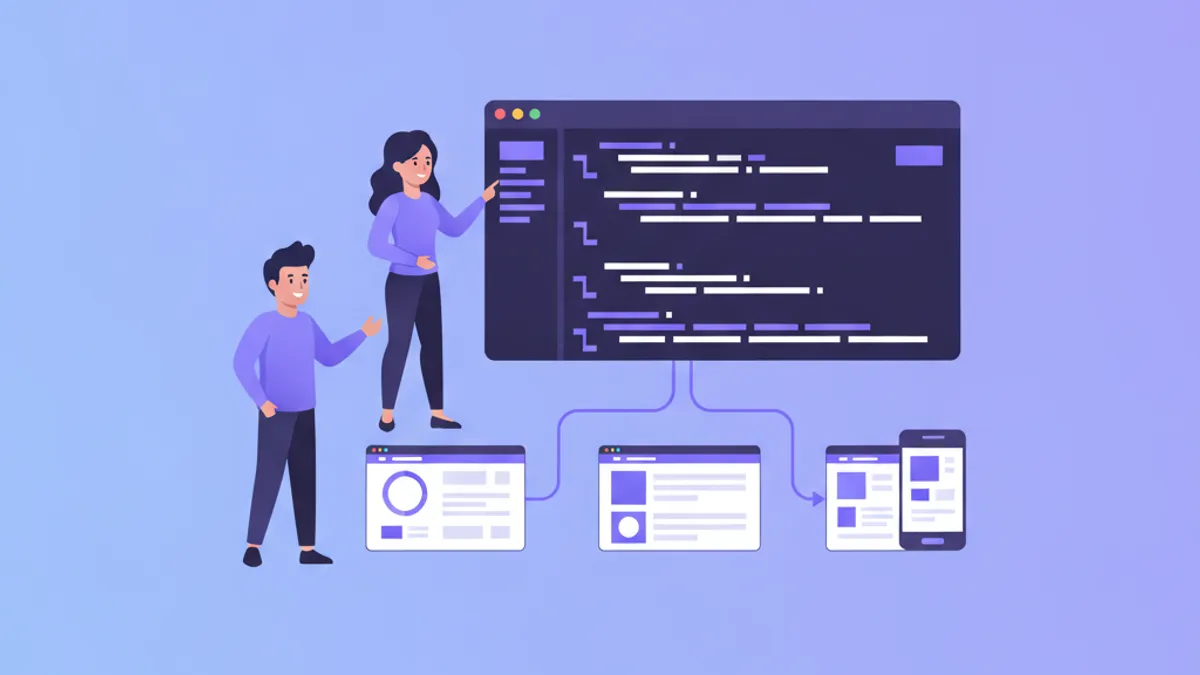
ASP.NET Core Minimal APIsは、従来のMVCコントローラーで必要とされていた定型的なコードを大幅に削減し、HTTPエンドポイントの構築をシンプルかつ効率的に行うためのアプローチです。.NET 6で導入されて以来、.NET 8、.NET 9、そして最新の.NET 10へと進化を続け、マイクロサービス、サーバーレス関数、軽量なWebサービスの開発において本番環境で使用可能な選択肢として確立されています。
Minimal APIsはProgram.csに直接定義されたトップレベルのルートハンドラーを使用します。一方、MVCコントローラーはクラス定義、属性、規約ベースのルーティングが必要です。20エンドポイント未満のシンプルなCRUD操作やマイクロサービスでは、Minimal APIsによりコード量を40〜60%削減できることが多いです。
Minimal APIのアーキテクチャとリクエストパイプライン
ASP.NET Coreのリクエストパイプラインは、HTTPリクエストをミドルウェアコンポーネントを通じて処理し、エンドポイントハンドラーに到達させます。Minimal APIsはこのパイプラインとシームレスに統合しながら、ルート定義のためのより宣言的な構文を提供します。
var builder = WebApplication.CreateBuilder(args);

// 依存性注入のためのサービス登録
builder.Services.AddEndpointsApiExplorer();
builder.Services.AddSwaggerGen();
builder.Services.AddScoped<IProductRepository, ProductRepository>();

var app = builder.Build();

// ミドルウェアパイプラインの設定
app.UseExceptionHandler("/error");
app.UseHttpsRedirection();
app.UseAuthorization();

// Minimal APIエンドポイント定義
app.MapGet("/products", async (IProductRepository repo) =>
    Results.Ok(await repo.GetAllAsync()));

app.MapGet("/products/{id:int}", async (int id, IProductRepository repo) =>
    await repo.GetByIdAsync(id) is Product product
        ? Results.Ok(product)
        : Results.NotFound());

app.Run();このパターンでは、依存性注入コンテナへの完全なアクセスを維持しながら、ルート定義を集中管理できます。IProductRepositoryパラメータは、ハンドラーデリゲートへのコンストラクタレス注入を示しています。
ルートグループとエンドポイントの整理
アプリケーションが成長するにつれて、エンドポイントの整理が重要になります。.NET 7で導入されたルートグループは、最小限のアプローチを維持しながら、名前空間と共有設定を提供します。
public static class ProductEndpoints
{
    public static void MapProductEndpoints(this WebApplication app)
    {
        var group = app.MapGroup("/api/products")
            .WithTags("Products")
            .RequireAuthorization();

        group.MapGet("/", GetAllProducts);
        group.MapGet("/{id:int}", GetProductById);
        group.MapPost("/", CreateProduct)
            .Accepts<CreateProductRequest>("application/json")
            .Produces<Product>(StatusCodes.Status201Created);
        group.MapPut("/{id:int}", UpdateProduct);
        group.MapDelete("/{id:int}", DeleteProduct)
            .RequireAuthorization("AdminOnly");
    }

    private static async Task<IResult> GetAllProducts(
        IProductRepository repo,
        CancellationToken ct)
    {
        var products = await repo.GetAllAsync(ct);
        return Results.Ok(products);
    }

    private static async Task<IResult> GetProductById(
        int id,
        IProductRepository repo,
        CancellationToken ct)
    {
        var product = await repo.GetByIdAsync(id, ct);
        return product is not null
            ? Results.Ok(product)
            : Results.NotFound();
    }

    private static async Task<IResult> CreateProduct(
        CreateProductRequest request,
        IProductRepository repo,
        CancellationToken ct)
    {
        var product = await repo.CreateAsync(request, ct);
        return Results.Created($"/api/products/{product.Id}", product);
    }
}
このアプローチにより、Program.csはクリーンに保たれ、エンドポイント関連のロジックは専用ファイルに分離されます。
パフォーマンス最適化テクニック
Minimal APIsは、その軽量な設計により優れたパフォーマンスを提供しますが、さらなる最適化が可能です。
// 非同期ストリーミングによる大量データの効率的な処理
app.MapGet("/products/stream", async (IProductRepository repo) =>
{
    async IAsyncEnumerable<Product> StreamProducts()
    {
        await foreach (var product in repo.GetAllAsyncStream())
        {
            yield return product;
        }
    }
    return Results.Ok(StreamProducts());
});

// レスポンスキャッシングの活用
builder.Services.AddOutputCache(options =>
{
    options.AddBasePolicy(builder => builder.Expire(TimeSpan.FromMinutes(5)));
    options.AddPolicy("ProductCache", builder =>
        builder.Expire(TimeSpan.FromMinutes(10))
               .Tag("products"));
});

app.MapGet("/products", async (IProductRepository repo) =>
    Results.Ok(await repo.GetAllAsync()))
    .CacheOutput("ProductCache");

// キャッシュ無効化
app.MapPost("/products", async (
    CreateProductRequest request,
    IProductRepository repo,
    IOutputCacheStore cache) =>
{
    var product = await repo.CreateAsync(request);
    await cache.EvictByTagAsync("products", default);
    return Results.Created($"/api/products/{product.Id}", product);
});
出力キャッシングは.NET 7で導入され、エンドポイントレベルでのレスポンスキャッシングを簡単に設定できます。タグベースの無効化により、関連するキャッシュを一括でクリアすることも可能です。
バリデーションとエラーハンドリング
堅牢なAPIには適切なバリデーションとエラーハンドリングが不可欠です。
// FluentValidationの統合
builder.Services.AddScoped<IValidator<CreateProductRequest>, CreateProductValidator>();

public class CreateProductValidator : AbstractValidator<CreateProductRequest>
{
    public CreateProductValidator()
    {
        RuleFor(x => x.Name)
            .NotEmpty().WithMessage("商品名は必須です")
            .MaximumLength(100).WithMessage("商品名は100文字以内で入力してください");

        RuleFor(x => x.Price)
            .GreaterThan(0).WithMessage("価格は0より大きい値を入力してください");
    }
}

// バリデーションフィルターの作成
public class ValidationFilter<T> : IEndpointFilter where T : class
{
    private readonly IValidator<T> _validator;

    public ValidationFilter(IValidator<T> validator)
    {
        _validator = validator;
    }

    public async ValueTask<object?> InvokeAsync(
        EndpointFilterInvocationContext context,
        EndpointFilterDelegate next)
    {
        var argument = context.Arguments
            .OfType<T>()
            .FirstOrDefault();

        if (argument is null)
            return Results.BadRequest("リクエストボディが必要です");

        var result = await _validator.ValidateAsync(argument);

        if (!result.IsValid)
        {
            var errors = result.Errors
                .GroupBy(e => e.PropertyName)
                .ToDictionary(
                    g => g.Key,
                    g => g.Select(e => e.ErrorMessage).ToArray());
            return Results.ValidationProblem(errors);
        }

        return await next(context);
    }
}

// フィルターの適用
group.MapPost("/", CreateProduct)
    .AddEndpointFilter<ValidationFilter<CreateProductRequest>>();
認証と認可の実装
Minimal APIsでは、認証と認可をフルーエントな構文で設定できます。
// JWT認証の設定
builder.Services.AddAuthentication(JwtBearerDefaults.AuthenticationScheme)
    .AddJwtBearer(options =>
    {
        options.TokenValidationParameters = new TokenValidationParameters
        {
            ValidateIssuer = true,
            ValidateAudience = true,
            ValidateLifetime = true,
            ValidateIssuerSigningKey = true,
            ValidIssuer = builder.Configuration["Jwt:Issuer"],
            ValidAudience = builder.Configuration["Jwt:Audience"],
            IssuerSigningKey = new SymmetricSecurityKey(
                Encoding.UTF8.GetBytes(builder.Configuration["Jwt:Key"]!))
        };
    });

builder.Services.AddAuthorizationBuilder()
    .AddPolicy("AdminOnly", policy =>
        policy.RequireRole("Admin"))
    .AddPolicy("CanManageProducts", policy =>
        policy.RequireClaim("permission", "products:write"));

// エンドポイントでの認可適用
var adminGroup = app.MapGroup("/api/admin")
    .RequireAuthorization("AdminOnly");

adminGroup.MapGet("/users", async (IUserRepository repo) =>
    Results.Ok(await repo.GetAllAsync()));

adminGroup.MapDelete("/users/{id}", async (int id, IUserRepository repo) =>
{
    await repo.DeleteAsync(id);
    return Results.NoContent();
});
OpenAPI/Swaggerドキュメント生成
APIドキュメントは開発者体験において重要な要素です。
// Swagger設定
builder.Services.AddEndpointsApiExplorer();
builder.Services.AddSwaggerGen(options =>
{
    options.SwaggerDoc("v1", new OpenApiInfo
    {
        Title = "Products API",
        Version = "v1",
        Description = "商品管理API"
    });

    options.AddSecurityDefinition("Bearer", new OpenApiSecurityScheme
    {
        Type = SecuritySchemeType.Http,
        Scheme = "bearer",
        BearerFormat = "JWT"
    });
});

// エンドポイントのドキュメント強化
group.MapGet("/{id:int}", GetProductById)
    .WithName("GetProduct")
    .WithSummary("IDによる商品取得")
    .WithDescription("指定されたIDの商品を取得します。存在しない場合は404を返します。")
    .Produces<Product>(StatusCodes.Status200OK)
    .Produces(StatusCodes.Status404NotFound);
技術面接でよく聞かれる質問と回答
Minimal APIsに関する面接では、以下のような質問が頻出します。
Q: Minimal APIsとMVCコントローラーの選択基準は?
Minimal APIsは、シンプルなCRUD操作、マイクロサービス、少数のエンドポイントを持つAPIに適しています。一方、MVCコントローラーは、複雑なビュー論理、多数のエンドポイントを持つ大規模API、チームがMVCパターンに慣れている場合に適しています。
Q: エンドポイントフィルターとミドルウェアの違いは?
ミドルウェアはリクエストパイプライン全体に適用され、すべてのリクエストを処理します。エンドポイントフィルターは特定のエンドポイントにのみ適用され、よりきめ細かい制御が可能です。バリデーションやロギングなど、エンドポイント固有の処理にはフィルターが適しています。
Q: Minimal APIsでのテスト方法は?
// WebApplicationFactoryを使用した統合テスト
public class ProductApiTests : IClassFixture<WebApplicationFactory<Program>>
{
    private readonly HttpClient _client;

    public ProductApiTests(WebApplicationFactory<Program> factory)
    {
        _client = factory.CreateClient();
    }

    [Fact]
    public async Task GetProducts_ReturnsOk()
    {
        var response = await _client.GetAsync("/api/products");
        response.StatusCode.Should().Be(HttpStatusCode.OK);
    }
}
.NETの面接対策はできていますか?
インタラクティブなシミュレーター、flashcards、技術テストで練習しましょう。
まとめ
ASP.NET Core Minimal APIsは、軽量で高速なAPIを構築するための強力なツールです。ルートグループによる整理、エンドポイントフィルターによる横断的関心事の処理、出力キャッシングによるパフォーマンス最適化など、実運用に必要な機能が揃っています。
技術面接では、Minimal APIsとMVCコントローラーの使い分け、依存性注入の仕組み、ミドルウェアとフィルターの違いについての理解が問われます。コード例を通じて実践的な知識を身につけ、適切なユースケースを説明できるようにしておくことが重要です。
.NET のバグを見つけられますか
実際のコード、隠れたバグ、1日1回。アカウントなしで試せます。

執筆
Anthony Fillion-MailletSharpSkill 創業者
10 年以上フルスタック開発に携わっています。SharpSkill を運営し、ここで公開される内容に責任を負っています。
2026年7月24日 更新
共有
関連記事
.NET 2026年のClean Architecture: CQRS、MediatR、面接で問われる設計パターン
.NETでのClean Architecture実装を徹底解説。CQRS、MediatR 14、パイプラインビヘイビアの実践的なコード例と、シニア開発者面接で頻出の設計質問への回答方法を紹介します。
ASP.NET CoreにおけるDbContextのライフタイム管理:非同期操作でのパフォーマンスとスレッドセーフティ
ASP.NET CoreでのDbContextライフタイム管理を解説します。スコープ付きライフタイムとトランジェントの使い分け、非同期操作でのスレッドセーフティ、DbContextプーリングによるパフォーマンス最適化について学びます。
C#クリーンアーキテクチャ完全ガイド:面接対策と実装パターン 2026年版
C#におけるクリーンアーキテクチャの設計原則、SOLID原則の実践的な適用方法、そして技術面接で頻出する質問と回答を徹底解説します。