Kubernetes: 最初のアプリケーションをデプロイする
Kubernetes上にアプリケーションをデプロイするための実践的なガイドです。minikubeのインストールから、Deployment、Service、ConfigMapまで具体例とともに解説します。
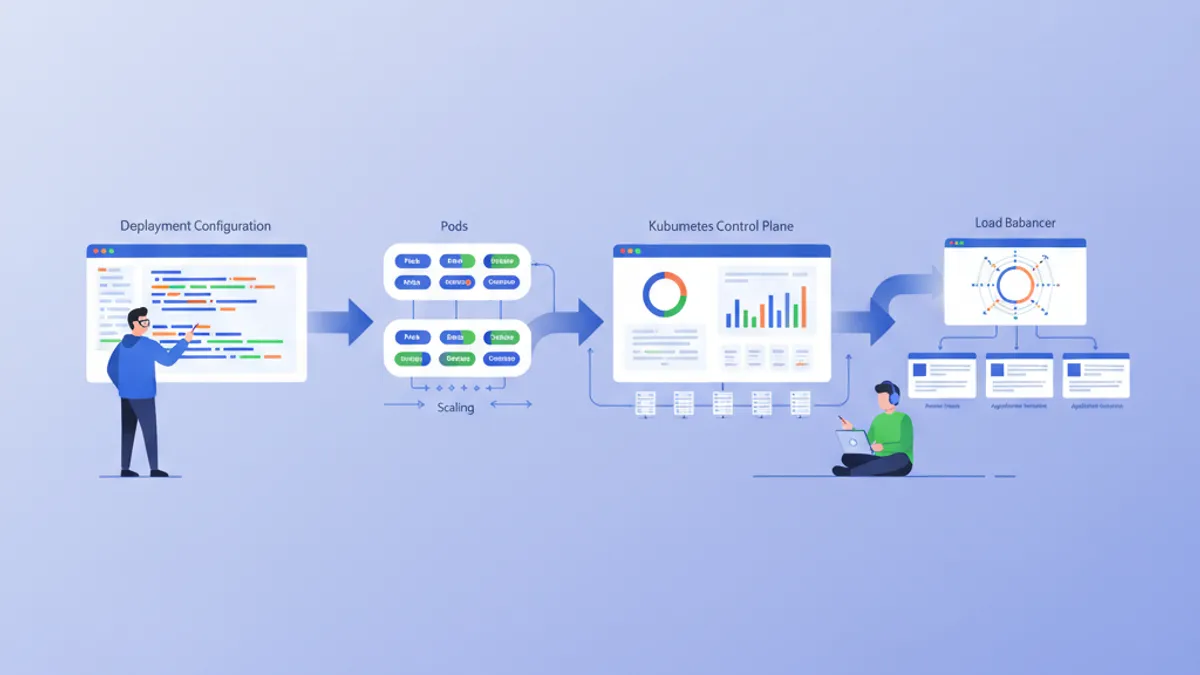
Kubernetes(K8s)は、コンテナオーケストレーションのデファクトスタンダードとなっています。Googleによって設計され、現在はCNCFが維持しているKubernetesは、コンテナ化されたアプリケーションのデプロイ、スケーリング、管理を自動化します。本ガイドでは、ローカルクラスタのセットアップから最初のアプリケーションのデプロイまでを順を追って説明します。
Kubernetesを深く学ぶ前に、Dockerの基本知識を持っておくことをおすすめします。コンテナはKubernetesがオーケストレーションする基本的な構成要素です。事前にDockerガイドを読んでおくと、ここで紹介する概念の理解が格段に容易になります。
Kubernetesのアーキテクチャを理解する
Kubernetesはマスター・ワーカー型のアーキテクチャに基づいています。Control Planeはクラスタに関するグローバルな決定を行い、Nodeはワークロードを実行します。
# Simplified Kubernetes Architecture

┌─────────────────────────────────────────────────────────────┐
│                      CONTROL PLANE                          │
│  ┌─────────────┐  ┌─────────────┐  ┌─────────────────────┐ │
│  │ API Server  │  │ Scheduler   │  │ Controller Manager  │ │
│  └─────────────┘  └─────────────┘  └─────────────────────┘ │
│  ┌─────────────────────────────────────────────────────────┐│
│  │                        etcd                             ││
│  └─────────────────────────────────────────────────────────┘│
└─────────────────────────────────────────────────────────────┘
                              │
         ┌────────────────────┼────────────────────┐
         ▼                    ▼                    ▼
┌─────────────────┐  ┌─────────────────┐  ┌─────────────────┐
│     NODE 1      │  │     NODE 2      │  │     NODE 3      │
│  ┌───────────┐  │  │  ┌───────────┐  │  │  ┌───────────┐  │
│  │  kubelet  │  │  │  │  kubelet  │  │  │  │  kubelet  │  │
│  ├───────────┤  │  │  ├───────────┤  │  │  ├───────────┤  │
│  │ kube-proxy│  │  │  │ kube-proxy│  │  │  │ kube-proxy│  │
│  ├───────────┤  │  │  ├───────────┤  │  │  ├───────────┤  │
│  │   Pods    │  │  │  │   Pods    │  │  │  │   Pods    │  │
│  └───────────┘  │  │  └───────────┘  │  │  └───────────┘  │
└─────────────────┘  └─────────────────┘  └─────────────────┘
API Serverはすべてのコマンドのエントリーポイントです。etcdはクラスタの状態を保存します。SchedulerはPodをNodeに割り当てます。Controllerはシステムの望ましい状態を維持します。
ローカル環境のセットアップ
Kubernetesをローカルで試すための選択肢はいくつかあります: minikube、kind、k3d、またはDocker Desktopです。Minikubeは学習に最も人気のあるソリューションのままです。
# terminal
# Install kubectl (Kubernetes client)
curl -LO "https://dl.k8s.io/release/$(curl -L -s https://dl.k8s.io/release/stable.txt)/bin/linux/amd64/kubectl"
chmod +x kubectl
sudo mv kubectl /usr/local/bin/

# Verify installation
kubectl version --client
# Client Version: v1.31.0

# Install minikube
curl -LO https://storage.googleapis.com/minikube/releases/latest/minikube-linux-amd64
sudo install minikube-linux-amd64 /usr/local/bin/minikube

# Start the local cluster
minikube start --driver=docker --cpus=2 --memory=4096

# Check status
minikube status
# minikube: Running
# cluster: Running
# kubectl: Configured
Minikubeは、仮想マシンまたはDockerコンテナの中に単一ノードのKubernetesクラスタを作成します。割り当てられるリソース(CPU、メモリ)は必要に応じて調整できます。
# terminal
# Access the Kubernetes dashboard (web interface)
minikube dashboard

# Check cluster nodes
kubectl get nodes
# NAME       STATUS   ROLES           AGE   VERSION
# minikube   Ready    control-plane   5m    v1.31.0

# Detailed cluster information
kubectl cluster-infoKind(Kubernetes in Docker)はより速く起動し、CI/CDテストに適しています。K3dはk3sという軽量なKubernetesディストリビューションを使用します。Docker DesktopはKubernetesを直接統合していますが、より多くのリソースを消費します。
Pod: 基本単位
PodはKubernetesにおける最小のデプロイ可能な単位です。Podは同じネットワークとストレージを共有する1つ以上のコンテナをカプセル化します。
# pod-simple.yaml
apiVersion: v1
kind: Pod
metadata:
  # Unique Pod name within the namespace
  name: nginx-pod
  # Labels for organization and selection
  labels:
    app: nginx
    environment: development
spec:
  containers:
    # Main container definition
    - name: nginx
      # Docker image to use
      image: nginx:1.25-alpine
      # Ports exposed by the container
      ports:
        - containerPort: 80
      # Container resource allocation
      resources:
        requests:
          memory: "64Mi"
          cpu: "100m"
        limits:
          memory: "128Mi"
          cpu: "200m"
このYAMLマニフェストは、単一のnginxコンテナを含むPodを宣言しています。ラベルはPodの識別と選択を可能にします。リソースは最小保証(requests)と最大制限(limits)を定義します。
# terminal
# Create the Pod
kubectl apply -f pod-simple.yaml
# pod/nginx-pod created

# List Pods
kubectl get pods
# NAME        READY   STATUS    RESTARTS   AGE
# nginx-pod   1/1     Running   0          30s

# Full Pod details
kubectl describe pod nginx-pod

# Container logs
kubectl logs nginx-pod

# Execute a command inside the Pod
kubectl exec -it nginx-pod -- /bin/sh

# Delete the Pod
kubectl delete pod nginx-pod
Podは本質的に一時的な存在です。クラッシュや削除が発生した場合、Kubernetesは自動的に再作成しません。Deploymentがこの制限を解決します。
Deployment: 宣言的な管理
Deploymentは、同一のPod群に対する望ましい状態を定義します。Kubernetesは、必要に応じてPodを作成、更新、削除することにより、この状態を自動的に維持します。
# deployment.yaml
apiVersion: apps/v1
kind: Deployment
metadata:
  # Deployment name
  name: webapp-deployment
  labels:
    app: webapp
spec:
  # Desired number of replicas
  replicas: 3
  # Selector to identify managed Pods
  selector:
    matchLabels:
      app: webapp
  # Template for Pod creation
  template:
    metadata:
      labels:
        app: webapp
    spec:
      containers:
        - name: webapp
          image: nginx:1.25-alpine
          ports:
            - containerPort: 80
          resources:
            requests:
              memory: "64Mi"
              cpu: "100m"
            limits:
              memory: "128Mi"
              cpu: "200m"
          # Liveness probe: restarts container on failure
          livenessProbe:
            httpGet:
              path: /
              port: 80
            initialDelaySeconds: 10
            periodSeconds: 10
          # Readiness probe: removes Pod from Service on failure
          readinessProbe:
            httpGet:
              path: /
              port: 80
            initialDelaySeconds: 5
            periodSeconds: 5
Deploymentは3つの同一のPodを維持するReplicaSetを作成します。プローブはコンテナの状態を確認し、Kubernetesが問題に自動的に対応できるようにします。
# terminal
# Create the Deployment
kubectl apply -f deployment.yaml
# deployment.apps/webapp-deployment created

# Verify the Deployment
kubectl get deployments
# NAME                READY   UP-TO-DATE   AVAILABLE   AGE
# webapp-deployment   3/3     3            3           1m

# List Pods created by the Deployment
kubectl get pods -l app=webapp
# NAME                                READY   STATUS    RESTARTS   AGE
# webapp-deployment-7d9f8b6c4-abc12   1/1     Running   0          1m
# webapp-deployment-7d9f8b6c4-def34   1/1     Running   0          1m
# webapp-deployment-7d9f8b6c4-ghi56   1/1     Running   0          1m

# Manual scaling
kubectl scale deployment webapp-deployment --replicas=5

# Deployment history
kubectl rollout history deployment webapp-deployment
Podを削除すると、望ましいレプリカ数を維持するために新しいPodの作成が自動的にトリガーされます。
DevOpsの面接対策はできていますか?
インタラクティブなシミュレーター、flashcards、技術テストで練習しましょう。
Service: ネットワークの公開
Podは一時的なIPアドレスを持ちます。Serviceは、組み込みのロードバランシングを備え、Pod群へアクセスするための安定したアドレスを提供します。
# service.yaml
apiVersion: v1
kind: Service
metadata:
  name: webapp-service
spec:
  # Service type: ClusterIP (internal), NodePort, LoadBalancer
  type: ClusterIP
  # Selector to identify target Pods
  selector:
    app: webapp
  ports:
    # Port exposed by the Service
    - port: 80
      # Target container port
      targetPort: 80
      # Protocol (TCP by default)
      protocol: TCP
このClusterIP Serviceはクラスタ内部からのみアクセス可能です。webapp-service:80へのリクエストは、app: webappというラベルを持つPod間に分散されます。
# terminal
# Create the Service
kubectl apply -f service.yaml
# service/webapp-service created

# List Services
kubectl get services
# NAME             TYPE        CLUSTER-IP      EXTERNAL-IP   PORT(S)   AGE
# webapp-service   ClusterIP   10.96.123.456   <none>        80/TCP    30s

# Test from a temporary Pod
kubectl run curl-test --rm -it --image=curlimages/curl -- curl webapp-service

# Detailed Service description
kubectl describe service webapp-service
アプリケーションをクラスタ外に公開するには、NodePortまたはLoadBalancerタイプが必要です。
# service-nodeport.yaml
apiVersion: v1
kind: Service
metadata:
  name: webapp-nodeport
spec:
  type: NodePort
  selector:
    app: webapp
  ports:
    - port: 80
      targetPort: 80
      # Port on each Node (30000-32767)
nodePort: 30080minikubeでは、minikube service webapp-nodeportコマンドが正しいURLでブラウザを自動的に開きます。
ConfigMap: 外部化された設定
ConfigMapは設定をコードから分離します。値は環境変数として注入されたり、ファイルとしてマウントされたりします。
# configmap.yaml
apiVersion: v1
kind: ConfigMap
metadata:
  name: webapp-config
data:
  # Simple key-value pairs
  APP_ENV: "production"
  LOG_LEVEL: "info"
  MAX_CONNECTIONS: "100"
  # Multiline configuration (complete file)
  nginx.conf: |
    server {
        listen 80;
        server_name localhost;

        location / {
            root /usr/share/nginx/html;
            index index.html;
        }

        location /health {
            return 200 'OK';
            add_header Content-Type text/plain;
        }
    }
ConfigMapは機密でないデータを保存します。シークレット(パスワードやトークン)には、Kubernetes Secretのほうが適しています。
# deployment-with-config.yaml
apiVersion: apps/v1
kind: Deployment
metadata:
  name: webapp-configured
spec:
  replicas: 2
  selector:
    matchLabels:
      app: webapp-configured
  template:
    metadata:
      labels:
        app: webapp-configured
    spec:
      containers:
        - name: webapp
          image: nginx:1.25-alpine
          ports:
            - containerPort: 80
          # Inject environment variables
          envFrom:
            - configMapRef:
                name: webapp-config
          # Or individual variables
          env:
            - name: SPECIFIC_VAR
              valueFrom:
                configMapKeyRef:
                  name: webapp-config
                  key: LOG_LEVEL
          # Mount configuration file
          volumeMounts:
            - name: nginx-config
              mountPath: /etc/nginx/conf.d/default.conf
              subPath: nginx.conf
      volumes:
        - name: nginx-config
          configMap:
            name: webapp-config
この設定は環境変数を注入し、コンテナ内にnginx.confファイルをマウントします。
# terminal
# Apply resources
kubectl apply -f configmap.yaml
kubectl apply -f deployment-with-config.yaml

# Verify environment variables
kubectl exec deployment/webapp-configured -- printenv | grep APP_ENV
# APP_ENV=production

# Verify mounted file
kubectl exec deployment/webapp-configured -- cat /etc/nginx/conf.d/default.confConfigMapを変更してもPodは自動的に再起動されません。変更を適用するには手動で再起動する必要があります: kubectl rollout restart deployment webapp-configured。Reloaderのようなツールがこのプロセスを自動化します。
Secret: 機密データ
Secretは、パスワード、トークン、SSHキーなどの機密情報を保存します。base64でエンコードされていますが、デフォルトでは保存時に暗号化されません。
# secret.yaml
apiVersion: v1
kind: Secret
metadata:
  name: webapp-secrets
type: Opaque
# Values must be base64-encoded
data:
  # echo -n 'admin' | base64
  username: YWRtaW4=
  # echo -n 'supersecretpassword' | base64
  password: c3VwZXJzZWNyZXRwYXNzd29yZA==
---
# Alternative: stringData accepts plain text values
apiVersion: v1
kind: Secret
metadata:
  name: webapp-secrets-plain
type: Opaque
stringData:
  username: admin
  password: supersecretpassword
SecretはConfigMapと同じ方法で注入されます。
# deployment-with-secrets.yaml
apiVersion: apps/v1
kind: Deployment
metadata:
  name: webapp-secure
spec:
  replicas: 1
  selector:
    matchLabels:
      app: webapp-secure
  template:
    metadata:
      labels:
        app: webapp-secure
    spec:
      containers:
        - name: webapp
          image: nginx:1.25-alpine
          env:
            - name: DB_USERNAME
              valueFrom:
                secretKeyRef:
                  name: webapp-secrets
                  key: username
            - name: DB_PASSWORD
              valueFrom:
                secretKeyRef:
                  name: webapp-secrets
key: password# terminal
# Create the Secret
kubectl apply -f secret.yaml
# List Secrets (values are not displayed)
kubectl get secrets
# NAME TYPE DATA AGE
# webapp-secrets Opaque 2 10s
# Decode a value
kubectl get secret webapp-secrets -o jsonpath='{.data.password}' | base64 -d
# supersecretpasswordNamespace: 論理的な分離
Namespaceはクラスタを分離された仮想環境に分割します。この分離により、同じクラスタ上で複数のチームや環境を管理できます。
# namespace.yaml
apiVersion: v1
kind: Namespace
metadata:
  name: development
  labels:
    environment: development
---
apiVersion: v1
kind: Namespace
metadata:
  name: staging
  labels:
    environment: staging
各リソースは特定のNamespaceに作成できます。
# terminal
# Create namespaces
kubectl apply -f namespace.yaml

# List namespaces
kubectl get namespaces
# NAME          STATUS   AGE
# default       Active   1d
# development   Active   10s
# staging       Active   10s

# Create a resource in a specific namespace
kubectl apply -f deployment.yaml -n development

# List Pods in a namespace
kubectl get pods -n development

# Change default namespace
kubectl config set-context --current --namespace=development
異なるNamespaceのリソースはデフォルトで分離されています。Namespace間の通信は内部DNSを通じて行われます: service-name.namespace.svc.cluster.local。
完全なアプリケーション: リソースを組み立てる
以下は、紹介したすべての概念を組み合わせた完全なアプリケーションです。
# complete-app.yaml
---
# Dedicated Namespace
apiVersion: v1
kind: Namespace
metadata:
  name: myapp
---
# ConfigMap for configuration
apiVersion: v1
kind: ConfigMap
metadata:
  name: myapp-config
  namespace: myapp
data:
  APP_NAME: "MyApp"
  LOG_LEVEL: "info"
---
# Secret for sensitive data
apiVersion: v1
kind: Secret
metadata:
  name: myapp-secrets
  namespace: myapp
type: Opaque
stringData:
  api-key: "sk-1234567890abcdef"
---
# Deployment with 3 replicas
apiVersion: apps/v1
kind: Deployment
metadata:
  name: myapp
  namespace: myapp
spec:
  replicas: 3
  selector:
    matchLabels:
      app: myapp
  template:
    metadata:
      labels:
        app: myapp
    spec:
      containers:
        - name: myapp
          image: nginx:1.25-alpine
          ports:
            - containerPort: 80
          envFrom:
            - configMapRef:
                name: myapp-config
          env:
            - name: API_KEY
              valueFrom:
                secretKeyRef:
                  name: myapp-secrets
                  key: api-key
          resources:
            requests:
              memory: "64Mi"
              cpu: "100m"
            limits:
              memory: "128Mi"
              cpu: "200m"
          livenessProbe:
            httpGet:
              path: /
              port: 80
            initialDelaySeconds: 10
            periodSeconds: 10
          readinessProbe:
            httpGet:
              path: /
              port: 80
            initialDelaySeconds: 5
            periodSeconds: 5
---
# Service for internal exposure
apiVersion: v1
kind: Service
metadata:
  name: myapp-service
  namespace: myapp
spec:
  type: ClusterIP
  selector:
    app: myapp
  ports:
    - port: 80
      targetPort: 80
---
# NodePort Service for external access (development)
apiVersion: v1
kind: Service
metadata:
  name: myapp-nodeport
  namespace: myapp
spec:
  type: NodePort
  selector:
    app: myapp
  ports:
    - port: 80
      targetPort: 80
      nodePort: 30100
この単一のファイルで、外部化された設定、シークレット、高可用性、ネットワーク公開を備えた完全なアプリケーションをデプロイします。
# terminal
# Deploy the complete application
kubectl apply -f complete-app.yaml

# Verify all resources
kubectl get all -n myapp
# NAME                         READY   STATUS    RESTARTS   AGE
# pod/myapp-7d9f8b6c4-abc12    1/1     Running   0          30s
# pod/myapp-7d9f8b6c4-def34    1/1     Running   0          30s
# pod/myapp-7d9f8b6c4-ghi56    1/1     Running   0          30s
#
# NAME                    TYPE        CLUSTER-IP      PORT(S)        AGE
# service/myapp-service   ClusterIP   10.96.123.456   80/TCP         30s
# service/myapp-nodeport  NodePort    10.96.123.789   80:30100/TCP   30s
#
# NAME                    READY   UP-TO-DATE   AVAILABLE   AGE
# deployment.apps/myapp   3/3     3            3           30s

# Access the application with minikube
minikube service myapp-nodeport -n myapp
更新とロールバック
Kubernetesは段階的な更新とロールバックを容易にします。
# terminal
# Update the Deployment image
kubectl set image deployment/myapp myapp=nginx:1.26-alpine -n myapp

# Track deployment in real-time
kubectl rollout status deployment/myapp -n myapp
# Waiting for deployment "myapp" rollout to finish: 1 out of 3 new replicas updated
# Waiting for deployment "myapp" rollout to finish: 2 out of 3 new replicas updated
# deployment "myapp" successfully rolled out

# Revision history
kubectl rollout history deployment/myapp -n myapp
# REVISION  CHANGE-CAUSE
# 1         <none>
# 2         <none>

# Rollback to previous revision
kubectl rollout undo deployment/myapp -n myapp

# Rollback to a specific revision
kubectl rollout undo deployment/myapp --to-revision=1 -n myapp
デフォルトの更新戦略(RollingUpdate)は、古いPodを新しいPodに段階的に置き換え、継続的な可用性を保証します。
必須のkubectlコマンド
# terminal
# ========================================
# General Information
# ========================================
kubectl cluster-info                    # Cluster info
kubectl get nodes -o wide               # Nodes with details
kubectl api-resources                   # List resource types

# ========================================
# Resource Management
# ========================================
kubectl get all                         # All namespace resources
kubectl get pods -A                     # Pods from all namespaces
kubectl get pods -o wide                # Pods with IP and Node
kubectl get pods -w                     # Watch mode (real-time)

# ========================================
# Inspection and Debugging
# ========================================
kubectl describe pod <name>             # Full details
kubectl logs <pod> -f                   # Streaming logs
kubectl logs <pod> -c <container>       # Specific container logs
kubectl exec -it <pod> -- /bin/sh       # Interactive shell
kubectl port-forward <pod> 8080:80      # Local tunnel to Pod

# ========================================
# Editing and Deletion
# ========================================
kubectl edit deployment <name>          # Live editing (vi)
kubectl delete -f manifest.yaml         # Delete via file
kubectl delete pod <name> --force       # Force deletion
まとめ
Kubernetesは、宣言的で回復力があり拡張可能なフレームワークを提供することで、コンテナ化されたアプリケーションの管理を変革します。ここで紹介した基本概念は、本番環境対応のデプロイメントの基盤を形成します。
最初のKubernetesデプロイメントのチェックリスト
- ✅ 動作するローカルクラスタ(minikube、kind、またはk3d)
- ✅ kubectlがインストールされ設定されている
- ✅ レプリカとhealth probeを備えたDeployment
- ✅ ネットワーク公開のためのService
- ✅ 外部化された設定のためのConfigMap
- ✅ 機密データのためのSecret
- ✅ 分離のためのNamespace
- ✅ 定義されたリソース制限(requests/limits)
- ✅ 更新戦略とロールバックの習得
今すぐ練習を始めましょう!
面接シミュレーターと技術テストで知識をテストしましょう。
Kubernetesを習得することで、スケーラブルなクラウドネイティブアーキテクチャへの扉が開かれます。次のステップには、HTTPルーティングのためのIngress Controller、ストレージのためのPersistentVolume、パッケージ管理のためのHelmの探求が含まれます。KubernetesはDevOpsとSREの面接において重要な資産となります。
DevOps のバグを見つけられますか
実際のコード、隠れたバグ、1日1回。アカウントなしで試せます。

執筆
Anthony Fillion-MailletSharpSkill 創業者
10 年以上フルスタック開発に携わっています。SharpSkill を運営し、ここで公開される内容に責任を負っています。
2026年4月28日 更新
タグ
共有
関連記事

2026年版 Kubernetesシークレット管理完全ガイド:External Secrets、Vault、面接対策
Kubernetesのシークレット管理について、External Secrets Operator、HashiCorp Vaultとの連携、本番環境でのベストプラクティス、および技術面接での頻出質問を解説します。

Kubernetes Helm Charts 完全ガイド 2026:パッケージング、デプロイメント、面接対策
Helm 3を使用したKubernetesアプリケーションのパッケージングとデプロイメント手法を解説。チャート構造、テンプレート作成、依存関係管理、そして技術面接で頻出する質問と回答例を網羅的に紹介します。
ArgoCD GitOps 完全ガイド 2026年版:Kubernetes 継続的デプロイメントと技術面接対策
ArgoCD 3.4 と GitOps による Kubernetes 継続的デプロイメントを解説。Application CRD、Sync Wave、マルチクラスター管理、Flux 比較、面接質問を網羅。