Testcontainers Spring Boot: sancısız entegrasyon testleri
Spring Boot 3.4 ile Testcontainers yapılandırması için eksiksiz rehber. Güvenilir ve tekrarlanabilir entegrasyon testleri için Docker konteynerlerinde PostgreSQL, Redis ve Kafka.
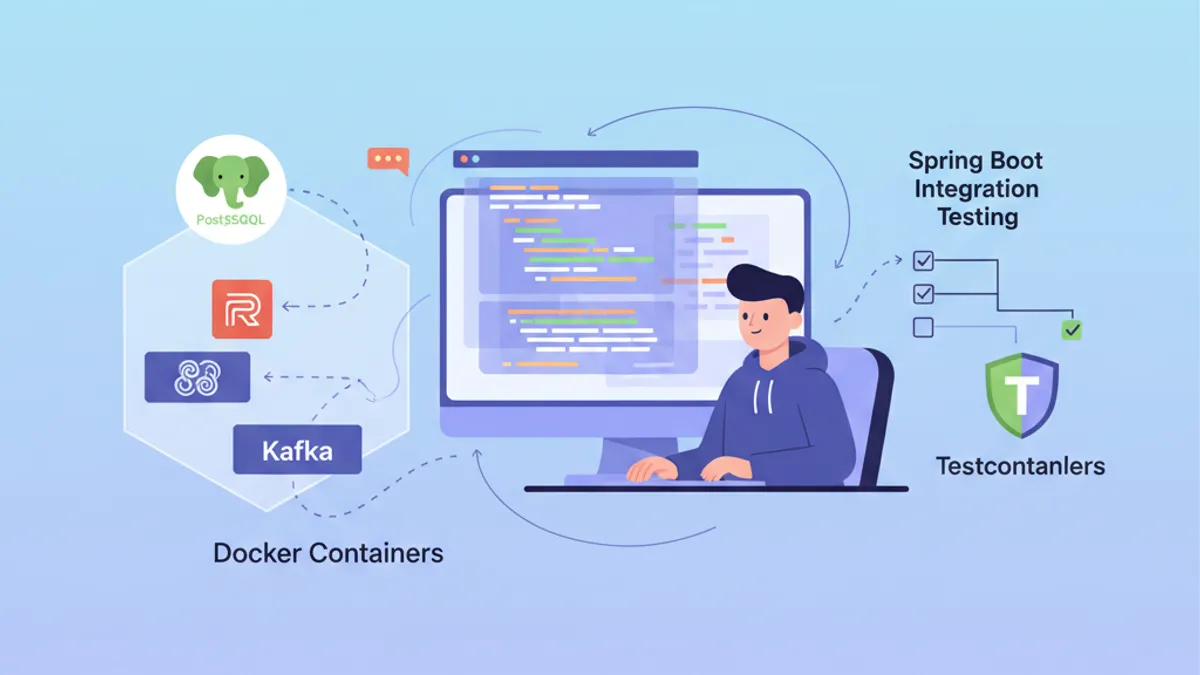
Entegrasyon testleri, Spring Boot uygulama geliştirmede önemli bir zorluk oluşturur. Gerçek bir PostgreSQL veritabanı veya Kafka broker'ı üzerinde test yapmak ağır bir altyapının sürdürülmesini gerektirir. Testcontainers bu sorunu, testler sırasında talep üzerine Docker konteynerleri başlatarak çözer ve izole, tekrarlanabilir ortamlar garanti eder.
Spring Boot 3.4, otomatik yapılandırma ile yerel Testcontainers desteği içerir. spring-boot-testcontainers bağımlılıkları kurulumu büyük ölçüde basitleştirir ve testler arasında konteyner yeniden kullanımına olanak tanır.
Testcontainers ve Spring Boot entegrasyonunu anlamak
Testcontainers, test yürütme sırasında Docker konteynerleri başlatmak için bir Java API sunar. Dış bağımlılıkları mocklamak ya da paylaşılan test veritabanlarını sürdürmek yerine, her test çalıştırması kendi izole örneğini elde eder.
Mimari üç ana bileşene dayanır: Docker'ı yöneten Testcontainers kütüphanesi, her teknoloji için özelleşmiş modüller (PostgreSQL, Redis, Kafka) ve bağlantı parametrelerini otomatik olarak enjekte eden Spring Boot entegrasyonu.
<!-- pom.xml -->
<dependencies>
    <!-- Main Testcontainers dependency -->
    <dependency>
        <groupId>org.springframework.boot</groupId>
        <artifactId>spring-boot-testcontainers</artifactId>
        <scope>test</scope>
    </dependency>

    <!-- PostgreSQL module -->
    <dependency>
        <groupId>org.testcontainers</groupId>
        <artifactId>postgresql</artifactId>
        <scope>test</scope>
    </dependency>

    <!-- JUnit 5 support -->
    <dependency>
        <groupId>org.testcontainers</groupId>
        <artifactId>junit-jupiter</artifactId>
        <scope>test</scope>
    </dependency>
</dependencies>

<dependencyManagement>
    <dependencies>
        <!-- Testcontainers BOM for version management -->
        <dependency>
            <groupId>org.testcontainers</groupId>
            <artifactId>testcontainers-bom</artifactId>
            <version>1.20.4</version>
            <type>pom</type>
            <scope>import</scope>
        </dependency>
    </dependencies>
</dependencyManagement>
Testcontainers BOM'u, projede kullanılan tüm modüller arasında sürüm tutarlılığı sağlar.
PostgreSQL ile temel yapılandırma
En yaygın kullanım senaryosu, gerçek bir PostgreSQL veritabanına karşı test yapmaktır. Spring Boot 3.4 iki yaklaşım sunar: otomatik yapılandırma için @ServiceConnection anotasyonu veya @DynamicPropertySource aracılığıyla manuel yapılandırma.
@DataJpaTest
@Testcontainers
@AutoConfigureTestDatabase(replace = Replace.NONE)
class UserRepositoryIntegrationTest {

    // Starts a PostgreSQL container before tests
    @Container
    @ServiceConnection
    static PostgreSQLContainer<?> postgres = new PostgreSQLContainer<>(
        DockerImageName.parse("postgres:16-alpine")
    );

    @Autowired
    private UserRepository userRepository;

    @Test
    void shouldSaveAndRetrieveUser() {
        // Given: a user to persist
        User user = new User();
        user.setEmail("test@example.com");
        user.setName("Test User");

        // When: save and retrieve
        User saved = userRepository.save(user);
        Optional<User> found = userRepository.findById(saved.getId());

        // Then: user is correctly persisted
        assertThat(found).isPresent();
        assertThat(found.get().getEmail()).isEqualTo("test@example.com");
    }

    @Test
    void shouldFindUserByEmail() {
        // Given: a user in database
        User user = new User();
        user.setEmail("search@example.com");
        user.setName("Search User");
        userRepository.save(user);

        // When: search by email
        Optional<User> found = userRepository.findByEmail("search@example.com");

        // Then: user is found
        assertThat(found).isPresent();
        assertThat(found.get().getName()).isEqualTo("Search User");
    }
}
@ServiceConnection anotasyonu konteyner türünü otomatik olarak algılar ve karşılık gelen Spring özelliklerini (spring.datasource.url, spring.datasource.username vb.) yapılandırır. Bu yaklaşım, tekrarlayan yapılandırma kodunu ortadan kaldırır.
Statik bir alanda @Container ile konteyner, sınıfın tüm testlerinden önce bir kez başlar ve son testten sonra durur. Test başına bir konteyner için, statik olmayan bir örnek alanı kullanılmalıdır.
@DynamicPropertySource ile manuel yapılandırma
Bazı senaryolar enjekte edilen özellikler üzerinde daha ince kontrol gerektirir. @DynamicPropertySource anotasyonu, yapılandırma değerlerinin açıkça tanımlanmasına olanak tanır.
@DataJpaTest
@Testcontainers
@AutoConfigureTestDatabase(replace = Replace.NONE)
class OrderRepositoryIntegrationTest {

    @Container
    static PostgreSQLContainer<?> postgres = new PostgreSQLContainer<>(
        DockerImageName.parse("postgres:16-alpine")
    )
        // Specific container configuration
        .withDatabaseName("orders_test")
        .withUsername("test_user")
        .withPassword("test_password")
        // SQL initialization script
        .withInitScript("db/init-orders.sql");

    // Manual injection of dynamic properties
    @DynamicPropertySource
    static void configureProperties(DynamicPropertyRegistry registry) {
        // JDBC URL generated dynamically with mapped port
        registry.add("spring.datasource.url", postgres::getJdbcUrl);
        registry.add("spring.datasource.username", postgres::getUsername);
        registry.add("spring.datasource.password", postgres::getPassword);
        // Additional properties if needed
        registry.add("spring.jpa.hibernate.ddl-auto", () -> "validate");
    }

    @Autowired
    private OrderRepository orderRepository;

    @Autowired
    private EntityManager entityManager;

    @Test
    void shouldPersistOrderWithItems() {
        // Given: an order with items
        Order order = new Order();
        order.setOrderNumber("ORD-2026-001");
        order.setStatus(OrderStatus.PENDING);

        OrderItem item = new OrderItem();
        item.setProductId(1L);
        item.setQuantity(2);
        item.setUnitPrice(BigDecimal.valueOf(29.99));
        order.addItem(item);

        // When: save the order
        Order saved = orderRepository.save(order);
        entityManager.flush();
        entityManager.clear();

        // Then: order and its items are persisted
        Order found = orderRepository.findById(saved.getId()).orElseThrow();
        assertThat(found.getItems()).hasSize(1);
        assertThat(found.getItems().get(0).getQuantity()).isEqualTo(2);
    }
}
withInitScript başlatma betiği, test yürütülmeden önce şemayı hazırlar veya referans verileri ekler.
Tam Spring Boot entegrasyon testleri
Tüm bileşenler yüklenmiş şekilde uygulamanın tamamını test etmek için @SpringBootTest, @DataJpaTest yerine geçer. Bu yapılandırma, tam Spring bağlamını PostgreSQL konteyneri ile birlikte başlatır.
@SpringBootTest(webEnvironment = WebEnvironment.RANDOM_PORT)
@Testcontainers
class UserServiceIntegrationTest {

    @Container
    @ServiceConnection
    static PostgreSQLContainer<?> postgres = new PostgreSQLContainer<>(
        DockerImageName.parse("postgres:16-alpine")
    );

    @Autowired
    private UserService userService;

    @Autowired
    private TestRestTemplate restTemplate;

    @Test
    void shouldCreateUserViaApi() {
        // Given: a creation request
        CreateUserRequest request = new CreateUserRequest(
            "api@example.com",
            "API User",
            "securePassword123"
        );

        // When: call the REST API
        ResponseEntity<UserResponse> response = restTemplate.postForEntity(
            "/api/users",
            request,
            UserResponse.class
        );

        // Then: user is created successfully
        assertThat(response.getStatusCode()).isEqualTo(HttpStatus.CREATED);
        assertThat(response.getBody()).isNotNull();
        assertThat(response.getBody().email()).isEqualTo("api@example.com");
    }

    @Test
    void shouldRetrieveUserById() {
        // Given: an existing user
        UserResponse created = userService.createUser(
            new CreateUserRequest("retrieve@example.com", "Retrieve User", "password")
        );

        // When: retrieve by ID
        ResponseEntity<UserResponse> response = restTemplate.getForEntity(
            "/api/users/" + created.id(),
            UserResponse.class
        );

        // Then: user is returned
        assertThat(response.getStatusCode()).isEqualTo(HttpStatus.OK);
        assertThat(response.getBody().name()).isEqualTo("Retrieve User");
    }
}
Otomatik yapılandırılan TestRestTemplate, rastgele bir portta başlatılan sunucuyu hedef alır ve paralel testler arasında port çakışmalarını önler.
Spring Boot mülakatlarında başarılı olmaya hazır mısın?
İnteraktif simülatörler, flashcards ve teknik testlerle pratik yap.
Testler arasında konteyner yeniden kullanımı
Bir Docker konteyneri başlatmak birkaç saniye sürer. Test yürütmesini hızlandırmak için Spring Boot 3.4, merkezi bir yapılandırma aracılığıyla konteyner yeniden kullanımına olanak tanır.
@TestConfiguration(proxyBeanMethods = false)
public class TestcontainersConfiguration {

    // Reusable container bean across all tests
    @Bean
    @ServiceConnection
    PostgreSQLContainer<?> postgresContainer() {
        return new PostgreSQLContainer<>(DockerImageName.parse("postgres:16-alpine"))
            .withReuse(true)
            .withLabel("reuse.UUID", "e06d7a87-7d7d-472e-a047-7c2c6d4b5f7a");
    }

    @Bean
    @ServiceConnection
    RedisContainer redisContainer() {
        return new RedisContainer(DockerImageName.parse("redis:7-alpine"))
            .withReuse(true)
            .withLabel("reuse.UUID", "b3c8f9d2-4a5e-4c8d-9f2a-1b3c5d7e9f0a");
    }
}
Testler aynı konteynerleri paylaşmak için bu yapılandırmayı içe aktarır.
@SpringBootTest
@Import(TestcontainersConfiguration.class)
class ProductServiceIntegrationTest {

    @Autowired
    private ProductService productService;

    @Autowired
    private ProductRepository productRepository;

    @Test
    void shouldCacheProductDetails() {
        // Given: a product in database
        Product product = new Product();
        product.setName("Cached Product");
        product.setPrice(BigDecimal.valueOf(99.99));
        productRepository.save(product);

        // When: two successive calls
        ProductDto first = productService.getProductById(product.getId());
        ProductDto second = productService.getProductById(product.getId());

        // Then: second call uses cache
        assertThat(first).isEqualTo(second);
    }
}
Konteyner yeniden kullanımını etkinleştirmek için ~/.testcontainers.properties dosyasına yapılandırma eklenmelidir:
# ~/.testcontainers.properties
testcontainers.reuse.enable=trueKonteyner yeniden kullanımıyla, çalıştırmalar arasında veriler kalır. Her testten önce tabloları temizlemek için @Sql veya @BeforeEach kullanılması ya da test sınıfı başına farklı bir şema yapılandırılması önerilir.
Redis ve dağıtık önbellek ile testler
Testcontainers, önbellek işlevlerini test etmek için Redis'i destekler. Redis modülü, kullanıma hazır önceden yapılandırılmış bir konteyner sağlar.
@SpringBootTest
@Testcontainers
class CacheServiceIntegrationTest {

    @Container
    @ServiceConnection
    static RedisContainer redis = new RedisContainer(
        DockerImageName.parse("redis:7-alpine")
    );

    @Autowired
    private CacheService cacheService;

    @Autowired
    private StringRedisTemplate redisTemplate;

    @Test
    void shouldStoreAndRetrieveFromCache() {
        // Given: a value to cache
        String key = "user:123";
        String value = "{\"id\":123,\"name\":\"Cached User\"}";

        // When: store in cache
        cacheService.put(key, value, Duration.ofMinutes(10));

        // Then: value is retrievable
        String cached = cacheService.get(key);
        assertThat(cached).isEqualTo(value);
    }

    @Test
    void shouldExpireAfterTtl() throws InterruptedException {
        // Given: a value with short TTL
        String key = "expiring:key";
        cacheService.put(key, "temporary", Duration.ofSeconds(1));

        // When: wait for expiration
        Thread.sleep(1500);

        // Then: key has expired
        String cached = cacheService.get(key);
        assertThat(cached).isNull();
    }

    @Test
    void shouldIncrementCounter() {
        // Given: a counter key
        String counterKey = "page:views:homepage";

        // When: multiple increments
        Long first = redisTemplate.opsForValue().increment(counterKey);
        Long second = redisTemplate.opsForValue().increment(counterKey);
        Long third = redisTemplate.opsForValue().increment(counterKey);

        // Then: counter increments correctly
        assertThat(first).isEqualTo(1);
        assertThat(second).isEqualTo(2);
        assertThat(third).isEqualTo(3);
    }
}
Spring Boot, @ServiceConnection aracılığıyla RedisContainer'ı otomatik algılar ve spring.data.redis.host ile spring.data.redis.port'u yapılandırır.
Kafka ve asenkron mesajlaşma ile testler
Olay tabanlı uygulamalar gerçek bir Kafka broker'ı ile test gerektirir. Testcontainers, testlere uygun tek düğümlü bir küme başlatan bir Kafka modülü sağlar.
@SpringBootTest
@Testcontainers
@EmbeddedKafka(partitions = 1, topics = {"order-events"})
class OrderEventIntegrationTest {

    @Container
    @ServiceConnection
    static KafkaContainer kafka = new KafkaContainer(
        DockerImageName.parse("confluentinc/cp-kafka:7.6.0")
    );

    @Autowired
    private KafkaTemplate<String, OrderEvent> kafkaTemplate;

    @Autowired
    private OrderEventConsumer orderEventConsumer;

    @Test
    void shouldPublishAndConsumeOrderEvent() throws Exception {
        // Given: an order event
        OrderEvent event = new OrderEvent(
            "ORD-2026-100",
            OrderEventType.CREATED,
            LocalDateTime.now()
        );

        // When: publish to Kafka
        kafkaTemplate.send("order-events", event.orderId(), event).get();

        // Then: event is consumed (with timeout)
        await()
            .atMost(Duration.ofSeconds(10))
            .untilAsserted(() -> {
                assertThat(orderEventConsumer.getReceivedEvents())
                    .hasSize(1)
                    .first()
                    .extracting(OrderEvent::orderId)
                    .isEqualTo("ORD-2026-100");
            });
    }
}@Component
public class OrderEventConsumer {
private final List<OrderEvent> receivedEvents = new CopyOnWriteArrayList<>();
@KafkaListener(topics = "order-events", groupId = "test-group")
public void consume(OrderEvent event) {
receivedEvents.add(event);
}
public List<OrderEvent> getReceivedEvents() {
return List.copyOf(receivedEvents);
}
public void clear() {
receivedEvents.clear();
}
}Awaitility kütüphanesi, testlerde kırılgan Thread.sleep çağrılarını önleyerek zaman aşımı ile asenkron iddiaları yönetir.
Docker Compose ile çoklu konteyner yapılandırması
Birbirine bağlı birden fazla servis gerektiren karmaşık uygulamalar için Testcontainers, Docker Compose dosyalarını destekler.
# src/test/resources/docker-compose-test.yml
services:
  postgres:
    image: postgres:16-alpine
    environment:
      POSTGRES_DB: testdb
      POSTGRES_USER: testuser
      POSTGRES_PASSWORD: testpass
    ports:
      - "5432"

  redis:
    image: redis:7-alpine
    ports:
      - "6379"

  localstack:
    image: localstack/localstack:3.0
    environment:
      SERVICES: s3,sqs
      DEFAULT_REGION: eu-west-1
    ports:
- "4566"@SpringBootTest
@Testcontainers
class FullStackIntegrationTest {
@Container
static DockerComposeContainer<?> environment = new DockerComposeContainer<>(
new File("src/test/resources/docker-compose-test.yml")
)
.withExposedService("postgres", 5432)
.withExposedService("redis", 6379)
.withExposedService("localstack", 4566)
.waitingFor("postgres", Wait.forListeningPort())
.waitingFor("redis", Wait.forListeningPort())
.waitingFor("localstack", Wait.forLogMessage(".*Ready\\.$", 1));
@DynamicPropertySource
static void configureProperties(DynamicPropertyRegistry registry) {
// PostgreSQL configuration
String postgresHost = environment.getServiceHost("postgres", 5432);
Integer postgresPort = environment.getServicePort("postgres", 5432);
registry.add("spring.datasource.url",
() -> "jdbc:postgresql://" + postgresHost + ":" + postgresPort + "/testdb");
registry.add("spring.datasource.username", () -> "testuser");
registry.add("spring.datasource.password", () -> "testpass");
// Redis configuration
String redisHost = environment.getServiceHost("redis", 6379);
Integer redisPort = environment.getServicePort("redis", 6379);
registry.add("spring.data.redis.host", () -> redisHost);
registry.add("spring.data.redis.port", () -> redisPort);
// LocalStack S3 configuration
String localstackHost = environment.getServiceHost("localstack", 4566);
Integer localstackPort = environment.getServicePort("localstack", 4566);
registry.add("aws.s3.endpoint",
() -> "http://" + localstackHost + ":" + localstackPort);
}
@Autowired
private FileStorageService fileStorageService;
@Test
void shouldUploadFileToS3() {
// Given: a file to upload
byte[] content = "Test file content".getBytes();
String fileName = "test-file.txt";
// When: upload to S3 via LocalStack
String url = fileStorageService.upload(fileName, content);
// Then: file is accessible
assertThat(url).contains(fileName);
byte[] downloaded = fileStorageService.download(fileName);
assertThat(downloaded).isEqualTo(content);
}
}Pratik yapmaya başla!
Mülakat simülatörleri ve teknik testlerle bilgini test et.
En iyi uygulamalar ve performans optimizasyonu
Testcontainers'ın verimli yürütülmesi, derleme sürelerini azaltmak için bazı optimizasyonlar gerektirir.
@SpringBootTest
@Testcontainers
@ActiveProfiles("test")
public abstract class AbstractIntegrationTest {

    // Shared container across all inheriting classes
    @Container
    @ServiceConnection
    protected static PostgreSQLContainer<?> postgres = new PostgreSQLContainer<>(
        DockerImageName.parse("postgres:16-alpine")
    )
        .withReuse(true);

    @Autowired
    protected JdbcTemplate jdbcTemplate;

    @BeforeEach
    void cleanDatabase() {
        // Clean tables in order to respect FK constraints
        jdbcTemplate.execute("TRUNCATE TABLE order_items CASCADE");
        jdbcTemplate.execute("TRUNCATE TABLE orders CASCADE");
        jdbcTemplate.execute("TRUNCATE TABLE users CASCADE");
    }
}class UserIntegrationTest extends AbstractIntegrationTest {
@Autowired
private UserRepository userRepository;
@Test
void shouldCreateUser() {
// PostgreSQL container already started via parent class
User user = new User();
user.setEmail("inherited@test.com");
user.setName("Inherited Test");
User saved = userRepository.save(user);
assertThat(saved.getId()).isNotNull();
}
}Soyut sınıf, konteyner yapılandırmasını ve veritabanı temizliğini merkezileştirerek kod yinelenmesini önler.
# src/test/resources/application-test.properties
# Test-specific configuration
spring.jpa.hibernate.ddl-auto=create-drop
spring.jpa.show-sql=false

# Disable Flyway/Liquibase if using ddl-auto
spring.flyway.enabled=false

# Reduced connection pool for tests
spring.datasource.hikari.maximum-pool-size=5
spring.datasource.hikari.minimum-idle=2Daha hafif olan ve daha hızlı başlayan Alpine imajları (postgres:16-alpine, redis:7-alpine) tercih edilmelidir. Testlerde tam imajlardan işlevsel fark ihmal edilebilir düzeydedir.
Veritabanı geçişlerinin testleri
Testcontainers, gerçek bir veritabanına karşı Flyway veya Liquibase geçişlerini test etmede başarılıdır.
@DataJpaTest
@Testcontainers
@AutoConfigureTestDatabase(replace = Replace.NONE)
class FlywayMigrationTest {

    @Container
    @ServiceConnection
    static PostgreSQLContainer<?> postgres = new PostgreSQLContainer<>(
        DockerImageName.parse("postgres:16-alpine")
    );

    @Autowired
    private Flyway flyway;

    @Autowired
    private JdbcTemplate jdbcTemplate;

    @Test
    void shouldApplyAllMigrations() {
        // Given: migrations applied at startup

        // When: check state
        MigrationInfoService info = flyway.info();

        // Then: all migrations are applied
        assertThat(info.pending()).isEmpty();
        assertThat(info.applied()).isNotEmpty();
    }

    @Test
    void shouldCreateExpectedTables() {
        // Given: migrations applied

        // When: query system tables
        List<String> tables = jdbcTemplate.queryForList(
            "SELECT table_name FROM information_schema.tables " +
            "WHERE table_schema = 'public' AND table_type = 'BASE TABLE'",
            String.class
        );

        // Then: expected tables exist
        assertThat(tables).contains("users", "orders", "order_items", "products");
    }

    @Test
    void shouldHaveCorrectColumnTypes() {
        // Given: users table created

        // When: verify schema
        List<Map<String, Object>> columns = jdbcTemplate.queryForList(
            "SELECT column_name, data_type, is_nullable " +
            "FROM information_schema.columns " +
            "WHERE table_name = 'users'"
        );

        // Then: columns have correct types
        assertThat(columns)
            .extracting(c -> c.get("column_name"))
            .contains("id", "email", "name", "created_at");
    }
}
Bu testler, üretim dağıtımından önce SQL geçişlerinin doğru çalıştığını garanti eder.
Sonuç
Testcontainers, Spring Boot entegrasyon testlerini güvenilir, tekrarlanabilir ve yerel ortamdan bağımsız hale getirerek dönüştürür. Spring Boot 3.4'ün @ServiceConnection ile yerel desteği yapılandırmayı önemli ölçüde basitleştirirken konteyner yeniden kullanımı yürütme sürelerini optimize eder.
Testcontainers Spring Boot Kontrol Listesi:
- ✅ Yerel otomatik yapılandırma için
spring-boot-testcontainerskullanın - ✅ Mümkün olduğunda
@DynamicPropertySourceyerine@ServiceConnectiontercih edin - ✅ Ardışık çalıştırmaları hızlandırmak için
withReuse(true)etkinleştirin - ✅ Yapılandırmayı soyut bir sınıfta veya
@TestConfiguration'da merkezileştirin - ✅ Testler arasındaki verileri
@BeforeEachveya@Sqlile temizleyin - ✅ Daha hızlı başlatmalar için Alpine imajlarını kullanın
- ✅ Flyway/Liquibase geçişlerini gerçek PostgreSQL'e karşı test edin
- ✅ Çok hizmetli ortamlar için Docker Compose'dan yararlanın
Spring Boot kodundaki hatayı bulabilir misin?
Gerçek bir kod parçası, gizli bir hata, günde bir deneme. Denemek için hesap gerekmez.

Yazan:
Anthony Fillion-MailletSharpSkill kurucusu
10 yılı aşkın süredir fullstack geliştirici. SharpSkill’i yönetiyor ve burada yayımlanan her şeyden sorumlu.
1 Mayıs 2026 tarihinde güncellendi
Etiketler
Paylaş
İlgili makaleler

Spring Modulith: Modüler Monolit Mimarisi
Java ile modüler monolitler oluşturmak için Spring Modulith öğrenin. Mimari, modüller, asenkron eventler, test ve gözlemlenebilirlik, Spring Boot 3 ve 4 kod örnekleriyle.

Spring Batch 5 Mülakat: Partitioning, Chunk ve Hata Toleransı
Spring Batch 5 mülakatlarında ustalaşın: partitioning, chunk işleme ve hata toleransı üzerine 15 temel soru, Java 21 kod örnekleriyle.

Spring Boot Mülakatı: İşlem Yayılımı Açıklandı
Spring Boot işlem yayılımına hakim olun: REQUIRED, REQUIRES_NEW, NESTED ve daha fazlası. Kod örnekleri ve yaygın tuzaklarla 12 mülakat sorusu.