Spring Security 6: OAuth2 Resource Server Yapılandırması
Spring Security 6 ile OAuth2 Resource Server yapılandırma için pratik rehber. JWT doğrulama, issuer yapılandırması, scope yönetimi ve Keycloak entegrasyonu.
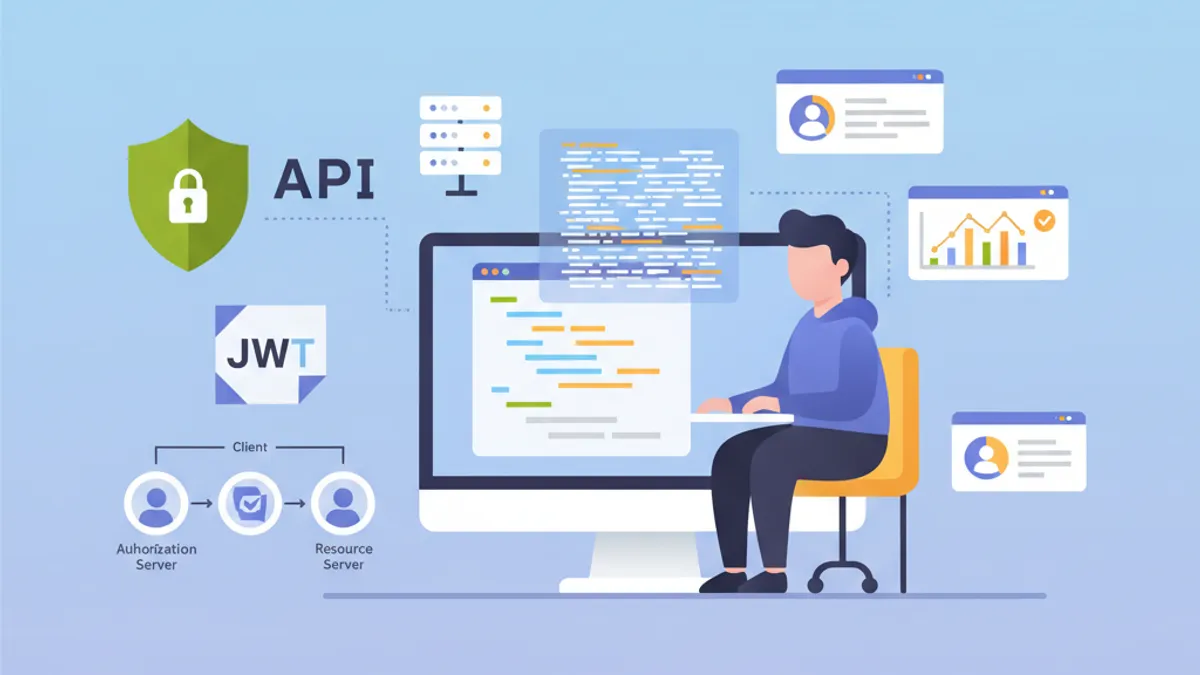
OAuth2 Resource Server, Keycloak, Auth0 veya Okta gibi harici bir Authorization Server tarafından düzenlenen JWT token'larını doğrulayarak API'leri korur. Uygulamanın kendi token'larını ürettiği özel JWT kimlik doğrulamasının aksine, Resource Server kimlik yönetimini tamamen özel bir Identity Provider'a (IdP) devreder.
Resource Server asla token üretmez. Yalnızca onları doğrular. Bu sorumluluk ayrımı, kimlik yönetimini merkezileştirerek güvenliği güçlendirir ve mimariyi sadeleştirir.
OAuth2 Resource Server Mimarisi
OAuth2 akışı üç ana aktörü içerir. İstemci (frontend veya mobil uygulama), Authorization Server'dan bir access token alır. Ardından bu token'ı Resource Server'a yapılan her istekte içerir. Resource Server, token'ın imzasını Authorization Server'ın açık anahtarıyla doğrulayarak token'ı validate eder.
Bu mimari birçok avantaj sunar. Resource Server, gerekli tüm bilgiler JWT token içinde bulunduğundan stateless kalır. Asimetrik imza doğrulaması sayesinde validasyon, IdP'ye ağ çağrısı yapılmadan gerçekleşir. Birden fazla API aynı Authorization Server'ı paylaşabilir ve bu da kullanıcı yönetimini sadeleştirir.
┌──────────────┐     1. Login      ┌─────────────────────┐
│   Client     │ ───────────────►  │  Authorization      │
│   (SPA/App)  │                   │  Server (Keycloak)  │
│              │ ◄─────────────────│                     │
└──────────────┘   2. JWT Token    └─────────────────────┘
       │                                    │
       │ 3. Request + Bearer Token          │
       ▼                                    ▼
┌──────────────────────┐           ┌─────────────────────┐
│   Resource Server    │ ◄─────── │   JWKS Endpoint     │
│   (Spring Boot API)  │  4. Public Keys (cached)       │
└──────────────────────┘           └─────────────────────┘
Resource Server, başlangıçta açık anahtarları indirir ve önbelleğe alır, böylece her istek için ağ çağrılarından kaçınılır.
OAuth2 Resource Server için Maven Bağımlılıkları
Resource Server yapılandırması iki spesifik bağımlılık gerektirir. oauth2-resource-server starter'ı temel altyapıyı sağlarken, oauth2-jose JWT'leri çözümlemek ve doğrulamak için sınıfları içerir.
<!-- pom.xml -->
<dependencies>
    <!-- OAuth2 Resource Server support -->
    <dependency>
        <groupId>org.springframework.boot</groupId>
        <artifactId>spring-boot-starter-oauth2-resource-server</artifactId>
    </dependency>

    <!-- Spring Web for REST endpoints -->
    <dependency>
        <groupId>org.springframework.boot</groupId>
        <artifactId>spring-boot-starter-web</artifactId>
    </dependency>

    <!-- DTO validation -->
    <dependency>
        <groupId>org.springframework.boot</groupId>
        <artifactId>spring-boot-starter-validation</artifactId>
    </dependency>
</dependencies>
JJWT gibi ek bağımlılıklar gerekli değildir. Spring Security, token yönetimi için spring-security-oauth2-jose içinde yer alan Nimbus JOSE+JWT kütüphanesini kullanır.
issuer-uri ile Temel Yapılandırma
Minimum Resource Server yapılandırması yalnızca iki satır gerektirir. Spring Security, IdP endpoint'lerini OpenID Connect Discovery protokolü aracılığıyla otomatik olarak keşfeder.
# application.yml
spring:
  security:
    oauth2:
      resourceserver:
        jwt:
          # Authorization Server URI
          # Spring, açık anahtarları /.well-known/openid-configuration üzerinden otomatik olarak alır
issuer-uri: https://keycloak.example.com/realms/myrealmissuer-uri'den başlayarak Spring Security, Authorization Server'ın metadata'sını almak için {issuer-uri}/.well-known/openid-configuration adresine bir istek gönderir. Ardından, token imzalarını doğrulamak için kullanılan açık anahtarları içeren JWKS (JSON Web Key Set) URL'sini çıkarır.
@Configuration
@EnableWebSecurity
@EnableMethodSecurity
public class SecurityConfig {

    @Bean
    public SecurityFilterChain securityFilterChain(HttpSecurity http) throws Exception {
        return http
            // Disable CSRF for stateless APIs
            .csrf(csrf -> csrf.disable())

            // Authorization rules
            .authorizeHttpRequests(auth -> auth
                // Public endpoints
                .requestMatchers("/api/public/**").permitAll()
                .requestMatchers("/actuator/health").permitAll()
                // All other requests require a valid token
                .anyRequest().authenticated()
            )

            // Enable OAuth2 JWT validation
            .oauth2ResourceServer(oauth2 -> oauth2
                .jwt(Customizer.withDefaults())
            )

            // Stateless mode required for Resource Servers
            .sessionManagement(session -> session
                .sessionCreationPolicy(SessionCreationPolicy.STATELESS)
            )

            .build();
    }
}
Bu yapılandırma bir API'yi korumak için yeterlidir. Spring Security, token imzasını otomatik olarak doğrular, zaman damgalarını (exp, nbf, iat) kontrol eder ve iss claim'inin yapılandırılmış issuer-uri ile eşleştiğinden emin olur.
Varsayılan olarak, Authorization Server erişilemez ise uygulama başlamaz. Bağımsız bir başlatmaya izin vermek için issuer-uri yerine jwk-set-uri'yi açıkça yapılandırmak gerekir.
jwk-set-uri ile Gelişmiş Yapılandırma
Authorization Server OpenID Connect Discovery'yi desteklemediğinde veya uygulamanın IdP'ye ağ bağımlılığı olmadan başlaması gerektiğinde, açık JWKS yapılandırması tercih edilir.
# application.yml
spring:
  security:
    oauth2:
      resourceserver:
        jwt:
          # Direct URL to JWKS (public keys)
          jwk-set-uri: https://keycloak.example.com/realms/myrealm/protocol/openid-connect/certs
          # Expected value of the "iss" claim in tokens
          issuer-uri: https://keycloak.example.com/realms/myrealm
          # Allowed audiences ("aud" claim)
          audiences:
            - my-api
            - account
Bu yaklaşım daha fazla kontrol sağlar. Audience doğrulaması, diğer servisler için tasarlanmış token'ların kullanılmasını engeller. frontend-app uygulaması için verilmiş bir token, API yalnızca my-api ve account audience'larını kabul ediyorsa reddedilir.
@Configuration
@EnableWebSecurity
public class SecurityConfig {

    @Value("${spring.security.oauth2.resourceserver.jwt.issuer-uri}")
    private String issuerUri;

    @Bean
    public SecurityFilterChain securityFilterChain(HttpSecurity http) throws Exception {
        return http
            .csrf(csrf -> csrf.disable())

            .authorizeHttpRequests(auth -> auth
                .requestMatchers("/api/public/**").permitAll()
                .anyRequest().authenticated()
            )

            // Custom JWT configuration
            .oauth2ResourceServer(oauth2 -> oauth2
                .jwt(jwt -> jwt
                    .jwtAuthenticationConverter(jwtAuthenticationConverter())
                )
            )

            .sessionManagement(session -> session
                .sessionCreationPolicy(SessionCreationPolicy.STATELESS)
            )

            .build();
    }

    // Custom converter to extract authorities from the token
    @Bean
    public JwtAuthenticationConverter jwtAuthenticationConverter() {
        JwtGrantedAuthoritiesConverter grantedAuthoritiesConverter =
            new JwtGrantedAuthoritiesConverter();
        // SCOPE_ prefix for authorities (e.g., SCOPE_read, SCOPE_write)
        grantedAuthoritiesConverter.setAuthorityPrefix("SCOPE_");
        // Claim containing scopes (OAuth2 standard)
        grantedAuthoritiesConverter.setAuthoritiesClaimName("scope");

        JwtAuthenticationConverter jwtAuthenticationConverter =
            new JwtAuthenticationConverter();
        jwtAuthenticationConverter.setJwtGrantedAuthoritiesConverter(
            grantedAuthoritiesConverter
        );

        return jwtAuthenticationConverter;
    }
}JwtAuthenticationConverter, token claim'lerini güvenlik ifadelerinde kullanılabilen GrantedAuthority nesnelerine dönüştürür.
Spring Boot mülakatlarında başarılı olmaya hazır mısın?
İnteraktif simülatörler, flashcards ve teknik testlerle pratik yap.
Keycloak Rollerinin Çıkarılması
Keycloak rolleri OAuth2 standardından farklı şekilde yapılandırır. Roller realm_access.roles (realm rolleri) veya resource_access.{client}.roles (istemciye özgü roller) içinde bulunur. Özel bir converter bu bilgileri çıkarır.
@Component
public class KeycloakJwtAuthenticationConverter
    implements Converter<Jwt, AbstractAuthenticationToken> {

    private static final String REALM_ACCESS_CLAIM = "realm_access";
    private static final String RESOURCE_ACCESS_CLAIM = "resource_access";
    private static final String ROLES_CLAIM = "roles";

    @Value("${keycloak.client-id}")
    private String clientId;

    @Override
    public AbstractAuthenticationToken convert(Jwt jwt) {
        // Combine realm and client roles
        Collection<GrantedAuthority> authorities = Stream.concat(
            extractRealmRoles(jwt).stream(),
            extractClientRoles(jwt).stream()
        ).collect(Collectors.toSet());

        // Return authentication token with extracted authorities
        return new JwtAuthenticationToken(jwt, authorities, extractUsername(jwt));
    }

    // Extract realm-level roles
    private Collection<GrantedAuthority> extractRealmRoles(Jwt jwt) {
        Map<String, Object> realmAccess = jwt.getClaim(REALM_ACCESS_CLAIM);
        if (realmAccess == null) {
            return Collections.emptyList();
        }

        @SuppressWarnings("unchecked")
        List<String> roles = (List<String>) realmAccess.get(ROLES_CLAIM);
        if (roles == null) {
            return Collections.emptyList();
        }

        // ROLE_ prefix for compatibility with hasRole()
        return roles.stream()
            .map(role -> new SimpleGrantedAuthority("ROLE_" + role.toUpperCase()))
            .collect(Collectors.toList());
    }

    // Extract client-specific roles
    private Collection<GrantedAuthority> extractClientRoles(Jwt jwt) {
        Map<String, Object> resourceAccess = jwt.getClaim(RESOURCE_ACCESS_CLAIM);
        if (resourceAccess == null) {
            return Collections.emptyList();
        }

        @SuppressWarnings("unchecked")
        Map<String, Object> clientAccess =
            (Map<String, Object>) resourceAccess.get(clientId);
        if (clientAccess == null) {
            return Collections.emptyList();
        }

        @SuppressWarnings("unchecked")
        List<String> roles = (List<String>) clientAccess.get(ROLES_CLAIM);
        if (roles == null) {
            return Collections.emptyList();
        }

        return roles.stream()
            .map(role -> new SimpleGrantedAuthority("ROLE_" + role.toUpperCase()))
            .collect(Collectors.toList());
    }

    // Extract username from token
    private String extractUsername(Jwt jwt) {
        // Keycloak uses "preferred_username" by default
        String username = jwt.getClaimAsString("preferred_username");
        if (username != null) {
            return username;
        }
        // Fallback to subject (usually the user UUID)
        return jwt.getSubject();
    }
}
Güvenlik yapılandırmasına entegrasyon jwtAuthenticationConverter parametresi aracılığıyla yapılır.
@Configuration
@EnableWebSecurity
@EnableMethodSecurity
@RequiredArgsConstructor
public class SecurityConfig {

    private final KeycloakJwtAuthenticationConverter keycloakConverter;

    @Bean
    public SecurityFilterChain securityFilterChain(HttpSecurity http) throws Exception {
        return http
            .csrf(csrf -> csrf.disable())

            .authorizeHttpRequests(auth -> auth
                .requestMatchers("/api/public/**").permitAll()
                // Protection by Keycloak role
                .requestMatchers("/api/admin/**").hasRole("ADMIN")
                .anyRequest().authenticated()
            )

            .oauth2ResourceServer(oauth2 -> oauth2
                .jwt(jwt -> jwt
                    // Use Keycloak converter
                    .jwtAuthenticationConverter(keycloakConverter)
                )
            )

            .sessionManagement(session -> session
                .sessionCreationPolicy(SessionCreationPolicy.STATELESS)
            )

            .build();
    }
}
Çıkarılan roller artık @PreAuthorize("hasRole('ADMIN')") annotation'ları ile veya requestMatchers().hasRole() ifadelerinde kullanılabilir.
Özel Token Doğrulama
İş gereksinimlerine bağlı olarak ek doğrulamalar gerekebilir: özel claim doğrulama, audience validation veya maksimum yaşam süresi kontrolü.
@Component
public class CustomJwtValidator implements OAuth2TokenValidator<Jwt> {

    private static final OAuth2Error AUDIENCE_ERROR =
        new OAuth2Error("invalid_token", "Token audience is not valid", null);

    private static final OAuth2Error CUSTOM_CLAIM_ERROR =
        new OAuth2Error("invalid_token", "Required custom claim missing", null);

    @Value("${app.jwt.required-audience}")
    private String requiredAudience;

    @Value("${app.jwt.required-tenant-claim:tenant_id}")
    private String tenantClaimName;

    @Override
    public OAuth2TokenValidatorResult validate(Jwt jwt) {
        List<OAuth2Error> errors = new ArrayList<>();

        // Audience validation
        if (!validateAudience(jwt)) {
            errors.add(AUDIENCE_ERROR);
        }

        // Custom business claim validation
        if (!validateTenantClaim(jwt)) {
            errors.add(CUSTOM_CLAIM_ERROR);
        }

        if (!errors.isEmpty()) {
            return OAuth2TokenValidatorResult.failure(errors);
        }

        return OAuth2TokenValidatorResult.success();
    }

    private boolean validateAudience(Jwt jwt) {
        List<String> audiences = jwt.getAudience();
        return audiences != null && audiences.contains(requiredAudience);
    }

    private boolean validateTenantClaim(Jwt jwt) {
        // Check for required business claim
        String tenantId = jwt.getClaimAsString(tenantClaimName);
        return tenantId != null && !tenantId.isBlank();
    }
}
Özel doğrulayıcı JwtDecoder yapılandırmasına entegre edilir.
@Configuration
@RequiredArgsConstructor
public class JwtConfig {

    private final CustomJwtValidator customValidator;

    @Value("${spring.security.oauth2.resourceserver.jwt.issuer-uri}")
    private String issuerUri;

    @Value("${spring.security.oauth2.resourceserver.jwt.jwk-set-uri}")
    private String jwkSetUri;

    @Bean
    public JwtDecoder jwtDecoder() {
        // Create decoder with JWKS URL
        NimbusJwtDecoder jwtDecoder = NimbusJwtDecoder
            .withJwkSetUri(jwkSetUri)
            .build();

        // Combine default validators with custom validator
        OAuth2TokenValidator<Jwt> defaultValidators =
            JwtValidators.createDefaultWithIssuer(issuerUri);

        OAuth2TokenValidator<Jwt> combinedValidator =
            new DelegatingOAuth2TokenValidator<>(defaultValidators, customValidator);

        jwtDecoder.setJwtValidator(combinedValidator);

        return jwtDecoder;
    }
}Senkron doğrulamalar işlem thread'ini bloklar. Harici çağrılar gerektiren doğrulamalar için (veritabanı, üçüncü taraf servisler), asenkron bir filter veya sonradan yapılan bir doğrulama tercih edilmelidir.
Controller'larda Token Bilgilerine Erişim
Spring Security, controller'larda JWT token bilgilerine erişmek için birkaç yöntem sağlar.
@RestController
@RequestMapping("/api/users")
public class UserController {

    // Direct JWT injection via @AuthenticationPrincipal
    @GetMapping("/me")
    public ResponseEntity<UserInfoResponse> getCurrentUser(
        @AuthenticationPrincipal Jwt jwt
    ) {
        String userId = jwt.getSubject();
        String email = jwt.getClaimAsString("email");
        String username = jwt.getClaimAsString("preferred_username");
        List<String> roles = extractRoles(jwt);

        return ResponseEntity.ok(new UserInfoResponse(
            userId, email, username, roles
        ));
    }

    // Alternative with JwtAuthenticationToken to access authorities
    @GetMapping("/profile")
    public ResponseEntity<ProfileResponse> getProfile(
        JwtAuthenticationToken authentication
    ) {
        Jwt jwt = authentication.getToken();
        Collection<String> authorities = authentication.getAuthorities()
            .stream()
            .map(GrantedAuthority::getAuthority)
            .toList();

        return ResponseEntity.ok(new ProfileResponse(
            jwt.getSubject(),
            jwt.getClaimAsString("name"),
            authorities
        ));
    }

    // Access scopes for conditional business logic
    @GetMapping("/data")
    @PreAuthorize("hasAuthority('SCOPE_read')")
    public ResponseEntity<DataResponse> getData(
        @AuthenticationPrincipal Jwt jwt
    ) {
        boolean canWrite = hasScope(jwt, "write");

        // Business logic adapted according to permissions
        DataResponse response = buildDataResponse(jwt.getSubject(), canWrite);
        return ResponseEntity.ok(response);
    }

    private List<String> extractRoles(Jwt jwt) {
        Map<String, Object> realmAccess = jwt.getClaim("realm_access");
        if (realmAccess == null) {
            return Collections.emptyList();
        }
        @SuppressWarnings("unchecked")
        List<String> roles = (List<String>) realmAccess.get("roles");
        return roles != null ? roles : Collections.emptyList();
    }

    private boolean hasScope(Jwt jwt, String scope) {
        String scopes = jwt.getClaimAsString("scope");
        return scopes != null && scopes.contains(scope);
    }
}public record UserInfoResponse(
String userId,
String email,
String username,
List<String> roles
) {}
// ProfileResponse.java
public record ProfileResponse(
String userId,
String name,
Collection<String> authorities
) {}@AuthenticationPrincipal annotation'ı, kimlik doğrulamayı SecurityContextHolder'dan manuel olarak alma gereksinimini ortadan kaldırır.
OAuth2 Kimlik Doğrulama Hatalarının Yönetimi
Spesifik bir hata yönetimi, API tüketicileri için geliştirici deneyimini iyileştirir.
@RestControllerAdvice
public class OAuth2SecurityExceptionHandler {

    private static final Logger log =
        LoggerFactory.getLogger(OAuth2SecurityExceptionHandler.class);

    // Missing token or invalid format
    @ExceptionHandler(AuthenticationException.class)
    @ResponseStatus(HttpStatus.UNAUTHORIZED)
    public ErrorResponse handleAuthenticationException(AuthenticationException ex) {
        log.warn("Authentication failed: {}", ex.getMessage());

        return new ErrorResponse(
            "UNAUTHORIZED",
            "Authentication required. Provide a valid Bearer token.",
            Map.of("error", ex.getMessage())
        );
    }

    // Access denied despite valid token
    @ExceptionHandler(AccessDeniedException.class)
    @ResponseStatus(HttpStatus.FORBIDDEN)
    public ErrorResponse handleAccessDeniedException(AccessDeniedException ex) {
        log.warn("Access denied: {}", ex.getMessage());

        return new ErrorResponse(
            "FORBIDDEN",
            "Insufficient permissions for this resource",
            null
        );
    }

    // OAuth2-specific error (expired token, invalid signature, etc.)
    @ExceptionHandler(OAuth2AuthenticationException.class)
    @ResponseStatus(HttpStatus.UNAUTHORIZED)
    public ErrorResponse handleOAuth2Exception(OAuth2AuthenticationException ex) {
        OAuth2Error error = ex.getError();
        log.warn("OAuth2 authentication error: {} - {}",
            error.getErrorCode(), error.getDescription());

        String message = switch (error.getErrorCode()) {
            case "invalid_token" -> "Token is invalid or expired";
            case "insufficient_scope" -> "Token does not have required scopes";
            default -> "Authentication failed";
        };

        return new ErrorResponse(
            error.getErrorCode().toUpperCase(),
            message,
            Map.of("details", error.getDescription())
        );
    }
}

// ErrorResponse.java
public record ErrorResponse(
    String code,
    String message,
    Map<String, String> details
) {}
Standartlaştırılmış OAuth2 hata kodları (invalid_token, insufficient_scope) istemci tarafındaki işlemleri kolaylaştırır.
Çoklu Ortam Yapılandırması
Yapılandırma ortama göre değişir. Geliştirme ortamında yerel bir Keycloak sunucusu kullanılabilirken, üretimde Auth0 gibi yönetilen bir IdP devreye girer.
# application.yml (common configuration)
app:
  jwt:
    required-audience: my-api

---
# application-dev.yml
spring:
  config:
    activate:
      on-profile: dev
  security:
    oauth2:
      resourceserver:
        jwt:
          issuer-uri: http://localhost:8180/realms/dev-realm

keycloak:
  client-id: my-api-dev

logging:
  level:
    org.springframework.security: DEBUG

---
# application-prod.yml
spring:
  config:
    activate:
      on-profile: prod
  security:
    oauth2:
      resourceserver:
        jwt:
          issuer-uri: ${OAUTH2_ISSUER_URI}
          audiences: ${OAUTH2_AUDIENCES:my-api}

keycloak:
  client-id: ${KEYCLOAK_CLIENT_ID}

logging:
  level:
    org.springframework.security: WARN
Üretimde, hassas değerler ortam değişkenlerinden veya bir secrets manager'dan gelir.
Mock JWT'lerle Entegrasyon Testleri
Entegrasyon testleri, geçerli JWT token'ları simüle etmek için Spring Security Test araçlarını kullanır.
@SpringBootTest(webEnvironment = WebEnvironment.RANDOM_PORT)
@AutoConfigureMockMvc
class ResourceServerIntegrationTest {

    @Autowired
    private MockMvc mockMvc;

    @Test
    void shouldRejectRequestWithoutToken() throws Exception {
        mockMvc.perform(get("/api/users/me"))
            .andExpect(status().isUnauthorized());
    }

    @Test
    @WithMockJwtAuth(
        claims = @OpenIdClaims(sub = "user-123", preferredUsername = "john.doe"),
        authorities = {"ROLE_USER"}
    )
    void shouldAllowAuthenticatedUser() throws Exception {
        mockMvc.perform(get("/api/users/me"))
            .andExpect(status().isOk())
            .andExpect(jsonPath("$.userId").value("user-123"))
            .andExpect(jsonPath("$.username").value("john.doe"));
    }

    @Test
    void shouldAllowAccessWithValidJwt() throws Exception {
        mockMvc.perform(get("/api/users/me")
                .with(jwt()
                    .jwt(jwt -> jwt
                        .subject("user-456")
                        .claim("preferred_username", "jane.doe")
                        .claim("email", "jane@example.com")
                    )
                    .authorities(new SimpleGrantedAuthority("ROLE_USER"))
                ))
            .andExpect(status().isOk())
            .andExpect(jsonPath("$.email").value("jane@example.com"));
    }

    @Test
    void shouldDenyAccessWithoutAdminRole() throws Exception {
        mockMvc.perform(get("/api/admin/users")
                .with(jwt()
                    .authorities(new SimpleGrantedAuthority("ROLE_USER"))
                ))
            .andExpect(status().isForbidden());
    }

    @Test
    void shouldAllowAdminAccess() throws Exception {
        mockMvc.perform(get("/api/admin/users")
                .with(jwt()
                    .authorities(new SimpleGrantedAuthority("ROLE_ADMIN"))
                ))
            .andExpect(status().isOk());
    }
}
spring-security-test paketindeki jwt() aracı, Authorization Server gerektirmeden mock token'lar oluşturur.
@TestConfiguration
public class SecurityTestConfig {

    // Mocked JwtDecoder for tests
    @Bean
    @Primary
    public JwtDecoder jwtDecoder() {
        return token -> {
            // Return a mocked JWT for tests
            return Jwt.withTokenValue(token)
                .header("alg", "RS256")
                .subject("test-user")
                .claim("scope", "read write")
                .build();
        };
    }
}
Pratik yapmaya başla!
Mülakat simülatörleri ve teknik testlerle bilgini test et.
Sonuç
Spring Security 6 ile bir OAuth2 Resource Server yapılandırması, token doğrulamasını merkezileştirir ve API güvenliğini sadeleştirir. Authorization Server kimlik doğrulama ve token verme işlemlerini yönetirken, API doğrulama ve kimlik bilgilerini çıkarmaya odaklanır.
Dağıtım Kontrol Listesi:
- ✅ Gereksinimlere göre
issuer-uriveyajwk-set-uriyapılandırma - ✅ Diğer servislerden gelen token'ların yanlış kullanımını önlemek için audience doğrulama
- ✅ Keycloak rollerini çıkarmak için özel converter
- ✅ Standartlaştırılmış kodlarla OAuth2 hata yönetimi
- ✅ Mock token'larla entegrasyon testleri
- ✅ İstemci ile Resource Server arasında zorunlu HTTPS
- ✅ Ortama özgü yapılandırma
- ✅ Başarısız kimlik doğrulama girişimlerinin loglanması
Bu mimari, birden fazla API'nin aynı Identity Provider'ı paylaştığı bir mikroservis ekosistemine doğal olarak entegre olur.
Spring Boot kodundaki hatayı bulabilir misin?
Gerçek bir kod parçası, gizli bir hata, günde bir deneme. Denemek için hesap gerekmez.

Yazan:
Anthony Fillion-MailletSharpSkill kurucusu
10 yılı aşkın süredir fullstack geliştirici. SharpSkill’i yönetiyor ve burada yayımlanan her şeyden sorumlu.
1 Mayıs 2026 tarihinde güncellendi
Etiketler
Paylaş
İlgili makaleler
Spring Security 6: Eksiksiz JWT Kimlik Doğrulaması
Spring Security 6 ile JWT kimlik doğrulamasını uygulamak için pratik rehber: yapılandırma, token üretimi, doğrulama ve güvenlik için en iyi uygulamalar.

Spring Modulith: Modüler Monolit Mimarisi
Java ile modüler monolitler oluşturmak için Spring Modulith öğrenin. Mimari, modüller, asenkron eventler, test ve gözlemlenebilirlik, Spring Boot 3 ve 4 kod örnekleriyle.

Spring Batch 5 Mülakat: Partitioning, Chunk ve Hata Toleransı
Spring Batch 5 mülakatlarında ustalaşın: partitioning, chunk işleme ve hata toleransı üzerine 15 temel soru, Java 21 kod örnekleriyle.