Flutter: Ilk platformlar arasi uygulamayi olusturmak
Flutter ve Dart ile platformlar arasi mobil uygulama olusturmak icin eksiksiz rehber. Widget'lar, durum yonetimi, navigasyon ve yeni baslayanlar icin en iyi uygulamalar.
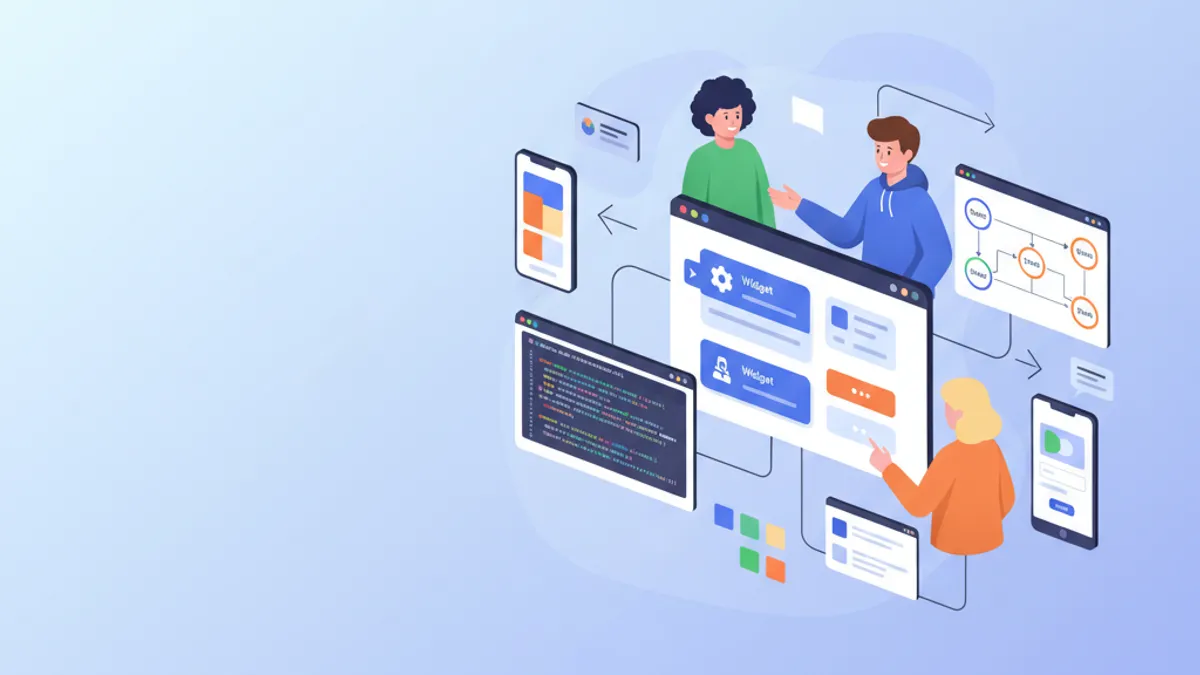
Flutter, tek bir kod tabanindan iOS ve Android uygulamalari olusturmayi mumkun kilarak mobil gelistirmeyi donusturmektedir. Google tarafindan gelistirilen bu framework, Skia renderlama motoru ve deklaratif widget sistemi sayesinde yerel performansi olaganustu verimlilikle birlestirmektedir. Bu rehber, kurulumdan uretim en iyi uygulamalarina kadar eksiksiz bir uygulama olusturmayi kapsamaktadir.
Flutter 3.27 onemli iyilestirmeler getirmektedir: varsayilan olarak yerel Material 3 destegi, yeni optimize edilmis Impeller animasyonlari ve deneysel makrolarla Dart 3.6 entegrasyonu. Framework artik optimum performans icin yerel ARM64'e derlenmektedir.
Ortam kurulumu
Flutter kurulumu birkac yapilandirma adimi gerektirmektedir. Flutter SDK gerekli her seyi icermektedir: framework, derleme araclari ve Dart paket yoneticisi.
# terminal
# Download Flutter SDK (macOS/Linux)
git clone https://github.com/flutter/flutter.git -b stable
export PATH="$PATH:`pwd`/flutter/bin"

# Verify installation and dependencies
flutter doctor

# Create a new project
flutter create --org com.example my_app
cd my_app

# Run in development mode
flutter run
flutter doctor komutu tum bagimliliklarin yuklu oldugunu dogrulamaktadir: Android Studio, Xcode (macOS) ve yapilandirilmis emulatorler.
# pubspec.yaml
name: my_app
description: Cross-platform Flutter application
publish_to: 'none'
version: 1.0.0+1

environment:
  sdk: '>=3.6.0 <4.0.0'

dependencies:
  flutter:
    sdk: flutter
  # UI and design
  cupertino_icons: ^1.0.8
  google_fonts: ^6.2.1
  # State management
  flutter_riverpod: ^2.6.1
  # Navigation
  go_router: ^14.6.2
  # HTTP and API
  dio: ^5.7.0
  # Local storage
  shared_preferences: ^2.3.4

dev_dependencies:
  flutter_test:
    sdk: flutter
  flutter_lints: ^5.0.0

flutter:
  uses-material-design: true
Bu pubspec.yaml dosyasi modern bir Flutter uygulamasi icin temel bagimliliklari yapilandirmaktadir.
Flutter proje mimarisi
Net bir proje yapisi uygulamanin bakimini ve gelisimini kolaylastirmaktadir. Bu organizasyon sorumluliklari acikca ayirmaktadir.
lib/
├── main.dart                 # Entry point
├── app.dart                  # App configuration
├── core/
│   ├── constants/           # Colors, dimensions, strings
│   ├── theme/               # Material 3 theme
│   └── utils/               # Utility functions
├── features/
│   ├── auth/                # Authentication feature
│   │   ├── data/           # Repositories, data sources
│   │   ├── domain/         # Models, use cases
│   │   └── presentation/   # Screens, widgets, providers
│   └── home/               # Home feature
│       ├── data/
│       ├── domain/
│       └── presentation/
├── shared/
│   ├── widgets/            # Reusable widgets
│   └── providers/          # Shared providers
└── routing/
    └── app_router.dart     # Route configuration
Bu "feature-first" mimarisi, bir islevsellikle ilgili tum kodu ayni klasorde gruplayarak gezinmeyi ve yeniden duzenlemeyi kolaylastirmaktadir.
Feature-first yaklasimi, kodu teknik ture gore degil is islevselligine gore duzenlemektedir. Her ozellik kendi modellerini, widget'larini ve mantigi icerir, bu da kodu daha moduler ve test edilebilir kilmaktadir.
Flutter widget'larini anlamak
Widget'lar Flutter'in temel yapi taslardir. Her sey bir widget'tir: butonlar, metin, duzenler, hatta uygulamanin kendisi. Flutter iki tur widget sunmaktadir: StatelessWidget (durumsuz) ve StatefulWidget (yerel durumlu).
import 'package:flutter/material.dart';
/// Custom reusable button widget throughout the application.
/// Automatically handles loading and disabled states.
class CustomButton extends StatelessWidget {
// Required and optional widget parameters
final String label;
final VoidCallback? onPressed;
final bool isLoading;
final bool isOutlined;
// Constructor with named parameters for clarity
const CustomButton({
super.key,
required this.label,
this.onPressed,
this.isLoading = false,
this.isOutlined = false,
});
Widget build(BuildContext context) {
// Access theme for consistent styles
final theme = Theme.of(context);
// Conditional build based on button type
if (isOutlined) {
return OutlinedButton(
// Disable button during loading
onPressed: isLoading ? null : onPressed,
style: OutlinedButton.styleFrom(
padding: const EdgeInsets.symmetric(
horizontal: 24,
vertical: 16,
),
shape: RoundedRectangleBorder(
borderRadius: BorderRadius.circular(12),
),
),
child: _buildChild(theme),
);
}
return FilledButton(
onPressed: isLoading ? null : onPressed,
style: FilledButton.styleFrom(
padding: const EdgeInsets.symmetric(
horizontal: 24,
vertical: 16,
),
shape: RoundedRectangleBorder(
borderRadius: BorderRadius.circular(12),
),
),
child: _buildChild(theme),
);
}
/// Builds button content with loading state handling.
Widget _buildChild(ThemeData theme) {
if (isLoading) {
return const SizedBox(
height: 20,
width: 20,
child: CircularProgressIndicator(
strokeWidth: 2,
color: Colors.white,
),
);
}
return Text(label);
}
}Bu widget, yukleme durumunun otomatik yonetimi ile buton goruntuleme mantigi icerir.
import 'package:flutter/material.dart';
import '../../features/auth/domain/models/user.dart';
/// Card displaying user information.
/// Uses Material 3 with consistent elevation and shape.
class UserCard extends StatelessWidget {
final User user;
final VoidCallback? onTap;
const UserCard({
super.key,
required this.user,
this.onTap,
});
Widget build(BuildContext context) {
final theme = Theme.of(context);
// Material 3 Card with InkWell for ripple effect
return Card(
// Adaptive elevation based on theme
elevation: 2,
// Consistent rounded shape
shape: RoundedRectangleBorder(
borderRadius: BorderRadius.circular(16),
),
// Clipping so ripple respects borders
clipBehavior: Clip.antiAlias,
child: InkWell(
onTap: onTap,
child: Padding(
padding: const EdgeInsets.all(16),
child: Row(
children: [
// Avatar with image or initials
CircleAvatar(
radius: 28,
backgroundImage: user.avatarUrl != null
? NetworkImage(user.avatarUrl!)
: null,
child: user.avatarUrl == null
? Text(user.initials)
: null,
),
const SizedBox(width: 16),
// User information
Expanded(
child: Column(
crossAxisAlignment: CrossAxisAlignment.start,
children: [
Text(
user.displayName,
style: theme.textTheme.titleMedium?.copyWith(
fontWeight: FontWeight.w600,
),
),
const SizedBox(height: 4),
Text(
user.email,
style: theme.textTheme.bodyMedium?.copyWith(
color: theme.colorScheme.onSurfaceVariant,
),
),
],
),
),
// Navigation icon
Icon(
Icons.chevron_right,
color: theme.colorScheme.onSurfaceVariant,
),
],
),
),
),
);
}
}Widget bilesimi, basit ve yeniden kullanilabilir bloklardan karmasik arayuzler olusturmayi mumkun kilmaktadir.
Riverpod ile durum yonetimi
Riverpod, Flutter'da durum yonetimi icin modern cozumu temsil etmektedir. Bu kutuphane, widget'lar arasinda durum paylasimi icin deklaratif, tipli ve test edilebilir bir yaklasim sunmaktadir.
/// Immutable user model with fromJson factory.
class User {
  final String id;
  final String email;
  final String displayName;
  final String? avatarUrl;
  final DateTime createdAt;

  const User({
    required this.id,
    required this.email,
    required this.displayName,
    this.avatarUrl,
    required this.createdAt,
  });

  /// Generates initials from display name.
  String get initials {
    final parts = displayName.split(' ');
    if (parts.length >= 2) {
      return '${parts[0][0]}${parts[1][0]}'.toUpperCase();
    }
    return displayName.substring(0, 2).toUpperCase();
  }

  /// Creates instance from JSON (API response).
  factory User.fromJson(Map<String, dynamic> json) {
    return User(
      id: json['id'] as String,
      email: json['email'] as String,
      displayName: json['display_name'] as String,
      avatarUrl: json['avatar_url'] as String?,
      createdAt: DateTime.parse(json['created_at'] as String),
    );
  }

  /// Converts to JSON for API submission.
  Map<String, dynamic> toJson() {
    return {
      'id': id,
      'email': email,
      'display_name': displayName,
      'avatar_url': avatarUrl,
      'created_at': createdAt.toIso8601String(),
    };
  }
}import 'package:flutter_riverpod/flutter_riverpod.dart';
import '../../data/repositories/auth_repository.dart';
import '../../domain/models/user.dart';
/// Authentication state representing different possible cases.
sealed class AuthState {
const AuthState();
}
class AuthInitial extends AuthState {
const AuthInitial();
}
class AuthLoading extends AuthState {
const AuthLoading();
}
class AuthAuthenticated extends AuthState {
final User user;
const AuthAuthenticated(this.user);
}
class AuthUnauthenticated extends AuthState {
const AuthUnauthenticated();
}
class AuthError extends AuthState {
final String message;
const AuthError(this.message);
}
/// Provider for authentication repository.
final authRepositoryProvider = Provider<AuthRepository>((ref) {
return AuthRepository();
});
/// Main provider managing authentication state.
final authProvider = StateNotifierProvider<AuthNotifier, AuthState>((ref) {
final repository = ref.watch(authRepositoryProvider);
return AuthNotifier(repository);
});
/// Notifier handling authentication logic.
class AuthNotifier extends StateNotifier<AuthState> {
final AuthRepository _repository;
AuthNotifier(this._repository) : super(const AuthInitial()) {
// Check initial state on startup
checkAuthStatus();
}
/// Checks if a user is already logged in.
Future<void> checkAuthStatus() async {
state = const AuthLoading();
try {
final user = await _repository.getCurrentUser();
if (user != null) {
state = AuthAuthenticated(user);
} else {
state = const AuthUnauthenticated();
}
} catch (e) {
state = const AuthUnauthenticated();
}
}
/// Signs in user with email and password.
Future<void> signIn(String email, String password) async {
state = const AuthLoading();
try {
final user = await _repository.signIn(email, password);
state = AuthAuthenticated(user);
} catch (e) {
state = AuthError(e.toString());
}
}
/// Creates a new user account.
Future<void> signUp(String email, String password, String displayName) async {
state = const AuthLoading();
try {
final user = await _repository.signUp(email, password, displayName);
state = AuthAuthenticated(user);
} catch (e) {
state = AuthError(e.toString());
}
}
/// Signs out the user.
Future<void> signOut() async {
state = const AuthLoading();
await _repository.signOut();
state = const AuthUnauthenticated();
}
}Sealed class deseni (Dart 3.0+), switch ifadeleri kullanilirken tum durum durumlarinin ele alinmasini saglamaktadir.
Flutter mülakatlarında başarılı olmaya hazır mısın?
İnteraktif simülatörler, flashcards ve teknik testlerle pratik yap.
GoRouter ile navigasyon
GoRouter, Flutter'da deklaratif navigasyonu basitlestirmektedir. Bu kutuphane rotalari, parametreleri, yonlendirmeleri ve ic ice navigasyonu yonetmektedir.
import 'package:flutter/material.dart';
import 'package:flutter_riverpod/flutter_riverpod.dart';
import 'package:go_router/go_router.dart';
import '../features/auth/presentation/providers/auth_provider.dart';
import '../features/auth/presentation/screens/login_screen.dart';
import '../features/auth/presentation/screens/register_screen.dart';
import '../features/home/presentation/screens/home_screen.dart';
import '../features/home/presentation/screens/profile_screen.dart';
import '../shared/widgets/shell_scaffold.dart';

/// Provider for router with authentication handling.
final routerProvider = Provider<GoRouter>((ref) {
  // Listen to authentication state changes
  final authState = ref.watch(authProvider);

  return GoRouter(
    // Initial route
    initialLocation: '/',
    // Refresh router when auth changes
    refreshListenable: GoRouterRefreshStream(ref, authProvider),
    // Handle redirects based on authentication
    redirect: (context, state) {
      final isAuthenticated = authState is AuthAuthenticated;
      final isAuthRoute = state.matchedLocation.startsWith('/auth');

      // Not authenticated on protected route → login
      if (!isAuthenticated && !isAuthRoute) {
        return '/auth/login';
      }

      // Authenticated on auth route → home
      if (isAuthenticated && isAuthRoute) {
        return '/';
      }

      return null; // No redirect
    },
    routes: [
      // Auth routes (without shell)
      GoRoute(
        path: '/auth/login',
        name: 'login',
        builder: (context, state) => const LoginScreen(),
      ),
      GoRoute(
        path: '/auth/register',
        name: 'register',
        builder: (context, state) => const RegisterScreen(),
      ),
      // Protected routes with shell (bottom navigation)
      ShellRoute(
        builder: (context, state, child) {
          return ShellScaffold(child: child);
        },
        routes: [
          GoRoute(
            path: '/',
            name: 'home',
            builder: (context, state) => const HomeScreen(),
          ),
          GoRoute(
            path: '/profile',
            name: 'profile',
            builder: (context, state) => const ProfileScreen(),
          ),
          GoRoute(
            path: '/profile/:userId',
            name: 'userProfile',
            builder: (context, state) {
              // Extract route parameter
              final userId = state.pathParameters['userId']!;
              return ProfileScreen(userId: userId);
            },
          ),
        ],
      ),
    ],
    // Custom error page
    errorBuilder: (context, state) => Scaffold(
      body: Center(
        child: Text('Page not found: ${state.error}'),
      ),
    ),
  );
});

/// Stream to trigger router refresh.
class GoRouterRefreshStream extends ChangeNotifier {
  GoRouterRefreshStream(Ref ref, StateNotifierProvider provider) {
    ref.listen(provider, (previous, next) {
      notifyListeners();
    });
  }
}
Kimlik dogrulama durumuna dayali otomatik yonlendirme, korunmus rotalarin kimlik dogrulanmamis kullanicilar icin erisime kapali kalmasini saglamaktadir.
import 'package:flutter/material.dart';
import 'package:go_router/go_router.dart';
/// Scaffold with bottom navigation bar for protected routes.
class ShellScaffold extends StatelessWidget {
final Widget child;
const ShellScaffold({
super.key,
required this.child,
});
Widget build(BuildContext context) {
return Scaffold(
body: child,
bottomNavigationBar: NavigationBar(
// Determine active index based on route
selectedIndex: _calculateSelectedIndex(context),
onDestinationSelected: (index) => _onItemTapped(index, context),
destinations: const [
NavigationDestination(
icon: Icon(Icons.home_outlined),
selectedIcon: Icon(Icons.home),
label: 'Home',
),
NavigationDestination(
icon: Icon(Icons.person_outline),
selectedIcon: Icon(Icons.person),
label: 'Profile',
),
],
),
);
}
/// Calculates navigation index based on current route.
int _calculateSelectedIndex(BuildContext context) {
final location = GoRouterState.of(context).matchedLocation;
if (location.startsWith('/profile')) return 1;
return 0;
}
/// Navigates to route corresponding to index.
void _onItemTapped(int index, BuildContext context) {
switch (index) {
case 0:
context.goNamed('home');
case 1:
context.goNamed('profile');
}
}
}Material 3 NavigationBar, acik ve koyu temalara otomatik olarak uyum saglamaktadir.
Ekranlar ve formlar
Etkilesimli ekranlar olusturmak widget'lari, durum yonetimini ve form dogrulamasini birlestirmektedir.
import 'package:flutter/material.dart';
import 'package:flutter_riverpod/flutter_riverpod.dart';
import 'package:go_router/go_router.dart';
import '../providers/auth_provider.dart';
import '../../../../shared/widgets/custom_button.dart';
/// Login screen with validated form.
class LoginScreen extends ConsumerStatefulWidget {
const LoginScreen({super.key});
ConsumerState<LoginScreen> createState() => _LoginScreenState();
}
class _LoginScreenState extends ConsumerState<LoginScreen> {
// Global key for the form
final _formKey = GlobalKey<FormState>();
// Controllers for text fields
final _emailController = TextEditingController();
final _passwordController = TextEditingController();
// Local state for password visibility
bool _obscurePassword = true;
void dispose() {
// Resource cleanup
_emailController.dispose();
_passwordController.dispose();
super.dispose();
}
/// Submits the login form.
Future<void> _submit() async {
// Validate all fields
if (_formKey.currentState!.validate()) {
await ref.read(authProvider.notifier).signIn(
_emailController.text.trim(),
_passwordController.text,
);
}
}
Widget build(BuildContext context) {
final theme = Theme.of(context);
final authState = ref.watch(authProvider);
final isLoading = authState is AuthLoading;
// Listen for errors to display snackbar
ref.listen<AuthState>(authProvider, (previous, next) {
if (next is AuthError) {
ScaffoldMessenger.of(context).showSnackBar(
SnackBar(
content: Text(next.message),
backgroundColor: theme.colorScheme.error,
),
);
}
});
return Scaffold(
body: SafeArea(
child: Center(
child: SingleChildScrollView(
padding: const EdgeInsets.all(24),
child: Form(
key: _formKey,
child: Column(
mainAxisAlignment: MainAxisAlignment.center,
crossAxisAlignment: CrossAxisAlignment.stretch,
children: [
// Logo or title
Icon(
Icons.flutter_dash,
size: 80,
color: theme.colorScheme.primary,
),
const SizedBox(height: 16),
Text(
'Sign In',
style: theme.textTheme.headlineMedium?.copyWith(
fontWeight: FontWeight.bold,
),
textAlign: TextAlign.center,
),
const SizedBox(height: 32),
// Email field with validation
TextFormField(
controller: _emailController,
keyboardType: TextInputType.emailAddress,
textInputAction: TextInputAction.next,
decoration: const InputDecoration(
labelText: 'Email',
hintText: 'example@email.com',
prefixIcon: Icon(Icons.email_outlined),
),
validator: (value) {
if (value == null || value.isEmpty) {
return 'Email is required';
}
// Basic email format validation
if (!RegExp(r'^[\w-\.]+@([\w-]+\.)+[\w-]{2,4}$')
.hasMatch(value)) {
return 'Invalid email format';
}
return null;
},
),
const SizedBox(height: 16),
// Password field with visibility toggle
TextFormField(
controller: _passwordController,
obscureText: _obscurePassword,
textInputAction: TextInputAction.done,
onFieldSubmitted: (_) => _submit(),
decoration: InputDecoration(
labelText: 'Password',
prefixIcon: const Icon(Icons.lock_outlined),
suffixIcon: IconButton(
icon: Icon(
_obscurePassword
? Icons.visibility_outlined
: Icons.visibility_off_outlined,
),
onPressed: () {
setState(() {
_obscurePassword = !_obscurePassword;
});
},
),
),
validator: (value) {
if (value == null || value.isEmpty) {
return 'Password is required';
}
if (value.length < 8) {
return 'Minimum 8 characters';
}
return null;
},
),
const SizedBox(height: 24),
// Sign in button
CustomButton(
label: 'Sign In',
isLoading: isLoading,
onPressed: _submit,
),
const SizedBox(height: 16),
// Link to registration
TextButton(
onPressed: () => context.goNamed('register'),
child: const Text('No account? Create one'),
),
],
),
),
),
),
),
);
}
}ConsumerStatefulWidget kullanimi yerel durumu (form denetleyicileri) global durumla (Riverpod) birlestirmektedir.
TextEditingController ornekleri bellek sizintilarini onlemek icin dispose() yonteminde serbest birakilmalidir. Bu kural, manuel olarak olusturulan tum denetleyiciler ve dinleyiciler icin gecerlidir.
Dio ile HTTP iletisimi
Dio, interceptor'lar, hata yonetimi ve otomatik yanit donusumu ile guclu bir HTTP API'si saglamaktadir.
import 'package:dio/dio.dart';
import 'package:flutter_riverpod/flutter_riverpod.dart';
import '../constants/api_constants.dart';
/// Provider for Dio HTTP client.
final apiClientProvider = Provider<ApiClient>((ref) {
return ApiClient();
});
/// HTTP client configured with interceptors.
class ApiClient {
late final Dio _dio;
ApiClient() {
_dio = Dio(
BaseOptions(
baseUrl: ApiConstants.baseUrl,
connectTimeout: const Duration(seconds: 10),
receiveTimeout: const Duration(seconds: 10),
headers: {
'Content-Type': 'application/json',
'Accept': 'application/json',
},
),
);
// Add interceptors
_dio.interceptors.addAll([
_AuthInterceptor(),
_LoggingInterceptor(),
]);
}
/// Generic GET request.
Future<T> get<T>(
String path, {
Map<String, dynamic>? queryParameters,
T Function(dynamic)? fromJson,
}) async {
try {
final response = await _dio.get(
path,
queryParameters: queryParameters,
);
if (fromJson != null) {
return fromJson(response.data);
}
return response.data as T;
} on DioException catch (e) {
throw _handleError(e);
}
}
/// Generic POST request.
Future<T> post<T>(
String path, {
dynamic data,
T Function(dynamic)? fromJson,
}) async {
try {
final response = await _dio.post(path, data: data);
if (fromJson != null) {
return fromJson(response.data);
}
return response.data as T;
} on DioException catch (e) {
throw _handleError(e);
}
}
/// Sets the authentication token.
void setAuthToken(String token) {
_dio.options.headers['Authorization'] = 'Bearer $token';
}
/// Clears the authentication token.
void clearAuthToken() {
_dio.options.headers.remove('Authorization');
}
/// Converts Dio errors to readable exceptions.
Exception _handleError(DioException error) {
switch (error.type) {
case DioExceptionType.connectionTimeout:
case DioExceptionType.sendTimeout:
case DioExceptionType.receiveTimeout:
return Exception('Connection timeout. Check your connection.');
case DioExceptionType.badResponse:
final statusCode = error.response?.statusCode;
final message = error.response?.data['message'] ?? 'Server error';
return Exception('Error $statusCode: $message');
case DioExceptionType.cancel:
return Exception('Request cancelled');
default:
return Exception('Network error: ${error.message}');
}
}
}
/// Interceptor to automatically add token.
class _AuthInterceptor extends Interceptor {
void onRequest(
RequestOptions options,
RequestInterceptorHandler handler,
) {
// Token is added via setAuthToken()
handler.next(options);
}
void onError(
DioException err,
ErrorInterceptorHandler handler,
) {
// Handle 401 for token refresh
if (err.response?.statusCode == 401) {
// TODO: Implement token refresh
}
handler.next(err);
}
}
/// Logging interceptor for development.
class _LoggingInterceptor extends Interceptor {
void onRequest(
RequestOptions options,
RequestInterceptorHandler handler,
) {
print('→ ${options.method} ${options.path}');
handler.next(options);
}
void onResponse(
Response response,
ResponseInterceptorHandler handler,
) {
print('← ${response.statusCode} ${response.requestOptions.path}');
handler.next(response);
}
void onError(
DioException err,
ErrorInterceptorHandler handler,
) {
print('✗ ${err.response?.statusCode} ${err.requestOptions.path}');
handler.next(err);
}
}Interceptor'lar, kimlik dogrulama ve gunlukleme mantigi her istegi kirletmeden merkezilestirmektedir.
Material 3 ile ozel tema
Tutarli bir tema, tekduze bir kullanici deneyimini garanti etmektedir. Material 3 (Material You) sistem tercihlerine uyum saglamaktadir.
import 'package:flutter/material.dart';
import 'package:google_fonts/google_fonts.dart';

/// Application theme configuration.
class AppTheme {
  // Brand primary color
  static const _primaryColor = Color(0xFF6750A4);

  /// Material 3 light theme.
  static ThemeData get lightTheme {
    // Generate color scheme from primary color
    final colorScheme = ColorScheme.fromSeed(
      seedColor: _primaryColor,
      brightness: Brightness.light,
    );

    return ThemeData(
      useMaterial3: true,
      colorScheme: colorScheme,
      // Custom typography
      textTheme: GoogleFonts.interTextTheme(),
      // AppBar configuration
      appBarTheme: AppBarTheme(
        centerTitle: true,
        elevation: 0,
        backgroundColor: colorScheme.surface,
        foregroundColor: colorScheme.onSurface,
      ),
      // Form field configuration
      inputDecorationTheme: InputDecorationTheme(
        filled: true,
        fillColor: colorScheme.surfaceContainerHighest.withOpacity(0.5),
        border: OutlineInputBorder(
          borderRadius: BorderRadius.circular(12),
          borderSide: BorderSide.none,
        ),
        enabledBorder: OutlineInputBorder(
          borderRadius: BorderRadius.circular(12),
          borderSide: BorderSide.none,
        ),
        focusedBorder: OutlineInputBorder(
          borderRadius: BorderRadius.circular(12),
          borderSide: BorderSide(color: colorScheme.primary, width: 2),
        ),
        errorBorder: OutlineInputBorder(
          borderRadius: BorderRadius.circular(12),
          borderSide: BorderSide(color: colorScheme.error),
        ),
        contentPadding: const EdgeInsets.symmetric(
          horizontal: 16,
          vertical: 16,
        ),
      ),
      // Button configuration
      filledButtonTheme: FilledButtonThemeData(
        style: FilledButton.styleFrom(
          minimumSize: const Size(double.infinity, 52),
          shape: RoundedRectangleBorder(
            borderRadius: BorderRadius.circular(12),
          ),
        ),
      ),
      outlinedButtonTheme: OutlinedButtonThemeData(
        style: OutlinedButton.styleFrom(
          minimumSize: const Size(double.infinity, 52),
          shape: RoundedRectangleBorder(
            borderRadius: BorderRadius.circular(12),
          ),
        ),
      ),
      // Card configuration
      cardTheme: CardTheme(
        elevation: 2,
        shape: RoundedRectangleBorder(
          borderRadius: BorderRadius.circular(16),
        ),
      ),
    );
  }

  /// Material 3 dark theme.
  static ThemeData get darkTheme {
    final colorScheme = ColorScheme.fromSeed(
      seedColor: _primaryColor,
      brightness: Brightness.dark,
    );

    return ThemeData(
      useMaterial3: true,
      colorScheme: colorScheme,
      textTheme: GoogleFonts.interTextTheme(
        ThemeData.dark().textTheme,
      ),
      appBarTheme: AppBarTheme(
        centerTitle: true,
        elevation: 0,
        backgroundColor: colorScheme.surface,
        foregroundColor: colorScheme.onSurface,
      ),
      inputDecorationTheme: InputDecorationTheme(
        filled: true,
        fillColor: colorScheme.surfaceContainerHighest.withOpacity(0.5),
        border: OutlineInputBorder(
          borderRadius: BorderRadius.circular(12),
          borderSide: BorderSide.none,
        ),
        enabledBorder: OutlineInputBorder(
          borderRadius: BorderRadius.circular(12),
          borderSide: BorderSide.none,
        ),
        focusedBorder: OutlineInputBorder(
          borderRadius: BorderRadius.circular(12),
          borderSide: BorderSide(color: colorScheme.primary, width: 2),
        ),
        errorBorder: OutlineInputBorder(
          borderRadius: BorderRadius.circular(12),
          borderSide: BorderSide(color: colorScheme.error),
        ),
        contentPadding: const EdgeInsets.symmetric(
          horizontal: 16,
          vertical: 16,
        ),
      ),
      filledButtonTheme: FilledButtonThemeData(
        style: FilledButton.styleFrom(
          minimumSize: const Size(double.infinity, 52),
          shape: RoundedRectangleBorder(
            borderRadius: BorderRadius.circular(12),
          ),
        ),
      ),
      outlinedButtonTheme: OutlinedButtonThemeData(
        style: OutlinedButton.styleFrom(
          minimumSize: const Size(double.infinity, 52),
          shape: RoundedRectangleBorder(
            borderRadius: BorderRadius.circular(12),
          ),
        ),
      ),
      cardTheme: CardTheme(
        elevation: 2,
        shape: RoundedRectangleBorder(
          borderRadius: BorderRadius.circular(16),
        ),
      ),
    );
  }
}
ColorScheme.fromSeed tek bir renkten otomatik olarak eksiksiz ve erisilebilir bir renk paleti olusturmaktadir.
Uygulama yapilandirmasi
Uygulamanin giris noktasi Riverpod'u baslatmakta ve temalari yapilandirmaktadir.
import 'package:flutter/material.dart';
import 'package:flutter_riverpod/flutter_riverpod.dart';
import 'app.dart';

void main() {
  // Ensure Flutter bindings are initialized
  WidgetsFlutterBinding.ensureInitialized();

  // Launch application with Riverpod scope
  runApp(
    const ProviderScope(
      child: App(),
    ),
  );
}import 'package:flutter/material.dart';
import 'package:flutter_riverpod/flutter_riverpod.dart';
import 'core/theme/app_theme.dart';
import 'routing/app_router.dart';
/// Root application widget.
class App extends ConsumerWidget {
const App({super.key});
Widget build(BuildContext context, WidgetRef ref) {
// Get configured router
final router = ref.watch(routerProvider);
return MaterialApp.router(
title: 'My Flutter App',
debugShowCheckedModeBanner: false,
// Theme configuration
theme: AppTheme.lightTheme,
darkTheme: AppTheme.darkTheme,
themeMode: ThemeMode.system,
// Router configuration
routerConfig: router,
);
}
}ThemeMode.system temayi kullanicinin tercihlerine otomatik olarak uyarlamaktadir.
Sonuc
Flutter, yuksek performansli platformlar arasi uygulamalar olusturmak icin eksiksiz bir ekosistem sunmaktadir. Deklaratif widget'lar, durum yonetimi icin Riverpod ve navigasyon icin GoRouter kombinasyonu, bakim yapilabilir ve olceklenebilir uygulamalar olusturayi mumkun kilmaktadir.
Flutter'a baslamak icin kontrol listesi
- ✅ Flutter SDK'yi yuklemek ve ortami
flutter doctorile yapilandirmak - ✅ Projeyi daha iyi organizasyon icin ozellik bazinda yapilandirmak
- ✅ Tipli ve guvenli durum yonetimi icin Riverpod kullanmak
- ✅ GoRouter'i kimlik dogrulama yonlendirmeleriyle yapilandirmak
- ✅ Yeniden kullanilabilir ve birlesik widget'lar olusturmak
- ✅ Tutarli bir Material 3 temasi uygulamak
- ✅ HTTP cagrilarini Dio ve interceptor'lar ile merkezilestirmek
Pratik yapmaya başla!
Mülakat simülatörleri ve teknik testlerle bilgini test et.
Flutter'in deklaratif yaklasimi bilesimi ve yeniden kullanilabilirligi tesvik etmektedir. Her widget bagimsiz olarak test edilebilir ve hot-reload gelistirme dongusunu onemli olcude hizlandirmaktadir. Bu saglam temel, uygulamayi karmasik animasyonlar, otomatik testler ve magaza dagitimi gibi gelismis islevseliklere genisletmeyi mumkun kilmaktadir.
Flutter kodundaki hatayı bulabilir misin?
Gerçek bir kod parçası, gizli bir hata, günde bir deneme. Denemek için hesap gerekmez.

Yazan:
Anthony Fillion-MailletSharpSkill kurucusu
10 yılı aşkın süredir fullstack geliştirici. SharpSkill’i yönetiyor ve burada yayımlanan her şeyden sorumlu.
10 Nisan 2026 tarihinde güncellendi
Etiketler
Paylaş
İlgili makaleler

Mobil Geliştiriciler İçin En Önemli 20 Flutter Mülakat Sorusu
Flutter mülakatlarına en sık sorulan 20 soruyla hazırlanın. Widget yapısı, state management, Dart, mimari ve en iyi uygulamalar detaylı şekilde açıklanmaktadır.
2026'da Flutter vs React Native: Mimari, Performans ve Hangisini Ne Zaman Seçmeli
Flutter 3.44 ve React Native 0.86'nın render mimarisi, performans karşılaştırmaları, geliştirici deneyimi ve 2026'da çapraz platform mobil geliştirme için işe alım hususlarını kapsayan detaylı karşılaştırma.
Flutter Durum Yönetimi: Riverpod vs BLoC - Kapsamlı Karşılaştırma Rehberi
Flutter durum yönetimi için Riverpod 3.x ve BLoC 9.x arasında derinlemesine karşılaştırma. Mimari, otomatik yeniden deneme, test edilebilirlik ve en iyi çözümü seçmek için kullanım senaryoları.